Service Manuals, User Guides, Schematic Diagrams or docs for : Nikon Фотоаппараты Фотоаппарат Nikon Coolpix L100 Nikon Coolpix L100

<< Back | Home

Most service manuals and schematics are PDF files, so You will need Adobre Acrobat Reader to view : Acrobat Download Some of the files are DjVu format. Readers and resources available here : DjVu Resources
For the compressed files, most common are zip and rar. Please, extract files with Your favorite compression software ( WinZip, WinRAR ... ) before viewing. If a document has multiple parts, You should download all, before extracting.
Good luck. Repair on Your own risk. Make sure You know what You are doing.


Image preview - the first page of the document
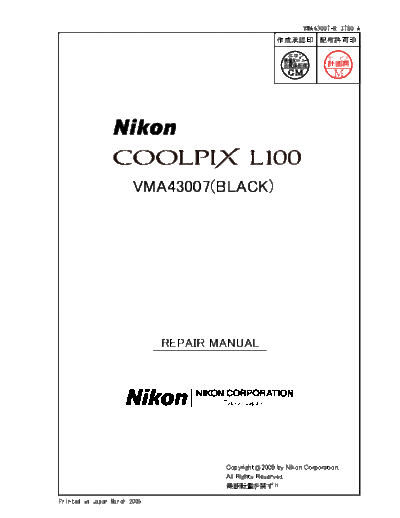
Nikon Coolpix L100


>> Download Nikon Coolpix L100 documenatation <<

Text preview - extract from the document
                                                                  INC
                                                               VMA43007-R.3780.A


                        VMA43007(BLACK)


                              REPAIR MANUAL


                                      Copyright  2009 by Nikon Corporation.
                                      All Rights Reserved.
                                       !!

Printed in Japan March 2009
                            INC
                          VMA43007-R.3780.A
              Contents
Disassembly
  Warning D1
  Rear cover  D2-D3
  Battery cover  D3
  LCD unit D4
  Discharge of main condenser  D4
  LCD holder D5
  Tripod base  D5
  Front cover  D6-D8
  Microphone  D8
  Battery holder  D9-D12
  Release button unit  D13
  Main PCB  D14
  Lens unit  D15
  Speaker  D15-D16
  Inner holder  D17
  LED PCB  D17
  Flash unit  D18-D21


Assembly
  Flash unit  A1-A5
  LED PCB  A6
  Lens unit  A6-A7
  Inner holder  A8
  Speaker  A8-A9
  Main PCB  A10
  Release button unit  A11
  Battery holder  A11-A14
  Microphone  A15
  Front cover  A15-A17
  Tripod base  A18
  LCD holder A18
  LCD unit A19
  Battery cover  A19
  Rear cover  A20-A21


              - L100 -
                               INC
                             VMA43007-R.3780.A

Adjustment A22-A40


Description of circuitE1-E8


Electricity
    Overall wiring E9
    CP1(DMA)circuit diagramE10
    CP1(CAA)circuit diagram E11
    CP1(PWA)circuit diagram E12
    CP1(STA)circuit diagramE13
    CP1(SYA)circuit diagram E14
    CP1(TCA)circuit diagram E15
    ST1 circuit diagram E16
    TB1 circuit diagram E17
    TB2 circuit diagram E18
    TB3 circuit diagram E19
    CA1 circuit diagram E20
    Overall block diagram E21
    CCD block diagram E22
    Lens block diagram E23
    ASIC block diagramE24
    System control block diagram E25
    Power block diagram E26
    Fuse arrangementE27


Inspection standards  R1-R9


Tool listT1-T3


Screw sheetS1


                 - L100 -
                                                                                                      INC
                                                                                                VMA43007-R.3780.A
Disassembly

                                       ! WARNING
                            There are high voltage parts inside. Be careful of this electric shock,
                            when you remove the cover.

                            You must discharge the main condenser according to the instruction
                            of this repair manual after you remove the cover.


                          Points to notice for Lead-free solder products
   Lead-free solder is used for this product.
   For soldering work, the special solder and soldering iron are required.
   Do not mix the lead-free solder with the conventional solder.
   Use the special soldering iron respectively for lead-free solder and lead solder. They cannot be used in
     common.


     Note :  Before disassembling, remove the SD card and battery.
              When disassembling, make sure to memorize the processing state of wires, screws to be
                 fixed and their types, etc.
              Because electrical parts are easily damaged by static electricity, make sure that you are
                 well earthed/grounded.


                                               -D1  L100-
                                                                                      INC
                                                                                    VMA43007-R.3780.A
Rear cover
 Raise the flash unit (pop-up), and take out the two screws (#203).


                                                        #203


 Take out the screw (#203).
 Open the USB cover (#103), and take out the screw (#202).


                                                                      #103


                                                                         #202


                                                                         #203


 Take out the four screws (#201) and two screws (#202)


                                                   #201


                                                                             #202


                                                 #201


                                           -D  L100-
                                                                                         INC
                                                                                      VMA43007-R.3780.A
 Take out the two screws (#203) and two screws (#204).
                                       #203


                                       #204

 Remove the rear cover.
 Remove the double-stick tape (#127) and then the monitor cover (#128) from the rear cover (#126).


                                       #126


                                                                                    #127


                                                                                                     #128


Battery cover

 Pull out the shaft (#102) upward.
 Remove the battery cover (#101).


                                                   #102


                   #101


                                          -D  L100-
                                                                                                  INC
                                                                                                VMA43007-R.3780.A
LCD unit
 Remove the LCD unit (#125). (When removing this, be careful NOT to touch the condenser wire.)


                                                    Condenser wire


         #125


Discharge of main condenser


                                ! WARNING
                      There are high voltage parts inside. Be careful of this electric shock,
                      when you remove the cover.

                      You must discharge the main condenser according to the instruction
                      of this repair manual after you remove the cover.

 Place the terminals of the discharger on the solders of the wires [Red and Black] and discharge the main
 condenser.
                                                       2K  /5W


                                             -D  L100-
                                                                  INC
                                                             VMA43007-R.3780.A
LCD holder
 Take out the screw (#206).
 Remove the GND plate (#106).
 Take out the two screws (#203) and screw (#207).
 Remove the LCD holder (#105).                                    #106


                                  #105                     #206

     #207


            #203                                    #203


Tripod base

 Remove the tripod base (#104).


                       #104


                                         -D  L100-
                                                                                              INC
                                                                                            VMA43007-R.3780.A
Front cover
 Disconnect the FPC from the release button unit (#132).
 Remove the two soldering bridges.
 Unsolder the wires ([Red], [Black], [Gray], and [White]).
 Remove the adhesive (C-8008B) from the wires ([Gray], [White], [Black], and [Brown]).
 Unsolder the wires ([Gray], [White], [Black], and [Brown]).
 Unsolder the wires ([Red] and [Black]).
 Unsolder the wires ([Gray], [Black], [White], and [Red]).
 Take out the two screws (#205).


                                                                        Soldering bridges
               [Red/Black/Gray/White]


[Gray/Black/White/Red]


                               [Red/Black]      Adhesive : C-8008B


                                           [Gray/White/Black/Brown]


                  #205                                               #205


                                            -D  L100-
                                                                                           INC
                                                                                         VMA43007-R.3780.A
 Take out the two screws (#205).
 Raise the flash unit (pop-up), and remove it upward.


                           #205


 Remove the microphone (#131) wires ([Gray] and [Black]) from the guide.
                                         [Gray/Black]


 Separate the front cover and the lens unit a little, and remove the USB cover (#103).


                                                                   #103


                                            -D  L100-
                                                  INC
                                                VMA43007-R.3780.A
 Remove the front cover as below.


Microphone
 Remove the microphone (#131).


                                     #131


                                    -D  L100-
                                                                         INC
                                                                       VMA43007-R.3780.A
Battery holder

 Take out the screw (#203).
 Remove the wires ([Red] and [Black]) from the           [Red/Black]
  guide.


                                                 Guide


                                                                         #203


 Remove the battery holder.


                                         -D  L100-
                                                                                        INC
                                                                                    VMA43007-R.3780.A
 Remove the condenser unit (#144).
 Peel off the double stick tape (#145).


                                                                                     #145


                                   #144


 Unsolder the battery contact PCB (#153).
 Take out the three screws (#206).
 Remove the battery contact PCB (#153). (When removing this, be careful of the below hook.)
 Take out the two screws (#203).
                                                               Unsolder here.


                                          #153                                  Hook
                                 #206


                            #206


                                                                                 #203
                                            -D10  L100-
                                                               INC
                                                             VMA43007-R.3780.A
 Remove the holder strap (#150).


                                                      #150


 Unhook at two places.


                         Unhook here.


                                        -D11  L100-
                                                                                       INC
                                                                                     VMA43007-R.3780.A
 Remove the battery holder C (#146) from the battery holder A (#154).
 Unhook the battery holder B (#151), and remove it in the same way.


     #154                  #146
                                                                                      #151


 Remove the two battery contacts A (#152) from the battery holder A (#154).
 Remove the two battery contacts B (#149) from the battery holder B (#151).


                                                                              #154


              #152


                                                                              #151


                 #149


                                         -D1  L100-
                                                                               INC
                                                                             VMA43007-R.3780.A
Release button unit

 Take out the screw (#209).
 Remove the release button unit (#132) from the front cover (#129).


                      #209
                                                                                #129


                                                                      #132


                                          -D1  L100-
                                                                INC
                                                              VMA43007-R.3780.A
Main PCB

 Disconnect the FPC from the lens barrel side.


 Disconnect the three FPCs.
 Take out the two screws (#206) and (#207).
 Remove the main PCB (#142).


                                                       #142


                   #207


                                                       #206


                                          -D1  L100-
                                                                                         INC
                                                                                      VMA43007-R.3780.A
Lens unit
Caution: Be careful NEITHER to touch the whole area of the back (see below left picture) because there
is the CCD stage on it, NOR to touch the extension area of the lens (see below right picture).


Speaker

 Unhook at two places.
 Remove the speaker unit.
                                                                                    Speaker unit


            Unhook here.


                                         -D1  L100-
                                                                                      INC
                                                                                    VMA43007-R.3780.A
 Take out the two screws (#211).
 Remove the speaker unit from the speaker holder (#139) .


                               #211


                                                                        #139


 Peel off the spacer (#138).
 Remove the speaker (#137) and holder strap (#136) from the speaker cover (#135).


                                      #138

                                              #137


                                                            #135
                                      #136


                                         -D1  L100-
                                                                                        INC
                                                                                     VMA43007-R.3780.A
Inner holder
 While holding the inner holder (#133), take out the three
 screws (#212).

                                                                       #212


                           #133


                  #212


                                                                                 #212


 Remove the inner holder (#133) from the lens unit (#140).
 Remove the three washers (#141).                            #141


                  #133                                                #141


                                                                              #141

                                                                     #140


LED PCB
 Take out the screw (#210).
 Remove the LED PCB (#134).


                  #210


                                                                    #134


                                           -D1  L100-
                                                                         INC
                                                                       VMA43007-R.3780.A
Flash unit

 Take out the screw (#208).
 Remove the pop up SW PCB (#112).


                                                         #208


                                                                #112


 Take out the two screws (#204).
 Push down the flash unit , and remove the flash top cover (#124).


                  #204


                                                      #124


                                          -D1  L100-
                                                                                           INC
                                                                                        VMA43007-R.3780.A
 Peel off the spacer (#122).
 With the flash unit being raised (popped-up), pull out the wires ([Brown], [Black], [Gray] and [White]) from
 the hole of the flash base (#113).
 Remove the trigger coil (#119) and flash unit together.
 Remove the trigger coil (#119).

                               #122


                                                                                #119


 Unhook at three places, and remove the flash unit (#117) and flash holder (#118).


                    #117                                                     #118

 Pull out the shaft (#115).
 Remove the flash base (#113).                    #115


                                                                             #113


                                           -D1  L100-
                                                       INC
                                                     VMA43007-R.3780.A
 Pull out the shaft (#114).
 Remove the spring (#110).

                                              #114


                                       #110


 Remove the holder (#111).

                                                         #111


 Remove the spring holder (#109).


                                                        #109


                                    -D0  L100-
                                                                        INC
                                                                      VMA43007-R.3780.A
 Peel off the double stick tape (#108).


                                                 #108


 Remove the flash window (#116) from the flash bottom cover (#107).


                                  #116


                                                        #107


                                          -D1  L100-
                                                                                      INC
                                                                                   VMA43007-R.3780.A
Assembly
Flash unit
 Assemble the flash window (#116) into the flash-bottom-cover (#107), (with attention to the assembling
 direction).


                  #116


                                        #107


 Attach the double-stick tape (#108).


                                                        #108


                                         -A1  L100-
                                                                                               INC
                                                                                           VMA43007-R.3780.A
 Attach the spring holder (#109).


                                        #109


 Put the spring (#110) in the groove of the flash base (#113) (with attention to the hook's direction).
 Insert the shaft (#114).


                                                     #114


                                                 #110


                                               Be careful of the hook's direction.

 Attach the holder (#111) by putting its head into the hole.


                                      #111


                                             -A  L100-
                                                                                          INC
                                                                                        VMA43007-R.3780.A
  Hook the spring (#110) as shown in the below "  ", and mount the flash base (#113).
  Push the flash base (#113) toward the under-cover, and insert the shaft (#115).
                                        flash bottom cover (#107)
                                         (Revision)


                                           #113

                              #110
                              #115 (Revision)

                                                                         #115


                 #107 (Addition)


Changed Page


◦ Jabse Service Manual Search 2026 ◦ Jabse PravopisonTap.bg ◦ Other service manual resources online : FixyaeServiceinfo