Service Manuals, User Guides, Schematic Diagrams or docs for : CANON Copiers GP 405 ServBull ServBullGP405 acc-150
<< Back | HomeMost service manuals and schematics are PDF files, so You will need Adobre Acrobat Reader to view : Acrobat Download Some of the files are DjVu format. Readers and resources available here : DjVu Resources
For the compressed files, most common are zip and rar. Please, extract files with Your favorite compression software ( WinZip, WinRAR ... ) before viewing. If a document has multiple parts, You should download all, before extracting.
Good luck. Repair on Your own risk. Make sure You know what You are doing.
Image preview - the first page of the document
>> Download acc-150 documenatation <<
Text preview - extract from the document
                                           Service Bulletin                                COPIER


                                           Issued by Canon Europa N.V.


Model      :   Finisher-D1                                           No.:              Acc-150 Rev. 1
               Finisher-E1                                                             (FF-T01-W-000058-02)
                                                                     DATE:             10.09.99


Location       :   INTRODUCING A NEW TOOL

Subject        :   DOWNLOADING USING FINISHER DOWNLOADER PCB

Reason         :   This bulletin communicates how to download from a computer (PC) through a downloader PCB as a
                   means of upgrading the ROM of a finisher.

Details        :   1. Applicable Models
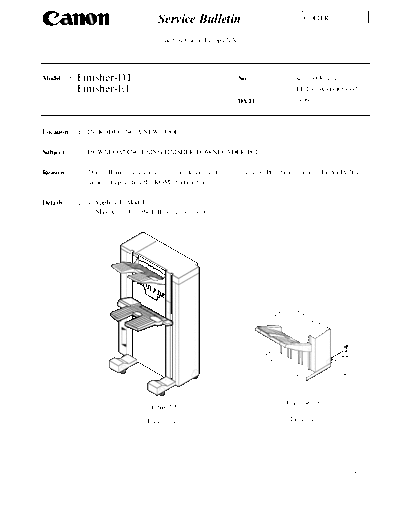
                      May be used for the following two models:


                                                                                     Finisher-E1
                                      Finisher-D1

                                       Figure 1-1                                     Figure 1-2


                                                                                                          -1/9-
                                                                                                            Acc-150 Rev. 1

2. Components of the Downloader PCB (FY8-2034-000)


                                              [5 ]   [8 ]    [1 ]     [2 ]   [3 ]   [4 ]   [7 ]   [6 ]


                                                            Figure 2-1


Names and Functions of the Parts

  Ref.                      Name                                                           Remarks
 [1]     START/STOP button                                          Press it to start/stop downloading.
 [2]     LOAD LED                                                   Remains on when downloading is ready.
 [3]     Model indicator LED                                        Remains on when the Finisher-D1 is connected.
 [4]     Power indicator LED                                        Remains on when the downloader PCB is supplied
                                                                    with power by the finisher.
 [5]     RS-232C cable                                              Use it to connect the downloader PCB to a
         (straight, full connection; 9-pin)                         computer. Be sure to make a connection so that the
                                                                    ferrite core of the cable is on the computer side.
 [6]     Cable A (9-pin; about 70 cm in length)                     Use it to connect the PCB to the Finisher-D1.
 [7]     Cable B (7-pin; about 50 cm in length)                     Use it to connect the PCB to the Finisher-E1.
 [8]     RS-232C connector                                          Use it to connect the RS-232C cable to the PCB.

                                              Table 2-1


3. Related Tool
For downloading, you must obtain the following item:
◦ Jabse Service Manual Search 2026 ◦ Jabse Pravopis ◦ onTap.bg ◦ Other service manual resources online : Fixya ◦ eServiceinfo