Service Manuals, User Guides, Schematic Diagrams or docs for : CANON Copiers GP 405 ServBull ServBullGP405 acc-164
<< Back | HomeMost service manuals and schematics are PDF files, so You will need Adobre Acrobat Reader to view : Acrobat Download Some of the files are DjVu format. Readers and resources available here : DjVu Resources
For the compressed files, most common are zip and rar. Please, extract files with Your favorite compression software ( WinZip, WinRAR ... ) before viewing. If a document has multiple parts, You should download all, before extracting.
Good luck. Repair on Your own risk. Make sure You know what You are doing.
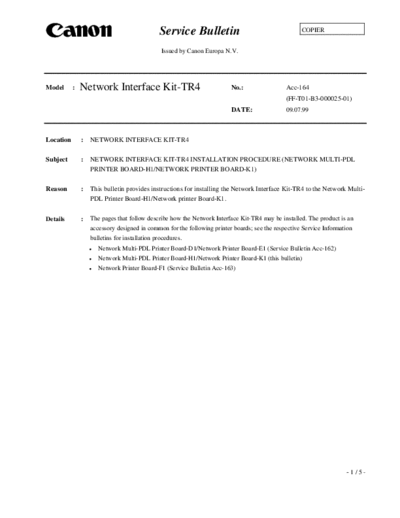
Image preview - the first page of the document
>> Download acc-164 documenatation <<
Text preview - extract from the document
                                               Service Bulletin                                     COPIER


                                                Issued by Canon Europa N.V.


Model      :   Network Interface Kit-TR4                                 No.:                 Acc-164
                                                                                              (FF-T01-B3-000025-01)
                                                                         DATE:                09.07.99


Location       :   NETWORK INTERFACE KIT-TR4

Subject        :   NETWORK INTERFACE KIT-TR4 INSTALLATION PROCEDURE (NETWORK MULTI-PDL
                   PRINTER BOARD-H1/NETWORK PRINTER BOARD-K1)

Reason         :   This bulletin provides instructions for installing the Network Interface Kit-TR4 to the Network Multi-
                   PDL Printer Board-H1/Network printer Board-K1.

Details        :   The pages that follow describe how the Network Interface Kit-TR4 may be installed. The product is an
                   accessory designed in common for the following printer boards; see the respective Service Information
                   bulletins for installation procedures.
                      Network Multi-PDL Printer Board-D1/Network Printer Board-E1 (Service Bulletin Acc-162)
                      Network Multi-PDL Printer Board-H1/Network Printer Board-K1 (this bulletin)
                      Network Printer Board-F1 (Service Bulletin Acc-163)


                                                                                                                     -1/5-
                                                                                                      Acc-164

Network Interface Kit-TR4 Installation Procedure
  1     Points to Note during Installation
      Before turning off the main power, be sure to check that the FAX memory lamp is NOT on.


                          Copying
                                           Error                        Error   Data              Error
                                    COPY                       FAX                     PRINTI/F
                                                    Memory
                                                    TX/RX


                                                               Fig. 1


  2        Installation Procedure
      A.    Checking the Package contents


           Network Interface Kit-TR4         1pc.


                                                             Fig. 2-1


                                                                                                          -2/5-
                                                                                                          Acc-164

B. Removing the Network Interface Kit-TR4                7) Remove the three screws.
1) Turn off the main power.                                                                   Screws
2) Remove the two screws, and detach the PDL
    cover.

   PDL cover


                                                                                       Fig. 2-5

                                  Screws
                                                         8) While holding up the network printer unit with
                                                            both your hands, free the upper left hook to detach
                                                            the network printer unit from the copier.
                     Fig. 2-2
                                                                      Hook
3) Remove the four screws, and detach the rear
   cover.
4) Remove the three screws, and detach the flywheel.
5) Remove the two screws, and detach the cable
   cover.
                                                                                             Network printer
         Cable cover                                                                         board


                                       Screws


                       Fig. 2-3
                                                                                  Fig. 2-6
6) Disconnect the two flat cables on the printer board
   side; then, disconnect the power connector.
                                                         C. Mounting the Network Interface Kit-TR4
                                                         1) Remove the twelve screws, and detach the
                                                            upper cover of the network printer unit.


   Power connector                     Flat cable

                            Fig. 2-4

                                                                                Fig. 2-7                  -3/5-
                                                                                                               Acc-164

2) Remove the two screws, and detach the TR4            5) Mount the upper cover of the network printer unit
   dressing cover.                                         with twelve screws. (See Fig. 2-7.)

                                                        D. Mounting the Network Interface Kit-TR4
                                                        1) Remove the screws (at the bottom) used to
  TR4 dressing                                             secure the copier's left cover, and free the left
  cover                                                    cover toward the outside.


                                          Screws


                       Fig. 2-8                               Left cover
                                                                                   Fig. 2-11
3) Detach the connector cover, and insert the
   Network Interface Kit-TR4.(Be sure to orient it as   2) While holding the network printer unit with both
   shown in the figure.)                                   your hands, insert the lower right hook into the
                                                           copier.

 Connector cover                                            Network printer unit


                                                                                                      Hook


   Network Interface
                                                                                   Fig. 2-12
   Kit-TR4
                        Fig. 2-9                        3) Fit the hook in the upper left of the unit to the
                                                           copier.
4) Fit the two screws, removed previously from the
                                                                                   Hook
   dressing plate side of the network printer board;
   then, secure the Network Interface Kit-TR4 in
   place to the printer unit.


                                                                                   Fig. 2-13
                                                        4) Fit the three screws. (See Fig. 2-5.)
                                                        5) Connect the two flat cables and the power
                                       Screws              connector. (See Fig. 2-4.)
                                                        6) Mount the cable cover (See Fig. 2-3.), flywheel,
                                                           left cover, and rear cover.
                                                        7) Mount the PDL dressing cover with two
                                                           screws. (See Fig. 2-2.)
                       Fig. 2-10
                                                                                                               -4/5-
                                                                                           Acc-164

3     Setting the Network Interface Kit-TR4
    When you have finished mounting the Network Interface Kit-TR4, be sure to request the
    administrator of the user's network to perform the following:
    By referring to the Administrator's Guide, make necessary settings for the Network Interface
    Kit-TR4.


                                                                                              -5/5-
◦ Jabse Service Manual Search 2026 ◦ Jabse Pravopis ◦ onTap.bg ◦ Other service manual resources online : Fixya ◦ eServiceinfo