Service Manuals, User Guides, Schematic Diagrams or docs for : CANON Copiers GP 405 ServBull ServBullGP405 gpgen-21
<< Back | HomeMost service manuals and schematics are PDF files, so You will need Adobre Acrobat Reader to view : Acrobat Download Some of the files are DjVu format. Readers and resources available here : DjVu Resources
For the compressed files, most common are zip and rar. Please, extract files with Your favorite compression software ( WinZip, WinRAR ... ) before viewing. If a document has multiple parts, You should download all, before extracting.
Good luck. Repair on Your own risk. Make sure You know what You are doing.
Image preview - the first page of the document
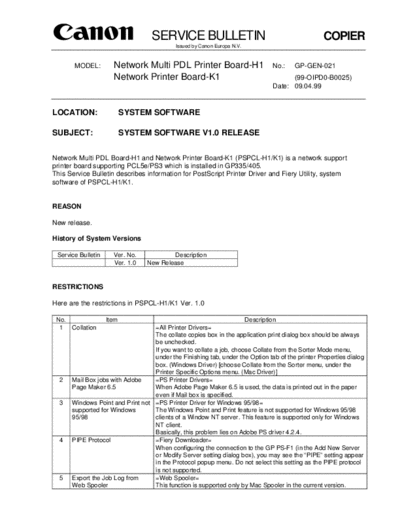
>> Download gpgen-21 documenatation <<
Text preview - extract from the document
                                  SERVICE BULLETIN                                               COPIER
                                           Issued by Canon Europa N.V.


       MODEL:         Network Multi PDL Printer Board-H1                      No.:    GP-GEN-021
                      Network Printer Board-K1                                      (99-OIPD0-B0025)
                                                                              Date: 09.04.99


LOCATION:                  SYSTEM SOFTWARE

SUBJECT:                   SYSTEM SOFTWARE V1.0 RELEASE


Network Multi PDL Board-H1 and Network Printer Board-K1 (PSPCL-H1/K1) is a network support
printer board supporting PCL5e/PS3 which is installed in GP335/405.
This Service Bulletin describes information for PostScript Printer Driver and Fiery Utility, system
software of PSPCL-H1/K1.


REASON

New release.

History of System Versions

 Service Bulletin     Ver. No.           Description
                      Ver. 1.0   New Release


RESTRICTIONS

Here are the restrictions in PSPCL-H1/K1 Ver. 1.0

 No.                Item                                            Description
  1 Collation                     =All Printer Drivers=
                                  The collate copies box in the application print dialog box should be always
                                  be unchecked.
                                  If you want to collate a job, choose Collate from the Sorter Mode menu,
                                  under the Finishing tab, under the Option tab of the printer Properties dialog
                                  box. (Windows Driver) [choose Collate from the Sorter menu, under the
                                  Printer Specific Options menu. (Mac Driver)]
  2   Mail Box jobs with Adobe    =PS Printer Drivers=
      Page Maker 6.5              When Adobe Page Maker 6.5 is used, the data is printed out in the paper
                                  even if Mail box is specified.
  3   Windows Point and Print not =PS Printer Driver for Windows 95/98=
      supported for Windows       The Windows Point and Print feature is not supported for Windows 95/98
      95/98                       clients of a Window NT server. This feature is supported only for Windows
                                  NT client.
                                  Basically, this problem lies on Adobe PS driver 4.2.4.
  4   PIPE Protocol               =Fiery Downloader=
                                  When configuring the connection to the GP PS-F1 (in the Add New Server
                                  or Modify Server setting dialog box), you may see the "PIPE" setting appear
                                  in the Protocol popup menu. Do not select this setting as the PIPE protocol
                                  is not supported.
  5   Export the Job Log from     =Web Spooler=
      Web Spooler                 This function is supported only by Mac Spooler in the current version.
COPIER                                              -2-                                         GP-GEN-021


 No.            Item                                               Description
  6 PostScript output format      =PS Printer Driver for Win95/98=
                                  If you set PostScript output format to "PostScript [optimize for portability-
                                  ADSC]" under the PostScript tab in the printer Properties dialog box, you
                                  may not get the desired output.
  7   Coexistence of LaserWriter8 LaserWriter8 driver becomes unavailable when the PSPCL-H1 driver is
      and PSPCL-H1 drivers in a installed in a Macinthosh.
      Macintosh                   Please see information of the following Web site, since this matter concerns
                                  restrictions of Apple.
                                    KWWSWLOLQIRDSSOHFRPWHFKLQIRQVIDUWQXPQ


COMBINATION OF ROMs

GP335/405                  IP                 Ver. 30.04 or later
GP335/405                  D-CON              Ver. 22.01 or later
PSPCL H1/K1                Boot ROM           Boot Block: 1.4.49 Main Block: 1.4.49c
PSPCL H1/K1                System             Ver. 1.0
PS Driver for Windows95/98                    Ver. 1.0 (Adobe PS Driver 4.2.4 based)
PS Driver for Windows NT4.0                   Ver. 1.0 (MS Pscript Driver based)
PS Driver for Macintosh                       Ver. 1.0 (Adobe PS Driver 8.5.1 based)


REMARKS

1. Image margins of PSPCL-H1/K1
   = PostScript
      5mm for each side in each paper size
   = PCL
◦ Jabse Service Manual Search 2026 ◦ Jabse Pravopis ◦ onTap.bg ◦ Other service manual resources online : Fixya ◦ eServiceinfo