Service Manuals, User Guides, Schematic Diagrams or docs for : CANON Copiers GP 405 ServBull ServBullGP405 gpgen-23
<< Back | HomeMost service manuals and schematics are PDF files, so You will need Adobre Acrobat Reader to view : Acrobat Download Some of the files are DjVu format. Readers and resources available here : DjVu Resources
For the compressed files, most common are zip and rar. Please, extract files with Your favorite compression software ( WinZip, WinRAR ... ) before viewing. If a document has multiple parts, You should download all, before extracting.
Good luck. Repair on Your own risk. Make sure You know what You are doing.
Image preview - the first page of the document
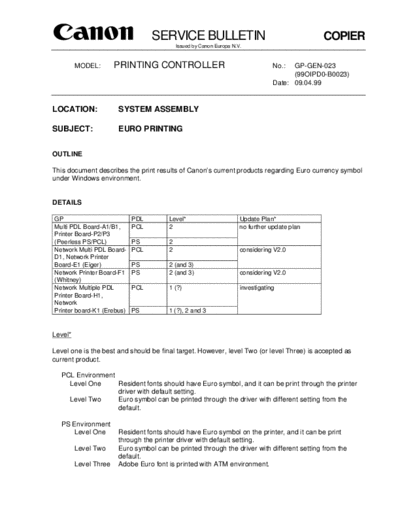
>> Download gpgen-23 documenatation <<
Text preview - extract from the document
                                  SERVICE BULLETIN                                             COPIER
                                            Issued by Canon Europa N.V.


         MODEL:        PRINTING CONTROLLER                                        No.:  GP-GEN-023
                                                                                        (99OIPD0-B0023)
                                                                                  Date: 09.04.99


LOCATION:              SYSTEM ASSEMBLY

SUBJECT:               EURO PRINTING


OUTLINE

This document describes the print results of Canon's current products regarding Euro currency symbol
under Windows environment.


DETAILS

GP                          PDL         Level*                        Update Plan*
Multi PDL Board-A1/B1,      PCL         2                             no further update plan
Printer Board-P2/P3
(Peerless PS/PCL)           PS          2
Network Multi PDL Board-    PCL         2                             considering V2.0
D1, Network Printer
Board-E1 (Eiger)            PS          2 (and 3)
Network Printer Board-F1    PS          2 (and 3)                     considering V2.0
(Whitney)
Network Multiple PDL        PCL         1 (?)                         investigating
Printer Board-H1,
Network
Printer board-K1 (Erebus)   PS          1 (?), 2 and 3


Level*

Level one is the best and should be final target. However, level Two (or level Three) is accepted as
current product.

  PCL Environment
    Level One     Resident fonts should have Euro symbol, and it can be print through the printer
                  driver with default setting.
    Level Two     Euro symbol can be printed through the driver with different setting from the
                  default.

  PS Environment
     Level One         Resident fonts should have Euro symbol on the printer, and it can be print
                       through the printer driver with default setting.
         Level Two     Euro symbol can be printed through the driver with different setting from the
                       default.
         Level Three   Adobe Euro font is printed with ATM environment.
COPIER                                               -2-                                      GP-GEN-023


Update Plan*

NO UPDATE PLAN, in case that there is an update plan, but it has no relation to euro symbol printing.

1. Purpose of the document
   To make sure printing ability of each product, and to share the information on euro printing.

2. Background
   2.1 Introduction of euro symbol
       Euro currency is effective in European Union since January 1999, and character symbol is also
       introduced. Computer software, hardware and fonts vendors including Microsoft are providing a
       way to adapt to the new environment.

  2.2 Customer's requirement
      Introducing above currency and its symbol, there are more and more chance to use the symbol,
      and the customer's expectation of print ability is getting stronger.

  2.3 Product design
      The original design of Canon's current product was not considered regarding the euro symbol
      unfortunately, so Canon needs some action if necessary.

3. Test Method
   3.1 Preperation
       Office97 (Word97, Excel97, PowerPoint97) is used for this test.

  3.2 Create documents
      Create documents with text of Times New Roman, Arial, and Courier New, which are provided
      as Euro patch font file from Microsoft.

  3.3 Print documents
      Print documents with default setting of the printer driver at first.
      When we can not get correct print result, then try to change printer driver setting till getting the
      correct print result.
      Above three fonts and four styles (regular, bold, italic and bold italic) are all verified. But the
      report shows only fonts name and not styles, because there is no difference of print result
      among four styles.

4. Print Result
   OK means getting correct print result with printer driver of default setting.
   4.1 GP/FAX Controller
       4.1.1 Multi PDL Board-A1/B1, Printer Board-P2/P3 4.01 (Peerless PS/PCL)
              Printer Driver: V3.0 for Win95/98
                              V3.0a for Win NT4.0

               PCL5e           Windows95                   Windows98           Windows NT
                               Word   Excel     PP         Word   Excel   PP   Word   Excel   PP
               Times New Roman F      F         F          F      F       F    F      F       F
               Arial           F      F         F          F      F       F    F      F       F
               Courier New     F      F         F          F      F       F    F      F       F

               F- [Graphic] tab  "TrueType Mode=Download as BitImage", then remove check mark
               from "Use Printer TrueType".
COPIER                                         -3-                                      GP-GEN-023


           Printer Driver: V1.0 for Win95/98 (Adobe PS4.1.1+CIS customize)
                           PDD for Win NT4.0 (MS Pscript4.0)

           PS              Windows95                 Windows98           Windows NT
                           Word   Excel   PP         Word   Excel   PP   Word   Excel   PP
           Times New Roman A      A       A          A      A       A    OK     OK      OK
           Arial           A      A       A          A      A       A    OK     OK      OK
           Courier New     A      A       A          A      A       A    OK     OK      OK

           A- [Fonts] tab  specify check mark to "Always use TrueType fonts"

     4.1.2 Network Multi PDL Printer Board-D1/Network Printer Board-E1 V1.21 (Eiger)
           Printer Driver: V1.21 for Win95/98
                           V1.21 for Win NT4.0

           PCL5e           Windows95                 Windows98           Windows NT
                           Word   Excel   PP         Word   Excel   PP   Word   Excel   PP
           Times New Roman D      D       D          D      D       D    D      D       D
           Arial           D      D       D          D      D       D    D      D       D
           Courier New     D      D       D          D      D       D    D      D       D

           D- [Fonts] tab  specify check mark to "Always use host font"

           Printer Driver: V1.21 for Win95/98 (Adobe PS4.2.3+ customize)
                           V1.21 for Win NT4.0 (MS Pscript4.0)

           PS              Windows95                 Windows98           Windows NT
                           Word   Excel   PP         Word   Excel   PP   Word   Excel   PP
           Times New Roman A      X       X          A      A       A    OK     OK      OK
           Arial           A      X       X          A      A       A    OK     OK      OK
           Courier New     A      A       A          A      A       A    OK     OK      OK

           A- [Fonts] tab  specify check mark to "Always use TrueType fonts"
           X- Download New Euro Symbol Font from Adobe HomePage site and utilize ATM


     4.1.3 Network Printer Board-F1 V1.01 (Whitney)
           Printer Driver: V1.01 for Win95/98 (Adobe PS4.2.4+customize)
                           V1.01 for Win NT4.0 (MS Pscript 4.0)

           PS              Windows95                 Windows98           Windows NT
                           Word   Excel   PP         Word   Excel   PP   Word   Excel   PP
           Times New Roman A      X       X          A      A       A    OK     OK      OK
           Arial           A      X       X          A      A       A    OK     OK      OK
           Courier New     A      A       A          A      A       A    OK     OK      OK

           A- [Fonts] tab  specify check mark to "Always use TrueType fonts"
           X- Download New Euro Symbol Font from Adobe HomePage site and utilize ATM
COPIER                                            -4-                                      GP-GEN-023


       4.1.4 Network Multi PDL Printer Board-H1/Network Printer Board-K1 V1.0 (Erebus)
             Printer Driver: V4.00 for Win95/98
                             V4.00 for Win NT4.0

              PCL5e           Windows95                 Windows98           Windows NT
                              Word   Excel   PP         Word   Excel   PP   Word   Excel   PP
              Times New Roman OK     OK      OK         OK     OK      OK   OK     OK      OK
              Arial           OK     OK      OK         OK     OK      OK   OK     OK      OK
              Courier New     OK     OK      OK         OK     OK      OK   OK     OK      OK

              Printer Driver: V1.0 for Win95/98 (Adobe PS4.2.4+customize)
                              V1.0 for Win NT4.0 (MS Pscript 4.0)

              PS              Windows95                 Windows98           Windows NT
                              Word   Excel   PP         Word   Excel   PP   Word   Excel   PP
              Times New Roman A      X       X          A      A       A    OK     OK      OK
              Arial           A      X       X          A      A       A    OK     OK      OK
              Courier New     A      A       A          A      A       A    OK     OK      OK

              A- [Fonts] tab  specify check mark to "Always use TrueType fonts"
              X- Download New Euro Symbol Font from Adobe HomePage site and utilize ATM


5. Others
   5.1 ATM
       We did the print test WITHOUT ATM basically. However, when there was no alternative to print
       out correctly, we did the test WITH ATM as the last resort.

  5.2 Macintosh
      On MacOS 8.5.1 or later, some system fonts include Euro symbol. However, print result
      depends on applications. The report does not include Mac environment print result.
      In some cases, the user can print euro symbol with specifying Substitute Fonts OFF in
      PostScript Options in Page Setup dialog box.

       If you cannot print Euro in any case, including older MacOS, use Euro fonts from Adobe Home
       Page. You can print it with ATM.
◦ Jabse Service Manual Search 2026 ◦ Jabse Pravopis ◦ onTap.bg ◦ Other service manual resources online : Fixya ◦ eServiceinfo