Service Manuals, User Guides, Schematic Diagrams or docs for : CANON Copiers GP 605 ServBull Jp_gen gpgen-05
<< Back | HomeMost service manuals and schematics are PDF files, so You will need Adobre Acrobat Reader to view : Acrobat Download Some of the files are DjVu format. Readers and resources available here : DjVu Resources
For the compressed files, most common are zip and rar. Please, extract files with Your favorite compression software ( WinZip, WinRAR ... ) before viewing. If a document has multiple parts, You should download all, before extracting.
Good luck. Repair on Your own risk. Make sure You know what You are doing.
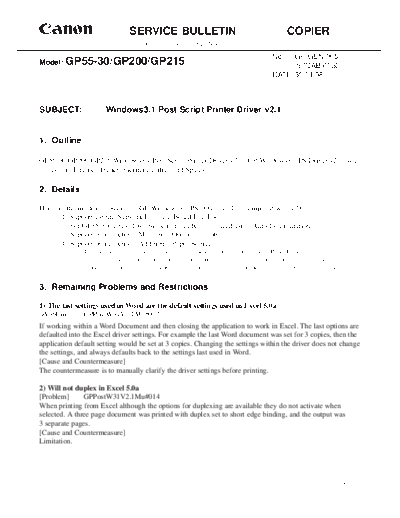
Image preview - the first page of the document
>> Download gpgen-05 documenatation <<
Text preview - extract from the document
Canon                            SERVICE BULLETIN                                                COPIER
                                       Issued by Canon Europa N.V.

                                                                                          No.:  GP-GEN-005
Model:   GP55-30/GP200/GP215                                                                    (97QAB-0030)
                                                                                          DATE: 30.01.98


SUBJECT:               Windows3.1 Post Script Printer Driver v2.1


1. Outline

GP55-30/GP200/GP215 Windows3.1 Post Script Printer Driver v2.1 (GP Windows3.1 PS Driver v2.1) was
released in English, French, German, Italian and Spanish.

2. Details

Here are the modifications in the GP Windows3.1 PS Driver v2.1 as compared with v2.01.
       1) Support for the Network Interface Board-E2e/E3e
       2) For GP55-30 series, 10+2 bin sorter can be configured using Auto Configuration
       3) Support of a function "Multi Size/Orientation Job"
       4) Support of a function "Additional Paper Source"
               This function allows you to define a different source (such as a Cassette or Paper Deck) for the first page of a
               printed document. This feature is useful when you have preprinted stationery (such as a letterhead) that you want
               to use for the first page of a document, while using plain paper for the remaining pages of the document.


3. Remaining Problems and Restrictions

1) The last settings used in Word are the default settings used in Excel 5.0a
[Problem]      GPPostW31V2.1Mu#012
If working within a Word Document and then closing the application to work in Excel. The last options are
defaulted into the Excel driver settings. For example the last Word document was set for 3 copies, then the
application default setting would be set at 3 copies. Changing the settings within the driver does not change
the settings, and always defaults back to the settings last used in Word.
[Cause and Countermeasure]
The countermeasure is to manually clarify the driver settings before printing.

2) Will not duplex in Excel 5.0a
[Problem]      GPPostW31V2.1Mu#014
When printing from Excel although the options for duplexing are available they do not activate when
selected. A three page document was printed with duplex set to short edge binding, and the output was
3 separate pages.
[Cause and Countermeasure]
Limitation.


                                                                                                                     -1/3-
                                                                                       GP-GEN-005


3) Will not print from the Paper Deck with Excel 5.0a
[Problem]     GPPostW31V2.1Mu#015
When selecting paper source to paper deck, the paper is selected from the Auto tray which was tray 1. This
does not occur if using Word.
[Cause and Countermeasure]
Limitation.

4) Will not print multiple copies on first attempt
[Problem]      GPPostW31V2.1Mu#009
When increasing the amount of copies from 1 to say 4, only 1 copy is produced. When attempting to print
again then the 4 copies will print.
[Cause and Countermeasure]
Limitation.

5) Auto Configuration does not work with NDS queues
[Problem]      GPPostW31V2.1Mu#010
The NIB E3e and E2e can not operate the Auto Configuration of the printer driver when they are attached
to a Novell NDS queue.
[Cause and Countermeasure]
Limitation of NIB specification. Will only work in the NIB's are connected to a Bindery Queue. Otherwise
manual configuration must be used.

6) Auto Configure does not see Duplex A1
[Problem]      GPPostW31V2.1Mu#016
The Auto Configuration does not report that the pedestal A1 is attached when it is.
[Cause and Countermeasure]
The cause is in the firmware of the GP. To work around this problem this pedestal must be manually con-
figured.

7) French driver ONLY - There are no Hot Keys for Scaling and Copies
[Problem]
There are no Hot Keys marked for Scaling (Echelle) or Copies (Copies). They do show in the help file as
ALT+H (Echelle) and ALT+I (Copies) but not in the driver.
[Cause and Countermeasure]
Limitation.


                                                                                               -2/3-
                                                       GP-GEN-005


4. Combinations of ROMs and Software Versions tested

1) GP200/215 Series
      GP200/215 IP            Ver.45.02 and later
                    D-CON     Ver.35.04 and later
                    PRCON     Ver.7.01
                    PS/PCL    Ver.3.04
                    PCL5e     Ver.1.32

2) GP55/30 Series
      GP55F         MMI       Ver.50.18
                    IP        Ver.43.01
                    D-Con     Ver.22.01

      GP30F         ICORE     Ver.32.01 and later
                    IP        Ver.17.01 and later
                    D-Con     Ver.3.01

      MDC           NCORE     Ver.90.01
                    NIB-E2    Ver.31.04
                    NIB-E2e   Ver.2.25
                    PSPCL     Ver.15.11
                    PCL5e     Ver.12.03


                                                            -3/3-
◦ Jabse Service Manual Search 2026 ◦ Jabse Pravopis ◦ onTap.bg ◦ Other service manual resources online : Fixya ◦ eServiceinfo