Service Manuals, User Guides, Schematic Diagrams or docs for : CANON Copiers GP 605 ServBull Jp_gen gpgen-09
<< Back | HomeMost service manuals and schematics are PDF files, so You will need Adobre Acrobat Reader to view : Acrobat Download Some of the files are DjVu format. Readers and resources available here : DjVu Resources
For the compressed files, most common are zip and rar. Please, extract files with Your favorite compression software ( WinZip, WinRAR ... ) before viewing. If a document has multiple parts, You should download all, before extracting.
Good luck. Repair on Your own risk. Make sure You know what You are doing.
Image preview - the first page of the document
>> Download gpgen-09 documenatation <<
Text preview - extract from the document
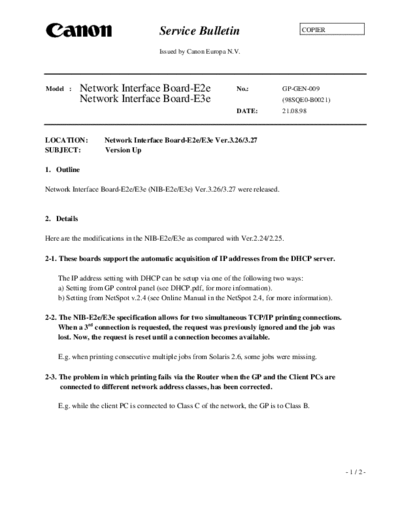
                                      Service Bulletin                                 COPIER


                                      Issued by Canon Europa N.V.


Model :      Network Interface Board-E2e                         No.:           GP-GEN-009
             Network Interface Board-E3e                                        (98SQE0-B0021)
                                                                 DATE:          21.08.98


LOCATION:          Network Interface Board-E2e/E3e Ver.3.26/3.27
SUBJECT:           Version Up

1. Outline

Network Interface Board-E2e/E3e (NIB-E2e/E3e) Ver.3.26/3.27 were released.


2. Details

Here are the modifications in the NIB-E2e/E3e as compared with Ver.2.24/2.25.

2-1. These boards support the automatic acquisition of IP addresses from the DHCP server.

    The IP address setting with DHCP can be setup via one of the following two ways:
    a) Setting from GP control panel (see DHCP.pdf, for more information).
    b) Setting from NetSpot v.2.4 (see Online Manual in the NetSpot 2.4, for more information).

2-2. The NIB-E2e/E3e specification allows for two simultaneous TCP/IP printing connections.
     When a 3rd connection is requested, the request was previously ignored and the job was
     lost. Now, the request is reset until a connection becomes available.

    E.g. when printing consecutive multiple jobs from Solaris 2.6, some jobs were missing.

2-3. The problem in which printing fails via the Router when the GP and the Client PCs are
     connected to different network address classes, has been corrected.

    E.g. while the client PC is connected to Class C of the network, the GP is to Class B.


                                                                                                  -1/2-
                                                                             GP-GEN-009

3. Combination of ROMs

3-1. NIB-E2e Ver.3.27

GP55F                    MMI v50.18/IP v43.01/D-CON v22.01
GP30                     ICORE v32.01 and later/IP v17.01 and later/D-CON v3.01
MDC                      NCORE v90.01/PSPCL v15.11/PCL5e v15.12


3-2. NIB-E3e Ver.3.26

GP200/215                IP v49.02 and later/D-CON v37.01/PRCON v7.01
                         PSPCL v4.01/PCL5e v4.01


4. Parts Number

4-1. NIB-E2e Ver.3.27

FF3-2691                 Check Sum = FC10 h
FF3-2692                 Check Sum = A777 h

4-2. NIB-E3e Ver.3.26

FF3-2305                 Check Sum = FC11 h
FF3-2306                 Check Sum = A775 h


                                                                                          -2/2-
◦ Jabse Service Manual Search 2026 ◦ Jabse Pravopis ◦ onTap.bg ◦ Other service manual resources online : Fixya ◦ eServiceinfo