Service Manuals, User Guides, Schematic Diagrams or docs for : CANON Copiers GP 605 ServBull Jp_gen gpgen-10
<< Back | HomeMost service manuals and schematics are PDF files, so You will need Adobre Acrobat Reader to view : Acrobat Download Some of the files are DjVu format. Readers and resources available here : DjVu Resources
For the compressed files, most common are zip and rar. Please, extract files with Your favorite compression software ( WinZip, WinRAR ... ) before viewing. If a document has multiple parts, You should download all, before extracting.
Good luck. Repair on Your own risk. Make sure You know what You are doing.
Image preview - the first page of the document
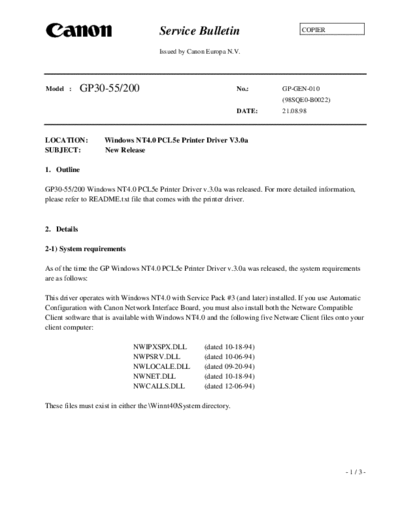
>> Download gpgen-10 documenatation <<
Text preview - extract from the document
                                      Service Bulletin                               COPIER


                                      Issued by Canon Europa N.V.


Model :      GP30-55/200                                          No.:        GP-GEN-010
                                                                              (98SQE0-B0022)
                                                                  DATE:       21.08.98


LOCATION:           Windows NT4.0 PCL5e Printer Driver V3.0a
SUBJECT:            New Release

1. Outline

GP30-55/200 Windows NT4.0 PCL5e Printer Driver v.3.0a was released. For more detailed information,
please refer to README.txt file that comes with the printer driver.


2. Details

2-1) System requirements

As of the time the GP Windows NT4.0 PCL5e Printer Driver v.3.0a was released, the system requirements
are as follows:

This driver operates with Windows NT4.0 with Service Pack #3 (and later) installed. If you use Automatic
Configuration with Canon Network Interface Board, you must also install both the Netware Compatible
Client software that is available with Windows NT4.0 and the following five Netware Client files onto your
client computer:

                              NWIPXSPX.DLL            (dated 10-18-94)
                              NWPSRV.DLL              (dated 10-06-94)
                              NWLOCALE.DLL            (dated 09-20-94)
                              NWNET.DLL               (dated 10-18-94)
                              NWCALLS.DLL             (dated 12-06-94)

These files must exist in either the \Winnt40\System directory.


                                                                                                   -1/3-
                                                                                       GP-GEN-010


2-2) Driver installation

MS Networking for NT4.0 should be installed under "Network" in your control panel even if the GP device
will not be used as a network printer.

You must have Administrator rights to install the Fax functionality with the Printer Driver. This is
necessary to run the Fax service in Windows NT4.0. Normal Users and Power Users do not have the rights
to enable this service.


2-3) Restrictions

The Network Interface Board-E2e/E3e cannot operate with the "Automatic Configuration" mode when it is
using NDS mode. Instead, you should use Bindery mode or disable the "Automatic Configuration" mode.

A problem has been experienced when connecting to a Novell NDS Server (v4.11) with Service Pack4
installed. Novell has provided a workaround that is as follows:

1. After SP4 installed, modify the Startup.ncf file from
   "LOAD C:\NWSERVER\PK411.NLM" to
   "LOAD C:\NWSERVER\PK411.NLM", "PMUNLOAD TSKSZERFX.NLM"

2. Save file and restart the server for change to take affect or run "PMUNLOAD TSKZERFX.NLM"
   at the console prompt for the change to take affect without restarting the server.


When printing with "Microsoft TCP/IP Printing" with the "Network Interface Board-E2e/E3e"
installed in your GP, you should enter the same name into the "Name or Address of server providing lpd" of
the "Add LPR compatible printer" dialog that you have entered as the name under "Device Information" in
NetSpot. If the name is not known, leave it blank. Failure to do this may cause a fatal error in the driver.

Windows NT4.0 must be installed with the MS Networking components. If the driver has been installed
prior to installing MS Networking, the following steps should be taken:

1. Install MS Networking for NT4.0 under "Network" in your control panel.
2. Install or re-install Service Pack#3 or later.
3. Re-install the printer driver.


                                                                                                     -2/3-
                                            GP-GEN-010


3. Combination of ROMs

3-1) GP200 series
        IP            Ver.49.02 and later
        D-CON         Ver.37.01
        PS/PCL        Ver.4.01
        PCL5e         Ver.4.01
        NIB-E3e       Ver.2.24 and later

3-2) GP55/30 series
        GP55F MMI     Ver.50.18
        GP55 IP       Ver.43.01
        GP55 D-CON    Ver.22.01
        GP30 ICORE    Ver.32.01 and later
        GP30 IP       Ver.17.01 and later
        GP30 D-CON    Ver.3.01
        MDC NCORE     Ver.90.01
        PSPSCL        Ver.15.11
        PCL5e         Ver.15.12
        NIB-E2e       Ver.2.25 and later


                                                         -3/3-
◦ Jabse Service Manual Search 2026 ◦ Jabse Pravopis ◦ onTap.bg ◦ Other service manual resources online : Fixya ◦ eServiceinfo