Service Manuals, User Guides, Schematic Diagrams or docs for : CANON Copiers GP 605 ServBull Jp_gen gpgen-11
<< Back | HomeMost service manuals and schematics are PDF files, so You will need Adobre Acrobat Reader to view : Acrobat Download Some of the files are DjVu format. Readers and resources available here : DjVu Resources
For the compressed files, most common are zip and rar. Please, extract files with Your favorite compression software ( WinZip, WinRAR ... ) before viewing. If a document has multiple parts, You should download all, before extracting.
Good luck. Repair on Your own risk. Make sure You know what You are doing.
Image preview - the first page of the document
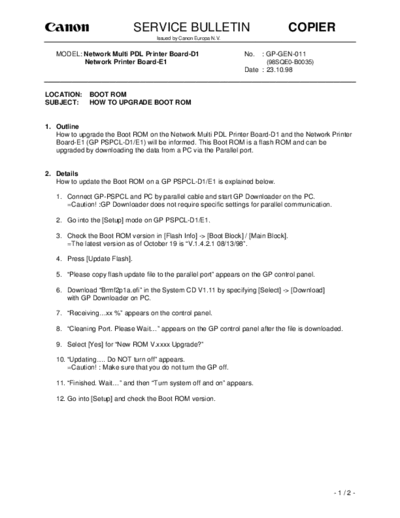
>> Download gpgen-11 documenatation <<
Text preview - extract from the document
                              SERVICE BULLETIN                                     COPIER
                                     Issued by Canon Europa N.V.


   MODEL: Network Multi PDL Printer Board-D1                       No.   : GP-GEN-011
          Network Printer Board-E1                                        (98SQE0-B0035)
                                                                   Date : 23.10.98


LOCATION:     BOOT ROM
SUBJECT:      HOW TO UPGRADE BOOT ROM


1. Outline
   How to upgrade the Boot ROM on the Network Multi PDL Printer Board-D1 and the Network Printer
   Board-E1 (GP PSPCL-D1/E1) will be informed. This Boot ROM is a flash ROM and can be
   upgraded by downloading the data from a PC via the Parallel port.


2. Details
   How to update the Boot ROM on a GP PSPCL-D1/E1 is explained below.

   1. Connect GP-PSPCL and PC by parallel cable and start GP Downloader on the PC.
      =Caution! :GP Downloader does not require specific settings for parallel communication.

   2. Go into the [Setup] mode on GP PSPCL-D1/E1.

   3. Check the Boot ROM version in [Flash Info] -> [Boot Block] / [Main Block].
      =The latest version as of October 19 is "V.1.4.2.1 08/13/98".

   4. Press [Update Flash].

   5. "Please copy flash update file to the parallel port" appears on the GP control panel.

   6. Download "Brmf2p1a.efi" in the System CD V1.11 by specifying [Select] -> [Download]
      with GP Downloader on PC.

   7. "Receiving...xx %" appears on the control panel.

   8. "Cleaning Port. Please Wait..." appears on the GP control panel after the file is downloaded.

   9. Select [Yes] for "New ROM V.xxxx Upgrade?"

   10. "Updating.... Do NOT turn off" appears.
       =Caution! : Make sure that you do not turn the GP off.

   11. "Finished. Wait..." and then "Turn system off and on" appears.

   12. Go into [Setup] and check the Boot ROM version.


                                                                                                -1/2-
Copier                                             -2-                                    GP-GEN-011

3. Modification History
   Modification History of the Boot ROM is explained below.

   (1). V1.4.2
        Initial version

   (2). V1.4.2.1 07/13 version
        The problem that the system does not operate normally because of variation of hardware
        when GP PSPCL-D1/E1 are started was corrected.

   (3). V1.4.2.1 08/13 version
        The mode which checked the type of DIMM in the process of system operation was removed
        (when types of memory which can be attached in the market are increased, former Boot
        ROM does not recognize them).


4. Others
   (1). When you upgrade from GP PSPCL-D1/E1 V1.0 to V1.1/V1.11 for the European market,
        please update the Boot ROM at first.
   (2). Boards which are installed the latest Boot ROM (V.1.4.2.1 Aug. 13 version) is switching into
         on GP PSPCL-D1/E1 are under investigation.


                                                                                                 -2/2-
◦ Jabse Service Manual Search 2026 ◦ Jabse Pravopis ◦ onTap.bg ◦ Other service manual resources online : Fixya ◦ eServiceinfo