Service Manuals, User Guides, Schematic Diagrams or docs for : CANON Copiers GP 605 ServBull ServBullGP405 gp405-03
<< Back | HomeMost service manuals and schematics are PDF files, so You will need Adobre Acrobat Reader to view : Acrobat Download Some of the files are DjVu format. Readers and resources available here : DjVu Resources
For the compressed files, most common are zip and rar. Please, extract files with Your favorite compression software ( WinZip, WinRAR ... ) before viewing. If a document has multiple parts, You should download all, before extracting.
Good luck. Repair on Your own risk. Make sure You know what You are doing.
Image preview - the first page of the document
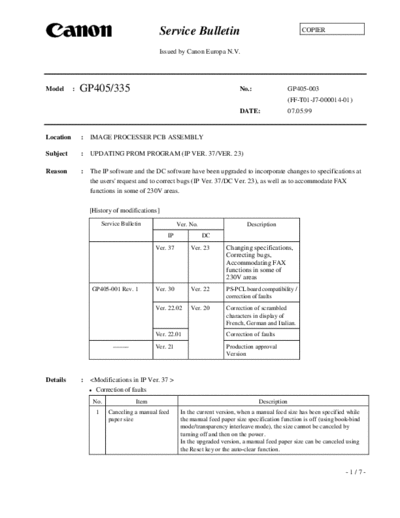
>> Download gp405-03 documenatation <<
Text preview - extract from the document
Service Bulletin COPIER
Issued by Canon Europa N.V.
Model : GP405/335 No.: GP405-003
(FF-T01-J7-000014-01)
DATE: 07.05.99
Location : IMAGE PROCESSER PCB ASSEMBLY
Subject : UPDATING PROM PROGRAM (IP VER. 37/VER. 23)
Reason : The IP software and the DC software have been upgraded to incorporate changes to specifications at
the users' request and to correct bugs (IP Ver. 37/DC Ver. 23), as well as to accommodate FAX
functions in some of 230V areas.
[History of modifications]
Service Bulletin Ver. No. Description
IP DC
Ver. 37 Ver. 23 Changing specifications,
Correcting bugs,
Accommodating FAX
functions in some of
230V areas
GP405-001 Rev. 1 Ver. 30 Ver. 22 PS-PCL board compatibility /
correction of faults
Ver. 22.02 Ver. 20 Correction of scrambled
characters in display of
French, German and Italian.
Ver. 22.01 Correction of faults
_____ Ver. 21 Production approval
Version
Details :
Correction of faults
No. Item Description
1 Canceling a manual feed In the current version, when a manual feed size has been specified while
paper size the manual feed paper size specification function is off (using book-bind
mode/transparency interleave mode), the size cannot be canceled by
turning off and then on the power.
In the upgraded version, a manual feed paper size can be canceled using
the Reset key or the auto-clear function.
-1/7-
GP405-003
No. Item Description
2 Paper separation In the current version, the right side of an original is blank on its copy and
an additional blank sheet is delivered when the density is changed at the
same time as the scanning lamp turns on in the home position following a
press on the Copy Start key in page separation direct mode.
In the upgraded version, this problem has been corrected.
3 Manual feed paper size In the current version, the message "Select a paper size" is indicated in the
indication manual feed paper size window.
In the upgraded version, the message reads "Select a manual feed size."
4 Control card indication In the current version, the card number and the counter reading turns '0'
when the power is turned off and then on while a control card is kept
inside after the end of copying operation.
In the upgraded version, this problem has been corrected. (The machine is
reset by sliding out and then in the card, entering key input, and placing
originals.)
(Note, however, that counting continues normally even when the counter
indication has turned '0'.)
5 MODEL_SZ setting In the current version, the MODEL_SZ setting is not made effective
unless the power is turned off and then on.
In the upgraded version, it is made effective as soon as the change is
made.
6 Originals of mixed sizes In the current version, the message "Put the first page first" appears when
with DADF-B1 in use an A3 original is mixed after setting '26 ipm' while the DADF-B1 is in use,
suspending the job in the middle at the same time.
In the upgraded version, this problem has been corrected.
This problem is limited to when the DADF-B1 is installed.
7 Reduce mode with DADF- In the current version, copying operation is performed by executing
B1 in use reading and printing (in memory copying mode), with reading normally
ending earlier than printing.
When copying at 50% or lower, printing at times ends earlier than reading,
causing the machine to go awry and resetting itself.
In the upgraded version, this problem has been corrected.
Note that this problem is limited to a machine equipped with a DADF-B1.
8 Fax user name In the current version, 'caller name' is not shaded when the user name
abbreviation function abbreviation function is prohibited.
In the current version, 'caller name' is shaded when the user name
abbreviation is prohibited. (100/120-V model)
9 Fax user name In the current version, 'user telephone number registration' is shaded when
abbreviation function the user name abbreviation function is prohibited.
In the current version, 'user telephone number registration' is not shaded
when the user abbreviation function is prohibited.
10 Shift sort When a copy (fax) job with a low priority is selected while printing a job
with a great deal of data, the shift sort function between jobs fails, turning
out printouts without shifting.
In the current version, all outputs are shifted/sorted.
11 Horizontally placed In the current version, postcard-size paper is supported only when it is
postcard-size paper placed vertically in keeping with the specifications of the printer.
In the upgraded version, printing is executed by rotating the image (if
horizontal feed has been selected in advance).
-2/7-
GP405-003
No. Item Description
12 Print job suspension In the current version, processing of images from the PDL Board take
time, allowing the execution of another job (e.g., copying) if it takes more
than 15 sec. The current specifications are designed to suspend the
ongoing print job, and a hang-up will occur if paper jams in the copier.
In the updated version, this problem has been corrected.
13 Mail box file deletion In the current version, registering a file in the mail box at a specific time
can cause deletion of the file with a delay of 1 hr for deletion.
In the current version, this problem has been corrected.
14 Text image of In the current version, a text area can be affected by irrelevant data,
communications results making the area illegible on a communications results report with an
reports with an image image (A3, fax with 600x600-dpi resolution).
In the upgraded version, this problem has been corrected.
15 Tally lamp operation The green tally lamp (for data) located next to the Extension key remains
on when the printer is in standby state while staple copying is taking place.
In the upgraded version, the lamp is designed to flash.
In standby state, the lamp flashes to indicate normal operation.
Specification modifications
No. Item Description
1 Finisher tray shift In the current version, the tray remains where it is after generating output
sequence in fax mode.
In the upgraded version, the tray is designed to move to the 'priority on
copying' position automatically.
This change in specifications becomes available in combination with a DC
controller Ver. 23.
2 Jam removal screen In the current version, the Jam Removal screen does not provide the
notation "Remove Later" or "Remove Now."
In the upgraded version, the screen is designed to provide these notations.
3 Screen design The tab-based screens have been changed to button-based screens.
4 Shift sort settings A new function has been added so that the shift sort function may be
turned on or off in user mode.
5 Auto sleep time settings The auto sleep time settings range, which is 30 min to 24 hr in the current
range version, has been changed to 30 min to 4 hr.
6 Service data output In the upgraded version, a record of various counter readings and settings
(for service mode) and a record of jams/errors may be generated. (This
change has been made in response to requests from the field.)
COPIER>FUNCTION>MISC-P>HIST-PRT
7 Bottom separation The DADF-B1 does not possess the bottom separation function (for
function with DADF-B1 in originals). In the current version, the specifications have been changed so
use that bottom separation cannot be selected in service mode if a DADF-B1
is installed.
8 Face-up delivery with The DADF-B1 does not possess the bottom separation function (for
DADF-B1 in use originals). In the current version, the specifications have been changed so
that face-up delivery cannot be selected in service mode if a DADF-B1 is
installed.
-3/7-
GP405-003
No. Item Description
9 Fax error file clear default In the current version, the initial setting for the error file clear function is
'No'. In the updated version, it is 'Yes'.
10 PDL error skip mode In the current version of the LIPS bBoard, error skipping cannot be
selected on the copier, requiring a mode by which error skipping may be
executed regardless of how the LIPS is set. Specifically, the following has
been added:
BOARD>BODY>OPTION>ERR-SKIP
0: error skipping as selected on LIPS board
1: error skipping regardless of settings on LIPS Board
Newly Implemented
No. Item Description
1 FAX functions The upgraded version enables installation of the FAX Board in some areas
(see the list below). This will be made possible in combination with
DCON Ver. 22 or 23.
2 120-V model In the upgraded version, the 120-V model supports French and Spanish.
French/Spanish
Correction of faults
No. Item Description
1 Print suspension sequence In the current version, the wait period is kept until the temperature of the
in continuous printing on fixing assembly returns to 190 ◦ Jabse Service Manual Search 2026 ◦ Jabse Pravopis ◦ onTap.bg ◦ Other service manual resources online : Fixya ◦ eServiceinfo