Service Manuals, User Guides, Schematic Diagrams or docs for : CANON Copiers GP 605 ServBull gp160-08
<< Back | HomeMost service manuals and schematics are PDF files, so You will need Adobre Acrobat Reader to view : Acrobat Download Some of the files are DjVu format. Readers and resources available here : DjVu Resources
For the compressed files, most common are zip and rar. Please, extract files with Your favorite compression software ( WinZip, WinRAR ... ) before viewing. If a document has multiple parts, You should download all, before extracting.
Good luck. Repair on Your own risk. Make sure You know what You are doing.
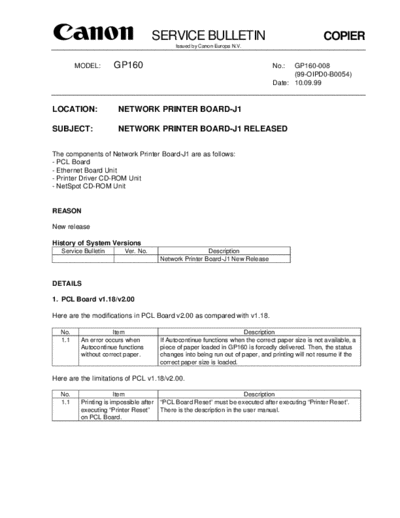
Image preview - the first page of the document
>> Download gp160-08 documenatation <<
Text preview - extract from the document
                                     SERVICE BULLETIN                                                COPIER
                                              Issued by Canon Europa N.V.


        MODEL:        GP160                                                       No.:  GP160-008
                                                                                        (99-OIPD0-B0054)
                                                                                  Date: 10.09.99


LOCATION:               NETWORK PRINTER BOARD-J1

SUBJECT:                NETWORK PRINTER BOARD-J1 RELEASED


The components of Network Printer Board-J1 are as follows:
- PCL Board
- Ethernet Board Unit
- Printer Driver CD-ROM Unit
- NetSpot CD-ROM Unit


REASON

New release

History of System Versions
   Service Bulletin       Ver. No.                        Description
                                         Network Printer Board-J1 New Release


DETAILS

1. PCL Board v1.18/v2.00

Here are the modifications in PCL Board v2.00 as compared with v1.18.

  No.                 Item                                              Description
  1.1     An error occurs when           If Autocontinue functions when the correct paper size is not available, a
          Autocontinue functions         piece of paper loaded in GP160 is forcedly delivered. Then, the status
          without correct paper.         changes into being run out of paper, and printing will not resume if the
                                         correct paper size is loaded.

Here are the limitations of PCL v1.18/v2.00.

  No.                  Item                                              Description
  1.1     Printing is impossible after   "PCL Board Reset" must be executed after executing "Printer Reset".
          executing "Printer Reset"      There is the description in the user manual.
          on PCL Board.
COPIER                                                  -2-                                           GP160-008


2. GP160 PCL Printer Driver

The following printer drivers have been released for GP160 Printer Board-J1.
- PCL5e Printer Driver v1.00 for Windows3.1
- PCL5e Printer Driver v1.00 for Windows95/98
- PCL XL Printer Driver v1.00 for Windows95/98
- PCL 5e Printer Driver v1.00 for Windows NT4.0
- PCL XL Printer Driver v1.00 for Windows NT4.0

Read the Readme file carefully for instructions detailing how to install the driver.

Here are the limitations of the Printer Driver:

  No.                  Item                                              Description
  2.1     Installing Alternate drivers The Setup program of Windows95/98 Driver has to be executed with at
          on Windows NT4.0 Server      least NT4.0 in order to install Alternate drivers into Windows NT4.0 or
                                       higher.
                                       Please see below for the procedure.
                                       1. Install the Windows NT4.0 driver on the Windows NT4.0 Server.
                                       2. Repeat the procedure using the Windows95/98 Setup program on
                                       the
                                           Windows NT Server. This will install the Alternate driver files.
   2.2    Windows NT users on          1. Specify LPT1: instead of Netware Queue name at "Port Setting" for
          Novell Netware network           driver installation.
                                       2. From the Windows desktop, double click on Network Neighborhood
                                           icon.
                                       3. Browse down the network structure to locate the correct Netware
                                       print
                                           queue.
                                       4. Double click on the Netware print queue name.
                                       5. Windows will ask whether you want to set up the printer. Press No.
                                       6. Open the Printer Properties, for the installed driver, and view the
                                       ports
                                           tab, the queue name will appear.
                                       7. Select the Queue name and press OK.
   2.3    Printing malfunction of      =PCL5e Driver in particular=
          Pattern or Texture           If the printing of Pattern or Texture is not good, remove the check mark
                                       from "Reverse Page Order", or change the setting for Layout to "1 Page
                                       per Sheet".
   2.4    Collate setting in           =All Drivers=
          applications (MS Word,       Print with collate off in applications, because the setting for collate in
          Word Perfect and so on)      drivers overrides the one in applications.
   2.5    Driver module for UK         =Printer Drivers for UK English=
          English is stored in the     Driver module for UK English is stored in the USA folder that contains
          USA folder in Printer Driver English version in Printer Driver CD-ROM for Europe.
          CD-ROM                       See the Readme file as well as this folder.

3. Network Interface Device Unit for GP160 v10.21

  No.                Item                                               Description
  3.1     Support of MultiSpot           This version does not support DDS, but Network Printer only. DDS is to
          Document Distribution          be supported in the future version.
          System (DDS)
COPIER                                          -3-               GP160-008


Combination of ROMs:

IP                                               EC-05-01
D-CON                                            4.08
PCL Board                                        Ver. 1.18/2.00
Network Interface Device                         Ver. 10.21
PCL5e Printer Driver v1.00 for Windows3.1
PCL5e Printer Driver v1.00 for Windows95/98
PCL XL Printer Driver v1.00 for Windows95/98
PCL 5e Printer Driver v1.00 for Windows NT4.0
PCL XL Printer Driver v1.00 for Windows NT4.0
NetSpot                                          3.0.3 or later
Web NetSpot                                      1.1.0
◦ Jabse Service Manual Search 2026 ◦ Jabse Pravopis ◦ onTap.bg ◦ Other service manual resources online : Fixya ◦ eServiceinfo