Service Manuals, User Guides, Schematic Diagrams or docs for : DENON Audio AVR-230 Harman-Kardon-AVR-230-Service-Manual
<< Back | HomeMost service manuals and schematics are PDF files, so You will need Adobre Acrobat Reader to view : Acrobat Download Some of the files are DjVu format. Readers and resources available here : DjVu Resources
For the compressed files, most common are zip and rar. Please, extract files with Your favorite compression software ( WinZip, WinRAR ... ) before viewing. If a document has multiple parts, You should download all, before extracting.
Good luck. Repair on Your own risk. Make sure You know what You are doing.
Image preview - the first page of the document
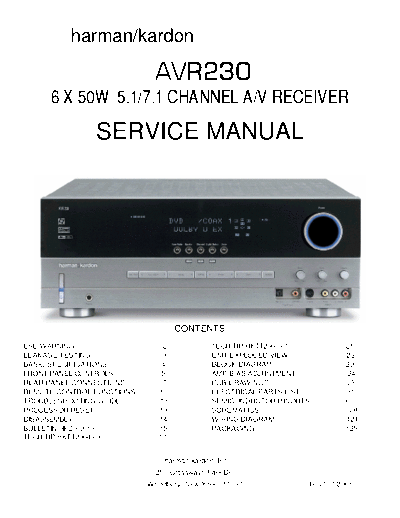
>> Download Harman-Kardon-AVR-230-Service-Manual documenatation <<
Text preview - extract from the document
                harman/kardon

                                              AVR230
         6 X 50W 5.1/7.1 CHANNEL A/V RECEIVER
                         SERVICE MANUAL


                                                      CONTENTS
ESD WARNING.....................................2             TECH TIP HKTT2003-01........................21
LEAKAGE TESTING...............................3               UNIT EXPLODED VIEW.........................22
BASIC SPECIFICATIONS.......................4                  BLOCK DIAGRAM...............................23
FRONT PANEL CONTROLS.....................5                    AMP BIAS ADJUSTMENT......................24
REAR PANEL CONNECTIONS................7                       PCB DRAWINGS.................................25
REMOTE CONTROL FUNCTIONS..........10                          ELECTRICAL PARTS LIST....................31
TROUBLESHOOTING GUIDE.................13                      SEMICONDUCTOR PINOUTS...............67
PROCESSOR RESET............................13                 SCHEMATICS....................................108
DISASSEMBLY....................................14             WIRING DIAGRAM...............................124
BULLETIN HK2003-10...............................15           PACKAGING......................................125
TECH TIP HKTT2004-03........................17


                                                 harman/kardon, Inc.
                                              250 Crossways Park Dr.
                                           Woodbury, New York 11797                            Rev1 7/2005
AVR230                                                                                                                       harman/kardon


 Some semiconductor (solid state) devices can be damaged easily by static electricity. Such components commonly are called

 Electrostatically Sensitive (ES) Devices. Examples of typical ES devices are integrated circuits and some field effect transistors and

 semiconductor "chip" components.

 The following techniques should be used to help reduce the incidence of component damage caused by static electricity.

 1. Immediately before handling any semiconductor component or semiconductor-equipped assembly, drain off any electrostatic charge on

   your body by touching a known earth ground. Alternatively, obtain and wear a commercially available discharging wrist strap device,

   which should be removed for potential shock reasons prior to applying power to the unit under test.

 2. After removing an electrical assembly equipped with ES devices, place the assembly on a conductive surface such as aluminum foil, to

   prevent electrostatic charge build-up or exposure of the assembly.

 3. Use only a grounded-tip soldering iron to solder or unsolder ES devices.

 4. Use only an anti-static solder removal device. Some solder removal devices not classified as "anti-static" can generate electrical charges

   sufficient to damage ES devices.

 5. Do not use freon-propelled chemicals. These can generate electrical change sufficient to damage ES devices.

 6. Do not remove a replacement ES device from its protective package until immediately before you are ready to install it. (Most replacement

   ES devices are packaged with leads electrically shorted together by conductive foam, aluminum foil or comparable conductive material.)

 7. Immediately before removing the protective material from the leads of a replacement ES device, touch the protective material to the

   chassis or circuit assembly into which the device will be installed.

  CAUTION : Be sure no power is applied to the chassis or circuit, and observe all other safety precautions.

 8. Minimize bodily motions when handling unpackaged replacement ES devices. (Otherwise harmless motion such as the brushing together

   or your clothes fabric or the lifting of your foot from a carpeted floor can generate static electricity sufficient to damage an ES devices.


 Each precaution in this manual should be followed during servicing.

 Components identified with the IEC symbol        in the parts list are special significance to safety. When replacing a component identified with

     , use only the replacement parts designated, or parts with the same ratings or resistance, wattage, or voltage that are designated in the

 parts list in this manual. Leakage-current or resistance measurements must be made to determine that exposed parts are acceptably

 insulated from the supply circuit before retuming the product to the customer.


                                                                                                                                                  2
AVR230                                                            harman/kardon


  SAFETY PRECAUTIONS

  The following check should be performed for the continued
  protection of the customer and service technician.

  LEAKAGE CURRENT CHECK

  Measure leakage current to a known earth ground (water
  pipe, conduit, etc.) by connecting a leakage current tester
  between the earth ground and all exposed metal parts of the
  appliance (input/output terminals, screwheads, metal
  overlays, control shaft, etc.). Plug the AC line cord of the
  appliance directly into a 120V AC 60Hz outlet and turn the
  AC power switch on. Any current measured must not exceed
  o.5mA.


                                                 Reading should
                                                 not be above
                                       Leakage
                                                 0.5mA
           Device                      current
           under                       tester
           test

                       Test all
                       exposed metal
                       surfaces
            Also test with
            plug reversed
            (Using AC adapter                          Earth
            plug as required)                          ground


                       AC Leakage Test


    ANY MEASUREMENTS NOT WITHIN THE LIMITS
    OUTLINED ABOVE ARE INDICATIVE OF A
    POTENTIAL SHOCK HAZARD AND MUST BE
    CORRECTED BEFORE RETURNING THE APPLIANCE
    TO THE CUSTOMER.
AVR230                                                                                                                                        harman/kardon

                                                         AVR 230 TECHNICAL SPECIFICATIONS

Audio Section                                               AM Tuner Section
Stereo Mode                                                     Frequency Range                            230
◦ Jabse Service Manual Search 2026 ◦ Jabse Pravopis ◦ onTap.bg ◦ Other service manual resources online : Fixya ◦ eServiceinfo