Service Manuals, User Guides, Schematic Diagrams or docs for : DENON AV Surround Receiver AV Surround Receiver Denon - AVR-2807 & 987 Confirming the firmware’s 2 AVR-2807
<< Back | HomeMost service manuals and schematics are PDF files, so You will need Adobre Acrobat Reader to view : Acrobat Download Some of the files are DjVu format. Readers and resources available here : DjVu Resources
For the compressed files, most common are zip and rar. Please, extract files with Your favorite compression software ( WinZip, WinRAR ... ) before viewing. If a document has multiple parts, You should download all, before extracting.
Good luck. Repair on Your own risk. Make sure You know what You are doing.
Image preview - the first page of the document
>> Download Confirming the firmware’s 2 AVR-2807 documenatation <<
Text preview - extract from the document
The Operating Manual for DENON AV Receiver firmware update.                              Page 1 / 1


1. Specific update mode.
  If you failed update during Main CPU update, then you need to use this specific update procedure.
  1) The AV Receiver is connected with PC with the RS-232C cable. Refer to 1.3.
  2) Push the `SURROUND PARAMETER' + `SURROUND BACK' button simultaneously.
     And turn on the power switch of the AV Receiver.
  3) Power indicator indicates red color. This is specific update mode.
  4) Please execute the firmware update. Refer to 2.3.


2. Confirming the firmware's number after upgraded

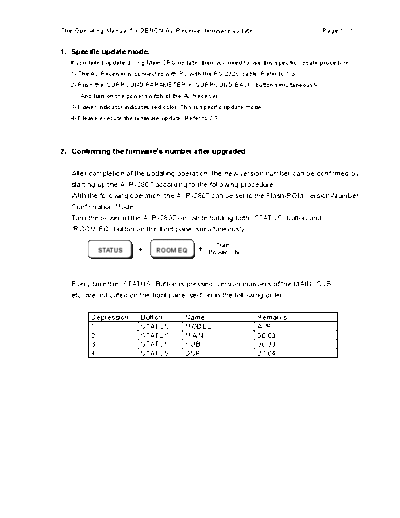
   After completion of the updating operation, the new version number can be confirmed by
   starting up the AVR-2807 according to the following procedure.
   With the following operation, the AVR-2807 can be set to the Flash-ROM Version-Number
   Confirmation Mode.
   Turn the power of the AVR-2807 on, while holding both "STATUS" button and
   "ROOM EQ" button on the front panel simultaneously.

                                                     Turn
           STATUS               ROOM EQ
                                                   Power ON


   Every time the "STATUS" Button is pressed, version numbers of the MAIN, SUB,
   etc. are indicated on the front panel section in the following order.

         Depression        Button          Name                      Remarks
         1                 STATUS          MODEL                     AVR
         2                 STATUS          MAIN                      00.63
         3                 STATUS          SUB                       00.33
         4                 STATUS          DSP                       27.04
◦ Jabse Service Manual Search 2026 ◦ Jabse Pravopis ◦ onTap.bg ◦ Other service manual resources online : Fixya ◦ eServiceinfo