Service Manuals, User Guides, Schematic Diagrams or docs for : DENON Docking station Docking station Denon - ASD-11R Схема ASD-11R
<< Back | HomeMost service manuals and schematics are PDF files, so You will need Adobre Acrobat Reader to view : Acrobat Download Some of the files are DjVu format. Readers and resources available here : DjVu Resources
For the compressed files, most common are zip and rar. Please, extract files with Your favorite compression software ( WinZip, WinRAR ... ) before viewing. If a document has multiple parts, You should download all, before extracting.
Good luck. Repair on Your own risk. Make sure You know what You are doing.
Image preview - the first page of the document
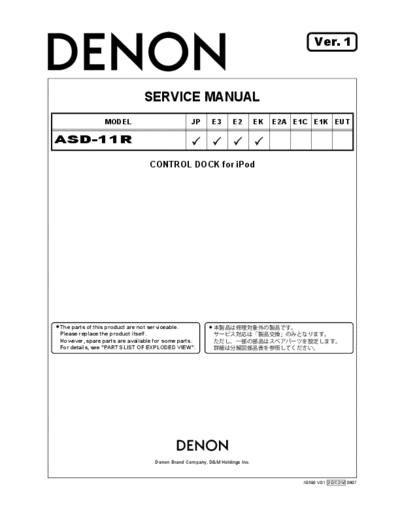
>> Download Схема ASD-11R documenatation <<
Text preview - extract from the document
Ver. 1
SERVICE MANUAL
MODEL JP E3 E2 EK E2A E1C E1K EUT
ASD-11R
CONTROL DOCK for iPod
The parts of this product are not serviceable.
Please replace the product itself.
However, spare parts are available for some parts.
For details, see "PARTS LIST OF EXPLODED VIEW".
e
Denon Brand Company, D&M Holdings lnc.
X0390 V.01 DE/CDM 0807
SAFETY PRECAUTIONS
The following check should be performed for the continued protection of the customer and service technician.
LEAKAGE CURRENT CHECK
Before returning the unit to the customer, make sure you make either (1) a leakage current check or (2) a line to chassis
resistance check. If the leakage current exceeds 0.5 milliamps, or if the resistance from chassis to either side of the
power cord is less than 460 kohms, the unit is defective.
CAUTION Please heed the points listed below during servicing and inspection.
Heed the cautions! Inspect for safety after servicing!
Spots requiring particular attention when servicing, such Check that all screws, parts and wires removed or discon-
as the cabinet, parts, chassis, etc., have cautions indicated nected for servicing have been put back in their original po-
on labels or seals. Be sure to heed these cautions and the sitions, inspect that no parts around the area that has been
cautions indicated in the handling instructions. serviced have been negatively affected, conduct an insu-
lation check on the external metal connectors and between
Caution concerning electric shock! the blades of the power plug, and otherwise check that
safety is ensured.
(1) An AC voltage is impressed on this set, so touching in-
ternal metal parts when the set is energized could
(Insulation check procedure)
cause electric shock. Take care to avoid electric shock,
Unplug the power cord from the power outlet, disconnect
by for example using an isolating transformer and
the antenna, plugs, etc., and turn the power switch on. Us-
gloves when servicing while the set is energized, un-
ing a 500V insulation resistance tester, check that the in-
plugging the power cord when replacing parts, etc.
sulation resistance between the terminals of the power
(2)There are high voltage parts inside. Handle with extra plug and the externally exposed metal parts (antenna ter-
care when the set is energized. minal, headphones terminal, microphone terminal, input
terminal, etc.) is 1M or greater. If it is less, the set must
Caution concerning disassembly and be inspected and repaired.
assembly!
Though great care is taken when manufacturing parts from
sheet metal, there may in some rare cases be burrs on the
CAUTION Concerning important safety
edges of parts which could cause injury if fingers are
moved across them. Use gloves to protect your hands.
parts
Only use designated parts! Many of the electric and structural parts used in the set
have special safety properties. In most cases these prop-
The set's parts have specific safety properties (fire resis- erties are difficult to distinguish by sight, and using re-
tance, voltage resistance, etc.). For replacement parts, be placement parts with higher ratings (rated power and
sure to use parts which have the same properties. In par- withstand voltage) does not necessarily guarantee that
ticular, for the important safety parts that are marked z on safety performance will be preserved. Parts with safety
wiring diagrams and parts lists, be sure to use the desig- properties are indicated as shown below on the wiring dia-
nated parts. grams and parts lists is this service manual. Be sure to re-
place them with parts with the designated part number.
Be sure to mount parts and arrange
the wires as they were originally! (1) Schematic diagrams ... Indicated by the z mark.
For safety reasons, some parts use tape, tubes or other in- (2) Parts lists ... Indicated by the z mark.
sulating materials, and some parts are mounted away from
Using parts other than the designated
the surface of printed circuit boards. Care is also taken with
parts could result in electric shock, fires or
the positions of the wires inside and clamps are used to
other dangerous situations.
keep wires away from heating and high voltage parts, so
be sure to set everything back as it was originally.
2
ASD-11R
z
z
z
3
ASD-11R
PROCEDURE FOR CHECKING VERSION
Connect the ASD-11R with AVR-1708, and check the ver-
sion of the firmware of ASD-11R.
1. Connect the ASD-11R with AVR-1708.
2. Plug the power cord of ASD-11R and AVR-1708 into a
power outlet.
3. Press the AVR-1708's "ON/OFF" button to turn the pow-
er on. Press the "ON/OFF" button again and turn the
power off.
4. With the "DIMMER" and "STATUS" ("PTY" and "RT" for
E2 model) buttons pressed, press the "ON/OFF" button
to turn the power on.
5. Press the "STATUS" ("RT" for E2 model) button to dis-
play the following information on the FLD.
Main- com version information (AVR-1708) DSP
version information (AVR-1708) Firmware version in-
formation (ASD-11R)
AVR-1708
3, 4 4 4,5
4
ASD-11R
PRINTED WIRING BOARD
COMPONENT SIDE
FOIL SIDE
5
ASD-11R
EXPLODED VIEW & PACKING VIEW
PARTS LIST OF PACKING & ACCESSORIES
Parts for which "nsp" is indicated on this table cannot be supplied.
The parts listed below are for maintenance only, might differ from the parts used in the unit in appearances or dimensions.
Note: The symbols in the column "Remarks" indicate the following destinations.
E3: U.S.A. & Canada model E2: Europe model EK: U.K. model JP: Japan modell
Ref. No. Part No. Part Name Remarks Q'ty New
1 nsp CARD WARRANTY for E3 1
1 nsp CARD SVC STATION LIST for JP 1
2 nsp CARD SS LIST for E3, E2, EK 1
3 963541001440D INSTRUCTION MANUAL for JP 5707000001370S 1 *
3 963541001650D INSTRUCTION MANUAL for E3, EK 5707000001380S 1 *
3 963541001660D INSTRUCTION MANUAL for E2 5707000001390S 1 *
4 nsp POLY BACK MANUAL 1
5 nsp CUSHION SNOW 1
6 nsp POLY BAG ADAPTER 3
7 00D9630282406 ADAPTER IPOD-3 for iPod mini : White model 4720210001000S 1
7 00D9630281203 ADAPTER IPOD-3 for iPod mini : Black model 4720210001100S 1
6
ASD-11R
Ref. No. Part No. Part Name Remarks Q'ty New
10 00D9630282707 ADAPTER IPOD-6 for iPod Photo 30GB : White model 4720210031000S 1
10 00D9630281504 ADAPTER IPOD-6 for iPod Photo 30GB : Black model 4720210031000S 1
11 00D9630282804 ADAPTER IPOD-7 for iPod Photo 60GB : White model 4720210031100S 1
11 00D9630281601 ADAPTER IPOD-7 for iPod Photo 60GB : Black model 4720210041100S 1
12 00D9630369709 ADAPTER AC-DC for JP : White model M080060015050S 1
12 00D9630369505 ADAPTER AC-DC for E3, JP : Black model M080060015010S 1
12 963611001680S ADAPTER AC-DC for E2 : White model M080060015061S 1 *
12 963611001670S ADAPTER AC-DC for E2 : Black model M080060015021S 1 *
12 963611001890S ADAPTER AC-DC for EK : White model M080060015180S 1 *
12 963611001900S ADAPTER AC-DC for EK : Black model M080060015140S 1 *
13 00D9630283308 CORD RCA for White model L063420200000S 1
13 00D9630282105 CORD RCA for Black model L063420200010S 1
16 nsp BOX GIFT for E2, EK : White model 1
16 nsp BOX GIFT for E3, E2, EK : Black model 1
16 nsp BOX GIFT for JP : White model 1
16 nsp BOX GIFT for JP : Black model 1
18 nsp CARD GUARANTEE for JP 1
7
ASD-11R
NOTE FOR SCHEMATIC DIAGRAM
WARNING: z
Parts marked with this symbol z have critical characteristics.
Use ONLY replacement parts recommended by the manufac-
turer.
CAUTION:
Before returning the unit to the customer, make sure you
make either (1) a leakage current check or (2) a line to chas-
sis resistance check. If the leakage current exceeds 0.5 milli-
amps, or if the resistance from chassis to either side of the
power cord is less than 460 kohms, the unit is defective.
WARNING:
DO NOT return the unit to the customer until the problem is
located and corrected.
NOTICE:
ALL RESISTANCE VALUES IN OHM. k=1,000 OHM
M=1,000,000 OHM
ALL CAPACITANCE VALUES IN MICRO FARAD.
P=MICRO-MICRO FARAD
EACH VOLTAGE AND CURRENT ARE MEASURED AT
NO SIGNAL INPUT CONDITION.
CIRCUIT AND PARTS ARE SUBJECT TO CHANGE
WITHOUT PRIOR NOTICE.
8
ASD-11R
1 2 3 4 5 6 7 8
A
B
C
D
E
SCHEMATIC DIAGRAMS (1/1)
F
RCD-11R
◦ Jabse Service Manual Search 2026 ◦ Jabse Pravopis ◦ onTap.bg ◦ Other service manual resources online : Fixya ◦ eServiceinfo