Service Manuals, User Guides, Schematic Diagrams or docs for : Harman Kardon AVR AVR-35 AVR-35

<< Back | Home

Most service manuals and schematics are PDF files, so You will need Adobre Acrobat Reader to view : Acrobat Download Some of the files are DjVu format. Readers and resources available here : DjVu Resources
For the compressed files, most common are zip and rar. Please, extract files with Your favorite compression software ( WinZip, WinRAR ... ) before viewing. If a document has multiple parts, You should download all, before extracting.
Good luck. Repair on Your own risk. Make sure You know what You are doing.


Image preview - the first page of the document
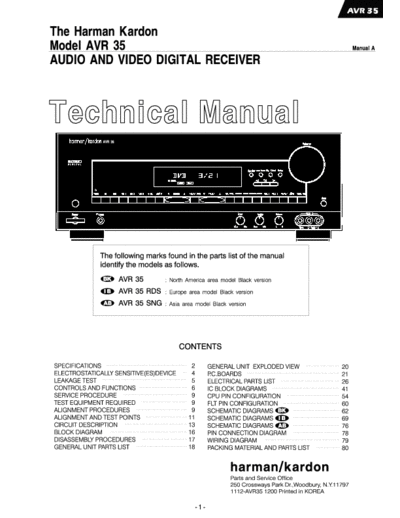
AVR-35


>> Download AVR-35 documenatation <<

Text preview - extract from the document
                                                                                                                          Nominal          Limit

                                                                             RMS Output Power

                                                                               THD(0.5%, 8 ohms, 1kHz)

                                                                               All Channel Driven                            40W           35W

                                                Nominal        Limit         S/N Ratio(Input Level : 200mV)

Continuous Power Output                                                        Input Shorted, IHF-A WTD                     65dB          60dB

  (STEREO MODE), Input : CD                        50W         45W           Frequency Respones at-3dB

  THD : 0.08%, 8 ohms                                                          8 ohms, Dolby Pro Logic             100Hz-20kHz 150Hz-20kHz

  Both Channel Driven(20Hz-20kHz)

  (SURROUND MODE)                                  40W         35W                                                        Nominal          Limit

  THD : 0.5%, 8 ohms, 1kHz                                                   RMS Output Power

  THD : at 60W, 8 ohms, Input : CD                                             THD(0.5%, 8 ohms, 1kHz)

  20Hz                                           0.03%        0.08%            All Channel Driven                            40W           35W

  1kHz                                           0.03%        0.08%          S/N Ratio(Input Shorted, IHF-A WTD)

  20kHz                                          0.03%        0.08%            Delay : 20ms, Input Level : 200mV            65dB          60dB

  IM Distortion at 45W, 8 ohms, Vol : Max.                                   Frequency Response at-3dB

                                                 0.03%        0.08%            8 ohms, Dolby Pro Logic              100Hz-7kHz      150Hz-7kHz

Input Sensitivity for Rated Power Output(35W)

CD/DVD/TAPE MONITOR                             200mV     170 230mV          Line Level at Pre Out

VID1/VID2/VID3                                  200mV     170 230mV            Surround mode : BYPASS(STEREO)

S/N Ratio Input Shorted at 1 kHz 1W Output(WTD IHF-A)                          Input Signal : L ch (only) 200mV

CD                                                82dB                         Master Volume :       5dB

Tone Control                                                                 Low pass crossover frequency                           70Hz cut off

     Bass : 100Hz                                 10dB    10dB 3dB           Slope (Low Pass Filter)                                24dB/octave

                                                  10dB    10dB 3dB

     Treble : 10kHz                               10dB    10dB 3dB

                                                  10dB    10dB 3dB           Input Sensitivity / impedance

Frequency Response at-3dB                                                      VID1/VID2/VID3                            1Vp-p/75 ohm / 1dB

     Mode : Stereo(1Watt)                                                    Output Level / Impedance

                                             10Hz-80kHz   10Hz-70kHz           VID1/VID2/VID3                             1Vp-p/75 ohm / 1dB

Channel Crosstalk Input Shorted by 1 K Ohms                                  Frequency Response at-3dB                   DC-8 MHz    DC-6 MHz

     100Hz                                        63dB         55dB

     1kHz                                         63dB         55dB

     10kHz                                        62dB         45dB          Tuning Cover Range 100kHz Step for AVR-35

                                                                                                                             87.50 - 108.00 MHz


                                                                       -2-
Tuning Cover Range 50 kHz Step for AVR-35RDS/SG                                Image Rejection(at 999kHz)                           40dB           0dB

                                                     87.50 ~ 108.00MHz         IF Rejection(at 999/1000kHz)                         50dB           5dB

Mono Usable Sensitivity(75 ohms Input, 98MHz)                                  AGC Figure of Merit(From 100mV/m at 999/1000kHz)

                                                14.2dbf        17.2dbf                                                              50dB           5dB

Image Rejection(at 98MHz)                                                      Distortion(999/1000kHz, 30% MOD, 50mV/m Input)

                                                     80dB        70dB                                                               1.0%           .0%

IF Rejection(at 90MHz)                               90dB        80dB          Frequency Response(999/1000Hz)

46dB Queting Sensitivity(at 98MHz, 100% MOD.)                                     At-3dB                                 100Hz-2.2kHz 150Hz-1.8kHz

  Stereo                                        39.2dbf        43.3dbf         Selectivity(999/1000Hz)

Distortion(1kHz, 75kHz dev. At 98MHz, 71dbf Input)                                9kHz/10kHz                                        30dB            dB

  Mono                                               0.3%        0.5%          S/N Ratio(999/1000kHz, With Antenna Input 5mV/m)

S/N Ratio(500uV Input, 100% MOD. At 98MHz)                                                                                          45dB          40dB

  Stereo                                             65dB        60dB          Overload Break-up at 999/1000kHz(THD 10%)

Frequency Response(30Hz-15kHz)                                                                                                  1000mV/m       00mV/m

  AVR-35 De-Emphasis : 75                         0.5dB          1.0dB         Tape Output Level at 999/1000kHz(5mV/m Input)

  AVR-35RDS/SG De-Emphasis : 50                   2.0dB          4.0dB                                                            200mV     160-240mV

AM Suppression at 98MHz                              50dB        450B

Muting Threshold(at 98MHz)                      31.2dbf        39.2dbf

Overload Break-up at 98 MHz                       71dbf          65dbf

Capture Ratio at 65dbf                                2dB        2.5dB

Stereo Separation(at 98MHz, 100% MOD, 500       Input)

  IHF Band Pass Filter
                                                                               Power Consumption
  1kHz                                               40dB        35dB
                                                                               At Rated Power All Channel Driven                   332W
Tape out Level(at 98MHz)                         500mV      350-650mV
                                                                                 Idling at Minimum Volume Control                   72W

                                                                               Power Supplies :

                                                                                 USA/Canada(AVR-35)                                        AC120V, 60Hz

                                                                                 Europe(AVR-35RDS/SG)                                      AC230V, 50Hz

                                                                               Dimension(W x H x D)
                                                Nominal          Limit
                                                                                 Inches                                                17.3 6.5 17.1
Tuning Cover Range(MW)
                                                                                 MM                                                    440 165 435
  AVR-35 : 10kHz/Step                      520-1710kHz
                                                                               Weight(Ibs/kgs)                                                  29/13.2
  AVR-35RDS/SG : 9kHz Step                 522-1611kHz

Usable Sensitivity(MW, at 999 / 1000kHz)      500uV/m          00uV/m
                                                                               These specifications are service target specs.

                                                                               specifications and components are subject to change without notice.

                                                                               Overall performance will be maintained or improved.


                                                                         -3-
Some semiconductor (solid state) devices can be damaged easily by static electricity. Such components commonly are called

Electrostatically Sensitive (ES) Devices. Examples of typical ES devices are integrated circuits and some field effect transistors and

semiconductor "chip" components.

The following techniques should be used to help reduce the incidence of component damage caused by static electricity.

1. Immediately before handling any semiconductor component or semiconductor-equipped assembly, drain off any electrostatic charge on

  your body by touching a known earth ground. Alternatively, obtain and wear a commercially available discharging wrist strap device,

  which should be removed for potential shock reasons prior to applying power to the unit under test.

2. After removing an electrical assembly equipped with ES devices, place the assembly on a conductive surface such as aluminum foil, to

  prevent electrostatic charge build-up or exposure of the assembly.

3. Use only a grounded-tip soldering iron to solder or unsolder ES devices.

4. Use only an anti-static solder removal device. Some solder removal devices not classified as "anti-static" can generate electrical charges

  sufficient to damage ES devices.

5. Do not use freon-propelled chemicals. These can generate electrical change sufficient to damage ES devices.

6. Do not remove a replacement ES device from its protective package until immediately before you are ready to install it. (Most replacement

  ES devices are packaged with leads electrically shorted together by conductive foam, aluminum foil or comparable conductive material.)

7. Immediately before removing the protective material from the leads of a replacement ES device, touch the protective material to the

  chassis or circuit assembly into which the device will be installed.

 CAUTION : Be sure no power is applied to the chassis or circuit, and observe all other safety precautions.

8. Minimize bodily motions when handling unpackaged replacement ES devices. (Otherwise harmless motion such as the brushing together

  or your clothes fabric or the lifting of your foot from a carpeted floor can generate static electricity sufficient to damage an ES devices.


Each precaution in this manual should be followed during servicing.

Components identified with the IEC symbol        in the parts list are special significance to safety. When replacing a component identified with

    , use only the replacement parts designated, or parts with the same ratings or resistance, wattage, or voltage that are designated in the

parts list in this manual. Leakage-current or resistance measurements must be made to determine that exposed parts are acceptably

insulated from the supply circuit before retuming the product to the customer.


                                                                         -4-
Before returning the unit to the user, perform the following safety checks :


1. Inspect all lead dress to make certain that

  leads are not pinched or that hardware is not

  lodged between the chassis and other metal

  parts in the unit.

2. Be sure that any protective devices such as

  nonmetallic control knobs, insulating fish-

  papers, cabinet backs, adjustment and

  compartment covers or shields, isolation

  resistor-capacity networks, mechanical

  insulators, etc. Which were removed for the

  servicing are properly re-installed.

3. Be sure that no shock hazard exists ; check for leakage

  current using Simpson Model 229 Leakage Tester, standard

  equipment item No. 21641, RCA Model WT540A or use

  alternate method as follows : Plug the power cord directly

  Into a 120 volt AC receptacle (do not use an Isolation

  Transformer for this test). Using two clip leads, connect a

  1500 ohms, 10watt Resistor paralleled by a 0.15uF capacitor, in series with all exposed metal cabinet parts and a known earth ground, such

  as a water pipe or conduit. Use a VTVM or VOM with 1000 ohms per volt, or higher sensitivity to measure the AC voltage drop across the

  resistor. (See diagram) Move the resistor connection to each exposed metal part having a return path to the chassis (antenna, metal,

  cabinet, screw heads, knobs and control shafts, escutcheon, etc.) and measure the AC voltage drop across the resistor. (This test should be

  performed with the 0.35 volt RMS or more is excessive and indicates a potential shock hazard which must be corrected before returning the

  unit to the owner.


                                                                      -5-
CONTROLS AND FUNCTIONS                                                                                                                                                Tuning button : Press the left side of the        listening to a program that carries the Dolby              Delay : Press this button to begin the

Front Panel                                                                                                                                                      button to tune lower frequency station and the         Digital surround mode when listening to a             sequence of steps required to enter delay time

                                                                                                                                                                 right side of the button to tune higher frequency      program that carries the Dolby Digital information.   settings.

                                                                                                                                                                 stations. When a station with a strong signal is

                                                                                                                                                                 tuned, the TUNED indicator        will illuminate in        Dolby Pro Logic Selector : Press this                 Digital Input Selector : When playing a

                                                                                                                                                                 the Information Display      . A brief(1/2 second)     button to select the Dolby Pro Logic surround         source that has a digital output, press this button

                                                                                                                                                                 press of the button will manually tune to the next     mode when listening to an analog or                   to select between the Optical (17) and Coaxial

                                                                                                                                                                 frequency increment, while pressing and holding        digital(PCM) program that is encoded with             (16) Digital inputs.

                                                                                                                                                                 the button for a long period will automatically        surround-sound information.

                                                                                                                                                                 tune to the next station with a signal strong                                                                     Set Button : When making choices during

                                                                                                                                                                 enough for acceptable reception.                            Dolby 3 Stereo Selector : Press this button      the setup and configuration process, press this

                                                                                                                                                                                                                        to select the Dolby 3 Stereo listening mode.          button to enter the desired setting, as shown in

                                                                                                                                                                      Preset Scan : Press this button to                This mode is used primarily when a program            the information Display, into the AVR-35's

                                                                                                                                                                 automatically scan through the station that have       has surround information when a center channel        memory.

                                                                                                                                                                 been programmed in the AVR-35's memory.                speaker, but no surround speakers, is installed.
       Main Power Switch : Press this button to             Bass Control : Turn this control to modify     information Display       , and the red LED
                                                                                                                                                                 The tuner will play five seconds of each station                                                                  Channel Selector : Press this button to
apply power to the AVR-35.                             the lower frequency output of the left / right      above the button will illuminate to remind you
                                                                                                                                                                 before moving to the next preset station. To stop           Surround Mode Selectors : Press one of           begin the process of selecting and configuring
When the switch is pressed in the unit is placed       channels by as much as +/-10dB. Set this            that you are listening to the tape monitor..
in a Standby mode, as indicated by the amber           control to a suitable position for your taste and                                                         the scan when the desired station is heard, press      these buttons to select the analog surround           the AVR-35's output channels.
LED.                                                   room acoustics.                                          CD : Press this button to select the device
                                                                                                                                                                 the button again.                                      modes. These modes may be used with any
This button MUST be pressed in to operate the                                                              connected to the CD Input jacks (5) as the
                                                                                                                                                                                                                        analog program source to create a pleasing                 Speaker Selector Button : Press this button
unit. To turn the unit off and prevent the use of           Treble Control : Turn this control to modify   listening source.
the remote control, this switch should be pressed      the high frequency output of the left / right                                                                  Preset Stations Selector : Press this button      surround effect.                                      to begin the process of selecting the speaker

until it pops out from the panel so that the word      channels by as much as +/-10dB.                          DVD Input : Press this button to select the      to select stations that have been entered into the                                                           positions that are used in your listening room.
"OFF" may be read at the top of the switch.            Set this control to a suitable position for your    device connected to the DVD Input jacks (6) as
                                                                                                                                                                 preset memory.                                              Test Tone : press this button to begin to
                                                       taste and room acoustics.                           the listening and viewing source.
NOTE : In normal operation this switch is left in                                                                                                                                                                       sequence of steps used to set the AVR-35's            32 Selector Buttons : When you are
the "ON" position.
                                                            Balance Control : Turn this control to              Video Input Selectors : Press one of these            TUN.MODE/RDS : Press this button to               output levels. When this button is pressed, a test    establishing the AVR-35's configuration settings,

                                                       change the relative volume for the front left /     buttons to select a source connected to the rear      select the auto or mono mode for FM tuning.            tone will replace the currently selected listening    use these buttons to select between the choices
       System Power Control : When the Main
                                                       right channels.                                     panel Audio/Video inputs (3), (14), or the front
Power Switch 1 is "ON", press this button to                                                                                                                     In the AUTO mode, AUTO indicator will                  source.                                               available. as shown in the information Display     .
                                                                                                           panel Audio/Video input        .
turn on the AVR-35 ; press it again to turn the        NOTE : For proper operation of the surround                                                               illuminate in the information display, and when             Surround Off : Press this button to turn off
unit off. Note that the Power Indicator                modes this control should be at the midpoint, or
                                                                                                                AM/FM : Press this button to select the          stations are transmitting stereo signals, the          all surround processing, and to listen to a                Information Display : This display delivers
surrounding the switch        will turn green when     "12 o'clock" position.
                                                                                                           tuner as the AVR-35's input source. When it is        stereo reception will be provided and Stereo           program in traditional stereo from the left front     messages and status indications to help you
the unit is on.
                                                                                                           first pressed the last station tuned will be heard.
                                                            Video 3 Inputs : These audio / video inputs                                                          indicator will also be illuminated in the              and right front speakers only.                        operate the receiver.
                                                                                                           Press it again to change between AM and FM
       Power Indicator : This LED will illuminate in   may be used for temporary connection of video                                                             information display. In the MONO mode the left
                                                                                                           bands.
amber when the unit is in the Standby mode to          games, camcorder, digital still cameras or
                                                                                                                                                                 and right signals from stereo broadcasts will be            Mute : Press this button to momentarily               Remote Sensor Window : The sensor
signal that the unit is ready to be turned on.         portable audio products. To select a source              Sleep Button : Press this button to place
                                                                                                                                                                 mixed together and reproduced through all              silence the speaker output of the AVR-35.             behind this window receives infrared signals from
When the unit is in operation, the indicator will      connected to these jacks, press the Video 3         the unit in the Sleep mode. After the time shown
turn green.                                            Input Selector    .                                                                                       channels. Select MONO for better reception of                                                                the remote control. Aim the remote at this area
                                                                                                           in the dispaly, the AVR35 will automatically go
                                                                                                           into the Standby mode. Each press of the button       weak signals.                                               Volume Control : Turn the knob clockwise to      and do not block or cover it unless an external
       Head Phone Jack : This jack may be used              T-Mon Selector : Press this button to select   changes the time until turn-off in the following                                                             increase volume, counter clockwise to decrease        remote sensor is installed.
to listen to the AVR-35's output through a pair of     the device connected to the Tape Monitor jacks      order :
                                                                                                                     90    80    70   60  50 40                       Dolby Digital Selector : Press this button to     the volume.
headphones. Be certain that the headphones             (20) as the listening source. The previously
                                                                                                                     min   min   min min min min
have a standard 1/4" stereo phone plug.                selected source will continue to show in the                  30    20    10   5   1  OFF                 select the Dolby Digital surround mode when
                                                                                                                     min   min   min min min min
Remote Control                                                                                           is being used to control a TV, VCR or Cable            NOTE : Pressing one of these buttons selects            frequency up or down in single-step increments.          of the input sources connected to the AVR-35.
                                                                                                         box.,press these button to change the channel          the source only. In order to control the actual         When the FM band is in use, pressing this button         After pressing this button, use the    /   buttons
                                                                                                         being viewed.                                          source machine using the remote you must                when a station's signal is weak will change to              to make your selection between OPTICAL
                                                                                                                                                                press the Press Control Selector button           for   monaural reception, as indicated by the MONO             or COAXIAL       digital. Press the Set button
                                                                                                              Surround Mode Selector : Press this               the desired product.                                    indicator     .                                             to enter your choice.
                                                                                                         button to begin the process of changing the
                                                                                                         surround mode. After the button has been                    +10 Button : This button does not have a                Direct/Enter : Press this button to select a             Speaker Configuration : Press this button
                                                                                                         pressed, use the      /   button     to select the     function for the AVR35, but when the remote is          radio station by entering its frequency using the        to begin the process of configuring the AVR-35's
                                                                                                         desired surround mode.                                 used to control certain CD players, TV sets and         Numeric Key 14 .                                         Bass Management System for use with the type
                                                                                                                                                                VCRs it may be used to select tracks or channel                                                                  of speaker used in your system.
                                                                                                                /   Buttons : These are multi-purpose           numbers.                                                     Enter : This button does not function with          Once the button has been pressed, use the          /
                                                                                                         buttons. They will be used most frequently to                                                                  the AVR35, but it is available for use with other        buttons     to select the channel you wish to
                                                                                                         select a surround mode. To change the surrou-               Numeric Keys : These buttons serve as a            devices.                                                 set up. Press the Set button 10 , and then select
                                                                                                         nd mode, first press the SURR button          . Next   ten-button numeric key-pad to enter tuner preset                                                                 another channel to configure. When all
                                                                                                         press these buttons to scroll up or down through       positions. They are also to be used to select                Preset Up/Down : When the tuner is in use,          adjustments have been completed, press the Set
                                                                                                         the list of surround modes that appear in the          channel numbers when TV has been selected               these buttons scroll through the stations that           button twice to exit the settings and return to
                                                                                                         Information Display       . These buttons are also     on the remote, or to select track numbers on a          have been programmed into the AVR-35's                   normal operation.
                                                                                                         used to increase or decrease output levels used        CD, DVD or LD player, depending on how the              memory, When many source devices, such as
                                                                                                         to lower the AVT35's output levels when                remote has been programmed.                             CD players, VCRs and cassette decks, are                      Mute : Press this button to momentarily
                                                                                                         configuring the unit with either the intermal test                                                             selected using the Device Control Selectors              silence the AVR35 or TV set being controlled,
                                                                                                         tone or an external source. They are also used         NOTE : The 0 button has a dual function. It also          . these buttons will normally function as              depending on which device has been selected.
                                                                                                         to enter delay time settings after the Delay butt-     serves as the CLEAR button for use in                   chapter step or track advance.
                                                                                                         on 24 has been pressed.                                programming the tuner or clearing the system                                                                     When the AVR35 remote is being programmed
                                                                                                                                                                memory.                                                      Tuning Up/Down : When the tuner is in use,          to operate another device, this button is
                                                                                                                /   Channel Button : This button is used                                                                these buttons will tune up or down through the           pressed with the Device Control Selector
                                                                                                         to start the process of setting the AVR-35's                Info Button : This button dose not function        selected frequency band. If the Tuner Mode               button      to begin the programming process.
                                                                                                         output levels to an external source. Once this         with the AVR-35, but it is available for use with       button       has been pressed so that the
                                                                                                         button is pressed, use the     /   buttons 8 to        other devices.                                          AUTO indicator          is illuminated, pressing these        Volume : Press these buttons to raise or
                                                                                                         select the channel being adjusted, then press                                                                  buttons will cause the tuner to seek the next            lower the system volume.
                                                                                                         the Set button     , followed by the    /   buttons         Clear Button : This button dose not                station with acceptable signal strength for quality
                                                                                                         again to change the level setting.                     function with the AVR-65, but it is available for       reception. When the AUTO indicator           is NOT           Test : Press this button to begin the seque-
                                                                                                                                                                use with other devices.                                 illuminated, pressing these buttons will tune            nce used to calibrate the AVR-35's output levels.
                                                                                                              Set Button : This button is used to enter                                                                 stations in single-step increments.
                                                                                                         settings into the AVR-35's memory. It is also               Memory Button : Press this button to enter                                                                       TV/VCR : This button does not function
                                                                                                         used in the setup procedures for delay time,           a radio station into the AVR-35's preset memory.             Transport Control : These controls do not           with the AVR35, but it is available for use with
                                                                                                         speaker configuration and channel output level         After pressing the button the MEMORY indicator          control any function of the AVR-35, but they are         other devices.
     Program/Command Indicator : This LED is         been pressed to confirm your selection.
                                                                                                         adjustment.                                               will flash, and you then have five seconds to        used extensively when operating a wide variety
used as an indicator to assist in programming
                                                                                                                                                                enter a present memory location using the               of CD players, cassette decks and VCRs.
the AVR-35. Note that the button will briefly turn        Power Button : Press this button to turn the
                                                                                                              Night Mode : Press this button to activate        Numeric Keys      .
red after it has been pressed to confirm your        currently selected device on or off.
                                                                                                         the "Night" mode, preventing loud playback                                                                          Delay/Prev Ch. : Press this button to begin
selection.
                                                                                                         when the digital modes are in use without              NOTE : Although the word "Sleep" appears                the process for setting the delay times used by
                                                          Sleep Button : Press this button to place
                                                                                                         altering the dynamic range of the output signal.       above this button, it refers to control of devices      the AVR-35 when processing surround sound.
     AVR Selector : Press this button to use the     the unit in the Sleep Mode. After the time shown
                                                                                                                                                                other than the AVR-35. Use the Sleep button             After pressing this button the delay times are
remote control for operation of the AVR-65. Note     in the display, the AVR-35 will automatically go
                                                                                                         When the AVR-35 remote is being programmed                 to control the AVR-35's Sleep function.             entered by pressing the Set button         , and
that the button will briefly turn red after it has   into the standby mode. Each press of the button
                                                                                                         to operate other devices, this button is pressed                                                               then using        /   buttons    to change the
been pressed to confirm your selection.              changes the time until turn-off in the following
                                                                                                         to begin a readout of a programmed code.                    Tuner Mode : Press this button when the            setting. Press the Set button again to complete
                                                     order:
                                                                                                                                                                tuner is in use to select between automatic             the process.
     Device Control Selectors : Press one of                  90     80    70   60  50 40
                                                              min    min   min min min min                    Source Selectors : Press these buttons to         tuning and manual tuning. When the button is
these button to use the remote to control the                 30     20    10   5   1  OFF
                                                              min    min   min min min min               select an input source for the AVR-35. The AM/         pressed so that the AUTO indicator       goes out,            /     Digital Button : This button is used to
functions of another audio/video device. Note
                                                                                                         FM button is also used to switch between               pressing the Tuning buttons        will move the        select the type of digital input used with any one
that the button will briefly turn red after it has        Channel          Buttons : When the remote
                                                                                                         frequency bands when the tuner in use.
 1 AM Antenna : Connect the AM loop                    Surround : Connect these terminals to the                                                             Mute : This indicator illuminates to remind          AC-3 Indicator : This indicator illuminates          Auto : This indicator illuminates when the
antenna supplied with the receiver to these       surround speaker.                                                                                     you that the AVR 35's output has been silenced       when a AVR-35 is decoding a Dolby Digital            "Auto" mode is in use for FM tuning.
terminals. If an external AM antenna is used,                                                                                                           by pressing the Mute button 25 .                     input source.
make connections to the AM and GND                     Unswitched AC Outlet : This outlet may                                                           Press the Mute button again to return to the                                                                   Stereo Indicator : This indicator illuminates
terminals in accordance with the instructions     be used to power any AC device. The power                                                             previously selected output level.                         PCM Indicator : This indicator illuminates      when an FM station is being tuned in stereo.
supplied with antenna.                            will remain on at this outlet regardless of
                                                                                                                                                                                                             to show that a standard PCM(SP/DIF) digital
                                                  whether the AVR-35 is on or not.                    Digital(AC-3) signal or a standard PCM digital
                                                                                                                                                             Bypass : This indicator illuminates when        audio signal is being decoded by the digital-to-          Mono Indicator : This indicator illuminates
 2 FM Antenna : Connect an indoor or                                                                  source.
                                                                                                                                                        the surround processing has been disabled by         analog converter.                                    when the tuner has been placed in the
external FM antenna to this terminal.             NOTE : The power consumption of the device
                                                                                                                                                        pressing Surround Off button 24 . When this                                                               monaural mode by pressing the FM Mode
                                                  plugged into each of these outlets should not            AC-3/PCM Optical Input : Connect the
                                                                                                                                                        indecator is it, the AVR-35 will play transitional        Surround Mode Indicators : These                button 18 . Set the tuner for mono listening to
 3 Video 1 Inputs : Connect these jacks to        exceed 100 watts.                                   optical digital output from a DVD player, HDTV
the audio and video PLAY/OUT jacks of a VCR.                                                                                                            stereo sound using the front left and right          indicators illuminate when one of the DSP            cut noise and improve the quality of distant
                                                                                                      receiver, LD player or CD player to this jack.
                                                       Switched AC Outlet : This outlet may be        The signal may be either a Dolby Digital (AC-     speakers only.                                       generated analog surround modes is in use            stereo signals.

 4 Video Outputs 1: Connect these jacks to        used to power any device that you wish to turn      3)signal or a standard PCM digital source .                                                            with an analog input source.
the audio and video RECORD INPUT jacks of a       on when the unit is turned on wiht the System                                                              Analog : This indicator illuminates when an                                                               Tuned Indicator : This indicator illuminates
VCR.                                              Power Control switch. 2                                  Remote IR In : If the AVR-35's front panel   analog input source is in use.                            Night Indicator : This indicator lights when    when a station is being received with sufficient
                                                                                                      IR sensor is blocked due to cabinet door or                                                            the AVR-35 is in the Night mode, which               signal strength to allow for acceptable listening
 5 CD Inputs : Connect these jacks to the              Power Cable : Connet the AC plug to            other obstructions, an external IR sensor may          Dolby Digital Indicator : This indicator        prevents the AVR-35 from loud playback when          quality.
output of a compact disc player or CD changer.    non-switched AC wall output.                        be used. Connect the output of the sensor to      illuminates when a Dolby Digital source is           digital sources are in use.
                                                                                                      this jack.                                        being played.                                                                                                  Main Information Display : This display
 6 DVD Inputs : Connect the analog audio               Video 2 Inputs : Connet these jacks to the
                                                                                                                                                                                                                  Preset Number : This two-digit display          shows messages relating to the status, input
outputs and composite video output of a DVD       audio and video outputs of a TV Tuner. Cable             Remote IR Out : This connection permits
                                                                                                                                                             OPT. : This indicator illuminates when a        indicates the station preset number that is          source, surround mode, tuner, volume level or
or LD player to these jacks.                      TV converter box, satellite receiver of any other   the IR sensor in the receiver to serve other
                                                                                                                                                        digital source is in use via a connection to the     currently in use, or of that is being entered.       other aspects of unit's operation.
                                                  audio/video source.                                 remote controlled devices. Connect this jack to
                                                                                                                                                        Optical Digital input.
 7 Subwoofer Pre-Out : Connect this jack to                                                           the "IR IN" jack on Harman Kardon or other
                                                                                                                                                                                                                  Preset Indicator : This indicator illuminates        Sleep Indicator : This indicator is
the line level input to a powered subwoofer. If        TV Monitor Video Output : Connet this          compatible equipment.
an external subwoofer amplifier is used,          jack to the standard(composite) video input of                                                             Dolby Pro-Logic Surround Mode                   when one of the stations entered into the            illuminated when the Sleep function is in use.

connect this jack to the subwoofer amplifier      a TV monitor or video projector to view the on-          Tape Monitor In : Connect these jacks to     Indicators : These indicators illuminate when        preset memory is tuned. The number that              The number that appears above the indicator is

input.                                            screen menus and the output of any standards        the PLAY/OUT jacks of an audio recorder.          one of the analog (matrix) or Digital(PCM)           appears below the indicator is the preset            the number of minutes remaining before the
                                                  video source selected by the receiver's video                                                         Dolby Surround modes is in use.                      station's memory.                                    AVR-35 will return to the Standby mode.
 8 Front : Connect these terminals to the         switcher.                                                Tape Monitor Out : Connect these jacks
front left/right speakers.                                                                            to the RECORD / INPUT jacks of an audio                COAX.Source : This indicator illuminates             Memory : This indicator flashes when
                                                       AC-3/PCM Coaxial Input : Connect the           recorder.                                         when a digital source is in use via a connection     entering presets and other information into the
 9 Center : Connect these terminals to the        coax digital output from a DVD player to this                                                         to the Coaxial Digital input.                        tuner's memory.
center speaker.                                   jack. The signal may be either a Dolby
                                                                                                                                                    TEST EQUIPMENT REQUIRED
1. All Clear
  This service program can clear all memorized operations and functions.                                                                              1) AM/FM Signal generator
  When the POWER ON, press the "AM/FM" button while pressing the "PRO LOGIC"button.                                                                   2) Digital Multimeter
  After this, Preset memory will be set to these frequencies.
                                                                                                                                                      3) Distortion lever meter
                   VERSION             P1             P2              P3             P4              P5           P6        P7      P8
                       120            87.5           88.0            90.0           95.0            98.0         99.0      106.0   108.0
        FM
                  230,230RDS         87.50           88.00          90.00          95.00           98.00         99.00    106.00   108.00

                   VERSION             P9            P10             P11            P12             P13          P14       P15
                       120            520             600            610            1000           1400          1500      1710
        AM
                  230,230RDS          522             594            999            1395           1611                                             ALIGNMENT PROCEDURES
2. VFD segment illumination & text
  This service procedure will illuminate all segments by the following steps                                                                        1. FM MONO. Distortion adjustment
  (1) Press the Power ON buttn(Push Knob) while you are holding the TEST TONE (dts) button.
  (2) Then "TEST MODE" character will be shown on VFD Display.
  (3) This set do not have Auto VFD segement check function. So For your checking the VFD                                                                     Input Signal Source        Signal           Source Signal Output Level and          Reception       Adjustment         Adjustment
       states according to each function, Please press any function button which you want to test.                                                   step
  (4) for example : Tape monitor & CD                                                                                                                             Connection           Frequency                    Modulation                    Frequency           Point             Value
     1) Press the POWER ON button(push knob) while you are holding the TEST TONE (dts) button.
     2) Then "TEST MODE" character will be shown on VFD Display.
     3) Press the t.MON button on Front, then you are able to see " TAPE MONITOR" Character on VFD Display.                                                                                                                                                                         0mV    0.5mV
                                                                                                                                                       1        Signal generator                                 1000uV/m (60dBu)                                     T804
     4) Press the CD button on FRont, then you are able to see "CD" Character on VFD Display.                                                                                                                                                                                          (R831)
                                                                                                                                                                 output to FM                                      MONO 1kHz/                       98MHz
                  BUTTON                                   SEGMENT(Large)                                        SEGMENT(Small)                                                          98MHz
                                                                                                                                                                    antenna                                                                          (P5)                            Distortion
                 ST. POWER                                      POWER                                                                                  2       terminal.(750hm)                                     Dev. 75kHz                                                         level
                                                                                                                                                                                                                                                                      T805
                                                                                                                                                                                                                                                                                    Minimum at
                   T. MON                                    TAPE MONITOR
                                                                                                                                                                                                                                                                                    TAPE-OUT
                      CD                                          CD
                     DVD                                         DVD
                     VID 1                                     VIDEO 1
                     VID 2                                     VIDEO 2
                     VID 3                                     VIDEO 3
                    AM/FM                                       TUNER                         TUNED, MONO, STEREO, AUTO, MEMORY, PRESET, 88         2. FM MUTING LEVEL ADJUSTMENT
                    SLEEP                                       SLEEP                                                                                 Turn variable resistor VR801 and stop at position "TUNED" is not shown (not indicated), then again turn the variable resistor VR801 to the
                     TUNING                                  TUNING DOWN                                                                              opposite revolution and stop at a position "TUNED" is shown.
                 TUNING                                       TUNING UP
                PRESET SCAN                                  PRESET SCAN                                                                                      Input Signal Source        Signal           Source Signal Output Level and          Reception       Adjustment         Adjustment
                                                                                                                                                     step
                     PRESET                                  PRESET DOWN                                                                                          Connection           Frequency                    Modulation                    Frequency           Point             Value
                 PRESET                                       PRESET UP
               TUN. MODE(RDS)                                  NO RDS                         RDS, PTY, CT, RT                                                                                                                                      98MHz                             "TUNED"
                                                                                                                                                       1        Signal generator                                                                                     VR801
                                                                                                                                                                                                                  10uV/m (20dBu)                     (P5)                         indicate on VFD
                   DIGITAL                                    DOLBY AC-3                      DIGTAL, AC-3, NIGHT                                                output to FM
                                                                                                                                                                                         98MHz                     MONO 1kHz/
                 PRO LOGIC                                    PRO LOGIC                       PRO LOGIC, PCM                                                        antenna
                                                                                                                                                                                                                    Dev. 75kHz                      AUTO                              "TUNED"
                  3 STEREO                                     3 STEREO                       3-STEREO                                                 2       terminal.(750hm)                                                                                   Only confirm
                                                                                                                                                                                                                                                    SCAN                          indicate on VFD
                    HALL 1                                      HALL 1                        HALL 1
                    HALL 2                                      HALL 2                        HALL 2
                  THEATER                                      THEATER                        THEATER
                 TEST TONE                                    TEST TONE
                 SURR. OFF                                    SURR OFF
                  SPEAKER                                    FRNT SPEAKER
                                                                                                                                                    3. FM STEREO Separation Adjustment
                  CHANNEL                                    FRONT L LEV
                DIG. SELECT                                    COAXIAL                        ANALOG, OPT, COAX


◦ Jabse Service Manual Search 2026 ◦ Jabse PravopisonTap.bg ◦ Other service manual resources online : FixyaeServiceinfo