Service Manuals, User Guides, Schematic Diagrams or docs for : Harman Kardon DVD DVD-26 & 230 & 28 & 230 DVD-26 & 230 & 28 & 230 Rev 0
<< Back | HomeMost service manuals and schematics are PDF files, so You will need Adobre Acrobat Reader to view : Acrobat Download Some of the files are DjVu format. Readers and resources available here : DjVu Resources
For the compressed files, most common are zip and rar. Please, extract files with Your favorite compression software ( WinZip, WinRAR ... ) before viewing. If a document has multiple parts, You should download all, before extracting.
Good luck. Repair on Your own risk. Make sure You know what You are doing.
Image preview - the first page of the document
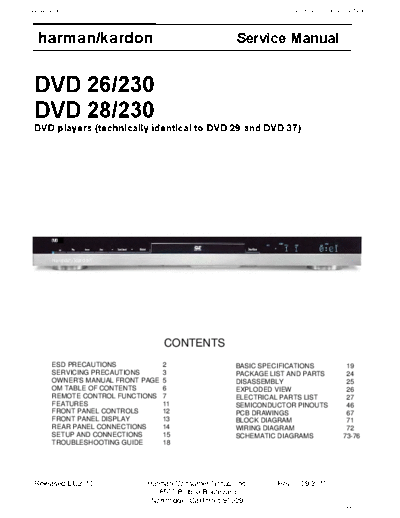
>> Download DVD-26 & 230 & 28 & 230 Rev 0 documenatation <<
Text preview - extract from the document
harman/kardon DVD 26 and 28/230 Service Manual
harman/kardon Service Manual
DVD 26/230
DVD 28/230
DVD players (technically identical to DVD 29 and DVD 37)
CONTENTS
ESD PRECAUTIONS 2 BASIC SPECIFICATIONS 19
SERVICING PRECAUTIONS 3 PACKAGE LIST AND PARTS 24
OWNER'S MANUAL FRONT PAGE 5 DISASSEMBLY 25
OM TABLE OF CONTENTS 6 EXPLODED VIEW 26
REMOTE CONTROL FUNCTIONS 7 ELECTRICAL PARTS LIST 27
FEATURES 11 SEMICONDUCTOR PINOUTS 46
FRONT PANEL CONTROLS 12 PCB DRAWINGS 67
FRONT PANEL DISPLAY 13 BLOCK DIAGRAM 71
REAR PANEL CONNECTIONS 14 WIRING DIAGRAM 72
SETUP AND CONNECTIONS 15 SCHEMATIC DIAGRAMS 73-76
TROUBLESHOOTING GUIDE 18
Released EU2010 Harman Consumer Group, Inc. Rev 0, 09/2010
8500 Balboa Boulevard.
Northridge, California 91329
Page 1 of 76
harman/kardon DVD 26 and 28/230 Service Manual
ESD PRECAUTIONS
Electrostatically Sensitive Devices (ESD)
Some semiconductor (solid state) devices can be damaged easily by static electricity . Such components com-
monly are called Electrostatically Sensitive Devices (ESD). Examples of typical ESD devices are integrated cir -
cuits and some field-effect transistors and semiconductor chip components. The following techniques should
be used to help reduce the incidence of component damage caused by static electricity .
1. Immediately before handling any semiconductor component or semiconductor-equipped assembly , drain off
any electrostatic charge on your body by touching a known earth ground. Alternatively, obtain and wear a
commercially available discharging wrist strap device, which should be removed for potential shock reasons
prior to applying power to the unit under test.
2. After removing an electrical assembly equipped with ESD devices, place the assembly on a conductive sur -
face such as aluminum foil, to prevent electrostatic charge buildup or exposure of the assembly .
3. Use only a grounded-tip soldering iron to solder or unsolder ESD devices.
4. Use only an anti-static solder removal device. Some solder removal devices not classified as "anti-static"
can generate electrical charges sufficient to damage ESD devices.
5. Do not use freon-propelled chemicals. These can generate electrical charges suf ficient to damage ESD
devices.
6. Do not remove a replacement ESD device from its protective package until immediately before you are
ready to install it. (Most replacement ESD devices are packaged with leads electrically shorted together by
conductive foam, aluminum foil or comparable conductive materials).
7. Immediately before removing the protective material from the leads of a replacement ESD device, touch the
protective material to the chassis or circuit assembly into which the device will by installed.
CAUTION : BE SURE NO POWER IS APPLIED TO THE CHASSIS OR CIRCUIT, AND OBSERVE ALL
OTHER SAFETY PRECAUTIONS.
8. Minimize bodily motions when handing unpackaged replacement ESD devices. (Otherwise harmless motion
such as the brushing together of your clothes fabric or the lifting of your foot from a carpeted floor can gen -
erate static electricity sufficient to damage an ESD device).
Page 2 of 76
harman/kardon DVD 26 and 28/230 Service Manual
SERVICING PRECAUTIONS
NOTES REGARDING HANDLING OF THE PICK-UP
1. Notes for transport and storage
1) The pick-up should always be left in its conductive bag until immediately prior to use.
2) The pick-up should never be subjected to external pressure or impact.
Drop impact
Storage in conductive bag
2. Repair notes
1) The pick-up incorporates a strong magnet, and so should never be brought close to magnetic materials.
2) The pick-up should always be handled correctly and carefully , taking care to avoid external pressure and
impact. If it is subjected to strong pressure or impact, the result may be an operational malfunction
and/or damage to the printed-circuit board.
3) Each and every pick-up is already individually adjusted to a high degree of precision, and for that reason
the adjustment point and installation
screws should absolutely never be touched.
4) Laser beams may damage the eyes!
Absolutely never permit laser beams to enter the eyes!
Also NEVER switch ON the power to the laser output part (lens, etc.) of the pick-up if it is damaged.
NEVER look directly at the laser beam, and don't let contact
fingers or other exposed skin.
5) Cleaning the lens surface
If there is dust on the lens surface, the dust should be cleaned away by using an air bush (such as used
for camera lens). The lens is held by a delicate spring. When cleaning the lens surface, therefore, a cot -
ton swab should be used, taking care not to distort this.
Pressure
Magnet
Pressure
How to hold the pick-up
Cotton swab
Conductive Sheet
6) Never attempt to disassemble the pick-up.
Spring by excess pressure. If the lens is extremely dirty , apply isopropyl alcohol to the cotton swab. (Do
not use any other liquid cleaners, because they will damage the lens.) Take care not to use too much of
this alcohol on the swab, and do not allow the alcohol to get inside the pick-up.
Page 3 of 76
harman/kardon DVD 26 and 28/230 Service Manual
NOTES REGARDING COMPACT DISC PLAYER REPAIRS
1. Preparations
1) Compact disc players incorporate a great many ICs as well as the pick-up (laser diode). These compo-
nents are sensitive to, and easily af fected by, static electricity. If such static electricity is high voltage,
components can be damaged, and for that reason components should be handled with care.
2) The pick-up is composed of many optical components and other high-precision components. Care must
be taken, therefore, to avoid repair or storage where the temperature of humidity is high, where strong
magnetism is present, or where there is excessive dust.
2. Notes for repair
1) Before replacing a component part, first disconnect the power supply lead wire from the unit
2) All equipment, measuring instruments and tools must be grounded.
3) The workbench should be covered with a conductive sheet and grounded.
When removing the laser pick-up from its conductive bag, do not place the pick-up on the bag. (This is
because there is the possibility of damage by static electricity .)
4) To prevent AC leakage, the metal part of the soldering iron should be grounded.
5) Workers should be grounded by an armband (1M )
6) Care should be taken not to permit the laser pick-up to come in contact with clothing, in order to prevent
static electricity changes in the clothing to escape from the armband.
7) The laser beam from the pick-up should NEVER be directly facing the eyes or bare skin.
Armband
Resistor
(1 Mohm)
Resistor
(1 Mohm) Conductive
Sheet
Page 4 of 76
harman/kardon DVD 26 and 28/230 Service Manual
ENGLISH
AVR/DVD System This owner's manual
covers any combination
AVR Audio/Video Receiver of AVR 139, AVR 141,
DVD Digital Versatile Disc Player DVD 26 and DVD 28.
OwneR's MAnuAl
Page 5 of 76
harman/kardon DVD 26 and 28/230 Service Manual
Table of Contents
3 safety Information 36 system Defaults
3 Unpacking DVD 36 set Up Menu
4 Remote Control functions 26 Terminology 36 system settings
AVR 27 features, Packing list 37 Audio settings
8 front Panel Controls 28 front Panel Controls 38 Audio Adjustments submenu
10 Rear Panel Connections 29 front Panel Information Display 39 Video settings
12 Installation and Connections 30 Rear Panel Connections 40 Test screen
12 Audio Equipment Connections 31 setup and Connections 40 Test screen
12 Video Equipment Connections 31 Connecting to a TV only 40 TV Picture Adjustment
13 HDMI Connections 32 to a Dolby Digital/DTs Amplifier/Receiver 41 Player Menu
14 system Configuration 33 Digital Audio Connections 41 Using the Player Information Menu
14 first Turn on 34 Playback basics 41 Using the on-screen status Display
14 settings to be Made With Each Input Used 34 basic Play 42 CD Playback
14 Input setup 34 Playback features 44 MP3, Windows Media and JPEG Playback
14 speaker setup 35 About DivX Movie files 46 Troubleshooting Guide
15 surround setup 36 system set-up 47 Technical specifications DVD
15 Configuring the surround off
(stereo) Modes
15 stereo-Direct (bypass) Mode
16 stereo Digital Mode
16 Delay settings
16 Night Mode settings
16 output level Adjustment
18 operation
DECLARATION OF CONFORMITY
18 basic operation
18 source selection
18 Controls and Use of Headphones
18 surround Mode selection
19 Digital Audio Playback We, Harman Consumer Group International
20 selecting a Digital source 2, route de Tours
f-72500 Ch◦ Jabse Service Manual Search 2026 ◦ Jabse Pravopis ◦ onTap.bg ◦ Other service manual resources online : Fixya ◦ eServiceinfo