Service Manuals, User Guides, Schematic Diagrams or docs for : Harman Kardon FL FL-8550 FL-8550

<< Back | Home

Most service manuals and schematics are PDF files, so You will need Adobre Acrobat Reader to view : Acrobat Download Some of the files are DjVu format. Readers and resources available here : DjVu Resources
For the compressed files, most common are zip and rar. Please, extract files with Your favorite compression software ( WinZip, WinRAR ... ) before viewing. If a document has multiple parts, You should download all, before extracting.
Good luck. Repair on Your own risk. Make sure You know what You are doing.


Image preview - the first page of the document
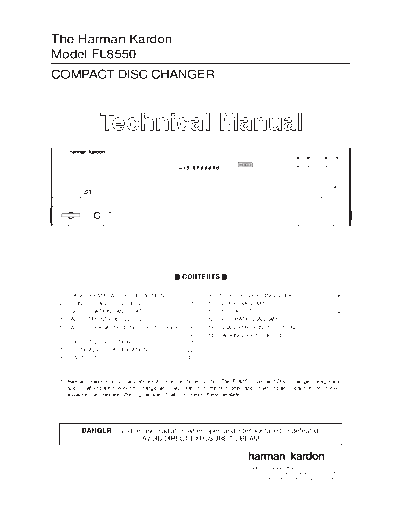
FL-8550


>> Download FL-8550 documenatation <<

Text preview - extract from the document
The Harman Kardon
Model FL8550
COMPACT DISC CHANGER


                           Technical Manual
                                       FL 8550                                                                                                                   1    2      3         Skip    Play      Pause
                                                                                             1      2       3   4     5
                                                                     PROGRAM                                                       1   2     3   4    5
                                                                     RANDOM                             INTRO                      6   7    8    9    10         4    5   Disc Skip   Search   Stop     Random
                                                                                    DISC    TRACK               MIN       SEC     11   12   13   14   15
                                                                     ALL 1 DISCS
                                                                                                                                  16   17   18   19   20
                                                                     REPEAT 1A-B


                                                                                                                                                                                                      Open/Close


      Power            Phones   Phones Level                             Time      Repeat           Intro             Clear       Program


                                                                                   CONTENTS

 1.     LASER BEAM SAFETY PRECAUTIONS ............. 2                                                           9.              TROUBLE SHOOTING GUIDE .......................... 56
 2.     CONTROL AND FUNCTIONS ............................. 4                                                   10.             BLOCK DIAGRAM ............................................. 61
 3.     SPECIFICATIONS AND FEATURES ..................... 7                                                     11.             PCB LAYOUT ..................................................... 62
 4.     ADJUSTMENT PROCEDURES ........................... 8                                                     12.             SCHEMATIC DIAGRAMS .................................. 71
 5.     AUDIO CHARACTERISTICS TEST PROCEDURE                                                                    13.             DISASSEMBLY INSTRUCTIONS ...................... 77
        .............................................................................12                         14.             PACKING, EXPLODED LISTS ........................... 81
 6.     CIRCUIT DESCRIPTION ....................................14
 7.     CRITICAL I.C. SPECIFICATION ........................ 22
 8.     PART LIST ......................................................... 48


 * Harman/ kardon continually strives to improve its products. The FL8350 Compact Disc Changer design and
   specifications are subject to change and may differ from the published specifications and descriptions, but will
   always equal or exceed the original specifications unless otherwise stated.


               DANGER: Invisible laser radiation when open and interlock failed or defeated.
                                 AVOID DIRECT EXPOSURE TO BEAM.


                                                                                                                                                           Parts and Service Office
                                                                                                                                                           250 Crossways Park Dr., Woodbury, N.Y. 11797
                                                                                                                                                           1112-FL8350 P9603 1200 Printed in Hong Kong
                                                                                                    FL8550
LASER BEAM SAFETY PRECAUTIONS


                                   CLASS 1 LASER PRODUCT


                                         CAUTION
                                         Invisible laser radiation when the unit is open.
                                         Do not stare into beam.

                                             CAUTION: USE OF ANY CONTROLS, ADJUSTMENT, OR
                                             PROCEDURES OTHER THAN THOSE SPECIFIED HEREIN
                                             MAY RESULT IN HAZARDOUS RADIATION EXPOSURE.


                                                   Do not look directly at the laser beam
                                                   coming from the pickup or allow it to
                                                   strike against your skin.


This compact disc player uses a pickup that emits a laser beam. The laser beam is emitted from the
location shown in the figure. When checking the laser diode, be sure to keep your eyes at least 1 foot away
from the pickup lens when the diode is turned on. Do not look directly at the laser beam.


CAUTION:
Using controls and adjustment, or doing procedures other than those specified herein, may result in
hazardous radiation exposure.


                                                     2
                                                                                                                    FL8550
SAFETY PRECAUTIONS
                                                                             This symbol is intended to alert the user to
                                                                             the presence of uninsulated "dangerous
                                                                             voltage" within the product's enclosure that
                                                                             may be of sufficient magnitude to consti-
                                                                             tute a risk of electric shock to persons.


                                                                             This symbol is intended to alert the user to
                                                                             the presence of important operating and
                                                                             maintenance (servicing) instructions in the
                                                                             literature accompanying the appliance.


                                                            Caution:   To prevent electric shock do not use this
                                                                       (polarized) plug with an extension cord, recep-
                                                                       tacle or other outlet unless the blades can be
                                                                       fully inserted to prevent blade exposure.


                                                            Attention: Pour prevenir les chocs electriques ne pas
                                                                       utiliser cetre fiche polarisee avec un
                                                                       prolongateur, une prise de courant ou une au-
                                                                       tre sortie de courant, sauf si les lames prevent
                                                                       etre inserees a fond-sans en laisser aucune
   WARNING                                                             partie a decouvert.
To prevent fire or shock hazard, do not
expose the unit to rain or moisture.


                                    HANDLING LASER PICKUP
 The laser diode in the optical system of this player can be damaged by electrostatic discharge from
 your clothes or your body. Proper electrostatic grounding for service personal is required during servicing.


BEFORE REPAIRING THE COMPACT DISC PLAYER
Preparation
Human Body Grounding:
Many of the components used in this compact disc player, including the laser pickup, are sensitive to
electrostatic discharge. Service personal should be grounded with an electrostatic armband (1 Mohm).

Caution:
Static charge on clothing does not escape through a body grounding wrist band.
Be careful not to contact the pickup or electrical components with your clothing.

Workbench and Tool Grounding:
A properly-grounded electroconductive plate (1Mohm) or metal sheet should be fitted to the workbench
surface. Tools and instruments (such as soldering irons and scopes) should be grounded to prevent AC
leakage.


Note: Laser diodes are so susceptible to damage from static electricity that, even if a static discharge does
not ruin a diode, it can shorten its life or cause it to work improperly.
                                                      3
                                                                                                                                                                                                             FL8550
Front Panel Controls
                                                 21                                                                                   22   19                         17            15             13
                                                                                  20                                                                             18        16            14                  12

                                   FL 8550                                                                                                      1     2      3              Skip         Play      Pause
                                                                              1      2       3   4     5
                                                      PROGRAM                                                     1   2 3     4 5
                                                      RANDOM                             INTRO                    6   7 8     9 10              4     5   Disc Skip        Search        Stop     Random
                                                                     DISC    TRACK               MIN       SEC   11   12 13   14 15
                                                      ALL 1 DISCS
                                                                                                                 16   17 18   19 20
                                                      REPEAT 1A-B


                                                                                                                                                                                                Open/Close


         Power     Phones   Phones Level                   Time     Repeat           Intro             Clear     Program


    1    2          3          4             5             6         7               8                 9         10                                                                              11

 1 Power Switch: Press this switch               this button again to view the total play                                                           15 Stop Button: Press this button to
to change the FL8550 from STANDBY                time remaining for the disc in play.                                                               stop the disc currently being played.
to ON. When the unit is first
connected to AC power, the Status                 7 Repeat Button: Press this button                                                                16 Skip Button: Press either side of
Mode Indicator 2 will turn Amber                 once to constantly repeat the track                                                                this button to move to the next track                         ,
(STANDBY mode). Press this switch                currently being played. Press it a                                                                 or to move back to the previous track
to turn the unit ON; indicator will              second time to repeat the entire disc.                                                             on the disc being played.
Green and the Information Display 20
will illuminate. Press the switch again           8 Intro Button: Press this button to                                                              17 Search Button: Press either side
to turn the unit off, in STANDBY mode.           put the FL8550 in the Intro Scan                                                                   of this button to search forward    or
When the FL8550 is connected to a                mode. When you press the button,                                                                   backwards        through a disc to
switched AC outlet, such as those                the unit will play the first 10 seconds                                                            locate a particular portion of the
found on the back of many audio                  of each track on the disc, and then                                                                selection of the disc being played.
products, when power is applied it will          move to the next track. Press the
return to whatever state it was left in          button again to defeat the function                                                                18 Disc Skip Button: Press this
                                                 and continue full play of the current                                                              button to change to the next disc. If a
previously, whether ON or STANDBY.
                                                 track.                                                                                             disc position is empty, the FL8550 will
In this case, when always left ON,
                                                                                                                                                    automatically search for the next
further use of the power switch is not
                                                  9 Clear Button: Press this button to                                                              position that contains a disc.
needed.
                                                 remove tracks from a programmed
 2 Status Mode Indicator: When the               sequence. Each press of the button                                                                 19 Disc Select Buttons: Press one
                                                 will remove one track, starting with                                                               of these buttons to select the disc in a
FL8550 is in the ON mode, this
                                                 the last track programmed to play.                                                                 specific position in the CD drawer.
indicator will glow green. When the
unit is off, the indicator will glow                                                                                                                20 Information Display: This display
                                                 10 Program Button: This button is
amber, indicating that the unit is still                                                                                                            provides details about the operation
                                                 used to program the playback of a
connected to the AC mains supply.                                                                                                                   of the FL8550.
                                                 disc in a particular order.
 3 Headphones Jack: Connect a set
                                                 11 Open/ Close: Press this button to                                                                21 Remote Sensor: The sensor
of standard headphones to this jack                                                                                                                 behind this window receives
                                                 open or close the disc drawer. DO
for private listening.                                                                                                                              commands from the remote control.
                                                 NOT push the drawer to close it, or
 4 Headphones Level: Turn this                   damage to the transport mechanism                                                                  Keep this area clear if you wish to use
                                                 may result.                                                                                        the FL8550 with a remote control.
knob to increase or decrease the
volume level for headphones
                                                 12 Random Button: Press this                                                                       22 HDCD Indicator: This LED will light
connected to the FL8550's
                                                 button to put a disc into play, and to                                                             automatically when a CD with HDCD
Headphones Jack 3 . Note that
                                                 have all of the tracks played in a                                                                 encoding is playing.
changing this level will not change the
                                                 random order.
sound level for the unit's main output,
as that remains constant.
                                                 13 Pause Button: Press this button
                                                 once to momentarily pause a disc.
 5 CD Drawer: This drawer holds the
                                                 When the button is pressed again, the
discs that will be played. Press the
                                                 disc will resume play at the point it
Open/ Close button 11 1 to open
                                                 was paused.
the drawer so that discs may be
inserted.
                                                 14 Play Button: Press this button to
                                                 start the playback of a CD. If the CD
 6 Time Button: In normal operation,             drawer is open, pressing this button
this display will show the running time
                                                 will automatically close the drawer.
of the track being played. Press the
button once to check the time
remaining for the track in play. Press

                                                                                          4
                                                                                                                                                                                              FL8550
Rear Panel Connections


     1                    2        3         4             5


                                                IN                LEFT                               CAUTION                                                             MODEL NO: FL8550
                                                                                                                                                                         HARMAN KARDON
                                                                                                   RISK OF ELECTRIC SHOCK
                                                                                                        DO NOT OPEN                                                      NORTHRIDGE
                                               OUT                RIGHT                                                                                                  CALIFORNIA, U.S.A.
                                                                                    SHOCK HAZARD : DO NOT OPEN.
                                                                                    SHOCKHAZARD : DO NOT OPEN.
                                                                                    AVIS:RISQUE DE CHOC ELECTRIQUE-NE PAS OUVRIR.
                                                                                    AVIS:RISQUE DE CHOC ELECTRIQUE-NE PAS OUVRIR.
                        DIGITAL                           AUDIO                                                                                                          MADE IN CHINA
                        OUTPUT         REMOTE            OUTPUT

                                                                                                SERIAL NO.
                            This device complies with part 15 of the FCC Rules.
                            Operation is subject to the following two conditions:
                            (1) This device may not cause harmful interference,
         AC INPUT
                            and (2) this device must accept any interference
       AC 117V / 60Hz       received, including interference that may cause
           20W                                                                                                                                    PRODUCT COMPLIES WITH DHHS
                            undesired operation.
                                                                                                                                                  RULES 21CFR SUBCHAPTER J,
                                                                                    WARNING: "TO REDUCE THE RISK OF FIRE OR
                                                                                                                                                  APPLICABLE AT DATE MANUFACTURED:
                                                                                    ELECTRIC SHOCK, DO NOT EXPOSE THIS APPLIANCE       NRTL/C
                                                                                    TO RAIN OR MOISTURE."                                                           (YCL).
                                                                                                                                       LR46800
                                                                                                                                       CSA 22.2
                                                                                                                                       UL 1270


 1        AC Power Cord
Connect this plug to an AC outlet. If the outlet is switch is controlled, make certain that the switch is in the ON
position.

 2       Coaxial Digital Output
Connect this jack to the coaxial digital input of an external digital-to-analog converter for direct access to the digital
signals of the FL8550. DO NOT connect this jack to the standard audio inputs of any device.

 3      Remote Control Input
Connect the output of a remote infrared sensor or the remote control output of another compatible Harman Kardon
product. This will enable the remote control system to operate even when the front panel Remote Sensor 21 is
blocked. It will also allow use of the FL8550 with optional, external control systems.

 4      Remote Control Output
Connect this jack to the input of another compatible Harman Kardon remote controlled device to have the remote
sensor on the FL8550 provide signals to other products.

5       Fixed Audio Outputs
Connect these jacks to the CD audio inputs of your receiver, surround processor or preamplifier.


                                                                                                                                   5
                                                                                                                            FL8550
Remote Control Functions
                                             1
                                                                   .1   Open/ Close Button: Press this button to open or close
                                                                        the disc drawer. The drawer may also be closed by
                                                                        pressing the Play button 14 8 . DO NOT push the
                                                                        drawer, as damage to the transport mechanism may
                                                                        result.

                                                                   2 Disc Select Buttons: Press one of these buttons to
                        DISC NO.
                                                                        select the disc in a specific position in the CD drawer.
                                                 OPEN/
               1           2           3         CLOSE
                                                                   3    Numeric Buttons: Press these buttons to select a
                                                          16            specific track on a disc. The FL8550 will immediately
2                                     DISC
               4             5        SKIP       REPEAT                 search for the track and begin to play it. For tracks 1
                                                          15            through 10 on a disc, you need only press the desired
                                                                        number. For tracks 10 and above, press the 10+ button 4
               1             2         3      PROGRAM
                                                                        to select the first digit of the track number, and then
                                                          14            press the second digit from these numeric buttons.
               4             5         6         CLEAR
                                                                        These buttons are also used to enter track numbers into
                                                          13            the memory for pre-programmed play lists.
3
               7             8         9         TIME              4    +10 Button: Press this button to select the first digit of a
                                                          12            track number above 10. Each press of the button
                                                                        increases the first digit one increment. Press it once to
               10           +10                  INTRO                  start accessing tracks 10 through 19 twice to start
                                                          11            accessing tracks 20 through 29, and so forth. For
4                                                                       example, to select track 22, press the +10 button twice,
                    SEARCH           RANDOM
                                                                        and then press the 2 button 3 .
                                                          10
5                                                          9       5 Search Buttons: Press these buttons to search forward
                     SKIP
                                                                        or backwards       through a disc to locate a particular
                                                          8
                                                                        portion of the selection being played.
6                                                         7
                                                                   6    Skip Buttons: Press one of these buttons to move to the
                                                                        next track    , or to move back to the previous track
                                                                        on the disc being played.

                                 FL 8550                           7 Stop Button: Press this button to stop the disc currently
                                                                        being played.

                                                                   8 Play Button: Press this button to start the playback of a
                                                                        CD. If the CD drawer is open, pressing this button will
                                                                        automatically close the drawer.

                                                                   9 Random Button: Press this button to put a disc into play,
                                                                        and to have all of the tracks played in a random order.

                                                               10 Pause Button: Press this button once to momentarily
                                                                        stop a disc. When the button is pressed again, the disc
                                                                        will resume play at the point it was stopped.

11 Intro Button: Press this button to put the FL8550 into the Intro Scan mode. When you press this button, the unit will
     play the first 10 seconds of each track on the disc, and then move to the next track. Press the button again to defeat
     the function and continue full play of the current track.

12   Time Button: Press this button to select the time display. In normal operation, the display will show the running time
     of the track being played. Press the button once to check the time remaining for the track in play. Press the button a
     third time to view the total play time remaining for the disc in play.

13   Clear Button: Press this button to remove tracks from a programmed sequence. Each press of the button will
     remove one track, starting with the last track programmed to play.

14   Program Button: This button is used to program the playback of a disc in a particular order.

15   Repeat Button: Press this button once to constantly repeat the track currently being played. Press it a second time
     to repeat the entire disc.

16   Disc Skip Button: Press this button to change to the next disc. If a disc position is empty, the FL8350 will
     automatically search for the next position that contains a disc.


                                                               6
                                                                              FL8550


GENERAL INFORMATION


1.   Power Consumption         Operating < 18W; Standby < 5W
2.   Power Supply              230VAC 50Hz or 120VAC 60Hz
3.   Dimensions                440 x 130 x 386 mm
4.   Product Outlook           Refer to attached diagram
5.   Remote Unit               RT03, harman/kardon remote code
6.   Compliance Requirement    CE LVD EN60065
                               CE EMC EN55013, EN61000-3-2, EN61000-3-3
                               NRTL/C
                               FCC
                               HDCD
7. Disc Changer Mechanism      5 disc carousel; Play 1 change 4
8. Sound Processor             HDCD
9. CD Servo System             Auto Alignment


AUDIO SPECIFICATION
                                                      Typical      Limit
Output Level 1KHz 0 dB(no HDCD)                       2.0 Vrms      


◦ Jabse Service Manual Search 2026 ◦ Jabse PravopisonTap.bg ◦ Other service manual resources online : FixyaeServiceinfo