Service Manuals, User Guides, Schematic Diagrams or docs for : Kyocera Printer FS-6025-6030MFP SERVICEBULLETINS 2K3-005
<< Back | HomeMost service manuals and schematics are PDF files, so You will need Adobre Acrobat Reader to view : Acrobat Download Some of the files are DjVu format. Readers and resources available here : DjVu Resources
For the compressed files, most common are zip and rar. Please, extract files with Your favorite compression software ( WinZip, WinRAR ... ) before viewing. If a document has multiple parts, You should download all, before extracting.
Good luck. Repair on Your own risk. Make sure You know what You are doing.
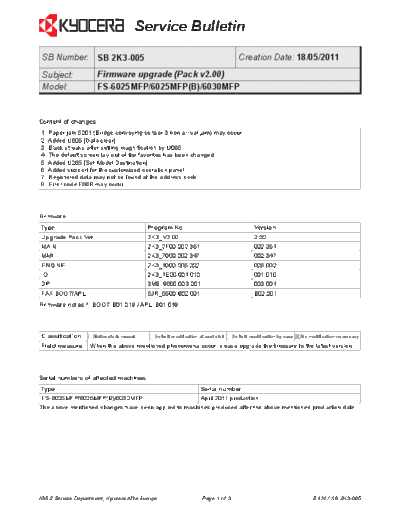
Image preview - the first page of the document
>> Download 2K3-005 documenatation <<
Text preview - extract from the document
                                      Service Bulletin
 SB Number: SB 2K3-005                                                              Creation Date: 18/05/2011
 Subject:            Firmware upgrade (Pack v2.00)
 Model:              FS-6025MFP/6025MFP(B)/6030MFP


Content of changes
1. Paper jam 5001 (Bridge conveying sensor 3 non arrival jam) may occur.
2. Added U605 [Data clear].
3. Black streaks after setting magnification by U065.
4. The default screen lay-out of the favorites has been changed.
5. Added U265 [Set Model Destination].
6. Added support for the customized operation panel.
7. Registered data may not be found at the address book.
8. Error code F56B may occur.


Firmware
Type                                      Program No.                                       Version
Upgrade Pack Ver.                         2K3_V2.00                                         2.00
MAIN                                      2K3_2F00.002.351                                  002.351
MMI                                       2K3_7000.002.347                                  002.347
ENGINE                                    2K3_1000.005.002                                  005.002
IO                                        2K3_1E00.001.010                                  001.010
DP                                        3M8_9500.003.001                                  003.001
FAX BOOT/APL                              5JR_5500.B02.001                                  B02.001
Firmware notes *: BOOT: B01.019 / APL: B01.019


Classification      Entire stock rework     In-field modification at next visit        X No modification necessary
                                                                                  In-field modification by case
Field measure     When the above mentioned phenomena occur, please upgrade the firmware to the latest version.


Serial numbers of affected machines
Type                                                               Serial number
 FS-6025MFP/6025MFP(B)/6030MFP                        April 2011 production.
The above mentioned changes have been applied to machines produced after the above mentioned production date.


KMIS Service Department, Kyocera Mita Europe                       Page 1 of 3                                    B124 / SB 2K3-005
                                   Service Bulletin

     Item                           Contents
1    Paper jam 5001 (Bridge         Phenomenon
     conveying sensor 3 non         Paper jam 5001 (Bridge conveying sensor 3 non arrival jam) may occur, when
     arrival jam) may occur.        operating the FS-6025MFP with the DF-470 and the AK-470 installed (Optional
                                    paper feeder is not installed).

                                    Cause
                                    The switch at the conveying sensor 2 may vibrate, so this sensor is triggered.
                                    The machine detects this as if the next sheet of paper has arrived. Due to the
                                    jam detection time-out, the above mentioned paper jam may occur. This is the
                                    case when continuously printing A4 widthwise from the standard paper cassette
                                    and when ejecting to the DF-470.

                                    Solution
                                    The timing for contact bounce has been changed from 20 milliseconds to 200
                                    milliseconds.


                                          Conveying sensor 2


2    Added U605 [Data clear].       Maintenance mode U605 [Data clear] has been added.
3    Black streaks after setting    Black streaks may appear on the B/W copy after enlarging with maintenance
     magnification by U065.         mode U065 [Adjusting the scanner magnification]
4    The default screen lay-out     The lay-out of the buttons from the default screen of the favorites has been
     of the favorites has been      changed.
     changed.
5    Added U265 [Set Model          Maintenance mode U265 [Set Model Destination] has been added.
     Destination].
6    Added support for the          Customized operation panel is available by using workflow templates in
     customized operation panel.    combination with FMU (File Management Utility).
7    Registered data may not be     The message "Not registered" may appear when searching the address book for
     found at the address book.     registered data.
8    Error code F56B may occur.     System error code F56B may occur under the below mentioned conditions, when
                                    scanning large sized originals to a smaller sized scan.
◦ Jabse Service Manual Search 2026 ◦ Jabse Pravopis ◦ onTap.bg ◦ Other service manual resources online : Fixya ◦ eServiceinfo