Service Manuals, User Guides, Schematic Diagrams or docs for : Kyocera Printer FS-6025-6030MFP SERVICEBULLETINS 2K3-007
<< Back | HomeMost service manuals and schematics are PDF files, so You will need Adobre Acrobat Reader to view : Acrobat Download Some of the files are DjVu format. Readers and resources available here : DjVu Resources
For the compressed files, most common are zip and rar. Please, extract files with Your favorite compression software ( WinZip, WinRAR ... ) before viewing. If a document has multiple parts, You should download all, before extracting.
Good luck. Repair on Your own risk. Make sure You know what You are doing.
Image preview - the first page of the document
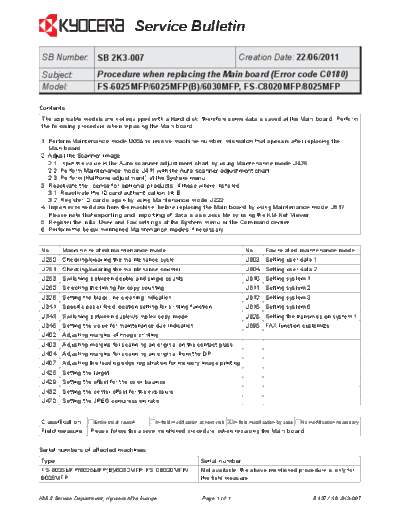
>> Download 2K3-007 documenatation <<
Text preview - extract from the document
                                      Service Bulletin
 SB Number: SB 2K3-007                                                            Creation Date: 22/06/2011
 Subject:            Procedure when replacing the Main board (Error code C0180)
 Model:              FS-6025MFP/6025MFP(B)/6030MFP, FS-C8020MFP/8025MFP

Contents
The applicable models are not equipped with a Hard disk, therefore some data is saved at the Main board. Perform
the following procedure when replacing the Main board.

1. Perform Maintenance mode U004 to resolve machine number mismatch that appears after replacing the
   Main board.
2. Adjust the Scanner image.
   2.1. Input the value in the Auto scanner adjustment chart by using Maintenance mode U425.
   2.2. Perform Maintenance mode U411 with the Auto scanner adjustment chart.
   2.3. Perform [Halftone adjustment] at the System menu.
3. Reactivate the license for optional products, if these where installed.
   3.1. Reactivate the ID card authentication kit B.
   3.2. Register ID cards again by using Maintenance mode U222.
4. Import exported data from the machine, before replacing the Main board by using Maintenance mode U917.
   Please note that exporting and importing of data is also possible by using the KM-Net Viewer.
5. Register the initial User and Fax settings at the System menu or the Command center.
6. Perform the below mentioned Maintenance modes if necessary.


No.     Machine related maintenance mode                                           No.    Fax related maintenance mode
U250    Checking/clearing the maintenance cycle                                    U603 Setting user data 1
U251    Checking/clearing the maintenance counter                                  U604 Setting user data 2
U253    Switching between double and single counts                                 U610 Setting system 1
U260    Selecting the timing for copy counting                                     U611 Setting system 2
U326    Setting the black line cleaning indication                                 U612 Setting system 3
U341    Specific paper feed location setting for printing function                 U615 Setting system 6
U343    Switching between duplex/simplex copy mode                                 U625 Setting the transmission system 1
U345    Setting the value for maintenance due indication                           U695 FAX function customize
U402    Adjusting margins of image printing
U403    Adjusting margins for scanning an original on the contact glass
U404    Adjusting margins for scanning an original from the DP
U407    Adjusting the leading edge registration for memory image printing
U425    Setting the target
U429    Setting the offset for the color balance
U432    Setting the center offset for the exposure
U470    Setting the JPEG compression ratio


Classification      Entire stock rework                          X In-field modification by case No modification necessary
                                            In-field modification at next visit
Field measure     Please follow the above mentioned procedure, when replacing the Main board.


Serial numbers of affected machines
Type                                                               Serial number
FS-6025MFP/6025MFP(B)/6030MFP, FS-C8020MFP/                        Not available, the above mentioned procedure is only for
8025MFP                                                            the field measure.


KMIS Service Department, Kyocera Mita Europe                       Page 1 of 1                             B137 / SB 2K3-007
◦ Jabse Service Manual Search 2026 ◦ Jabse Pravopis ◦ onTap.bg ◦ Other service manual resources online : Fixya ◦ eServiceinfo