Service Manuals, User Guides, Schematic Diagrams or docs for : Kyocera Printer FS-6025-6030MFP SERVICEBULLETINS SB-2K3-0011-B124_2
<< Back | HomeMost service manuals and schematics are PDF files, so You will need Adobre Acrobat Reader to view : Acrobat Download Some of the files are DjVu format. Readers and resources available here : DjVu Resources
For the compressed files, most common are zip and rar. Please, extract files with Your favorite compression software ( WinZip, WinRAR ... ) before viewing. If a document has multiple parts, You should download all, before extracting.
Good luck. Repair on Your own risk. Make sure You know what You are doing.
Image preview - the first page of the document
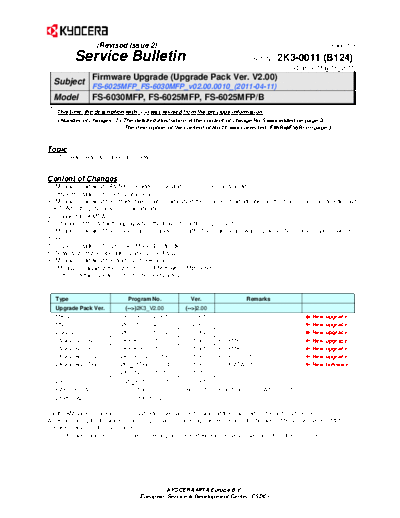
>> Download SB-2K3-0011-B124_2 documenatation <<
Text preview - extract from the document
                  (Revised Issue 2)                                                                         (Page.1/3)

          Service Bulletin                                                     Ref. No.   2K3-0011 (B124)
                                                                                               May 18, 2011

  Subject Firmware Upgrade (Upgrade Pack Ver. V2.00)
                 FS-6025MFP_FS-6030MFP_v02.00.0010_(2011-04-11)
  Model          FS-6030MFP, FS-6025MFP, FS-6025MFP/B
   This time, the description with (-->) was revised from the previous information.
    The detailed illustration of the content of change No.5 was added on page 3.
                          The description of the content of No.10 was corrected (F65B F56B) on page 3.


Topic
The firmware was upgraded as follows.


Content of Changes
1. Measures against JAM5001 (Bridge conveying sensor 3 non arrival jam)
2. Implementation of U605 [Data clear]
3. Measures against the image failure when adjusting the scanner magnification in the main scanning direction with
U065 [Adjusting the scanner magnification]
4. Support for KMTW
5. Change of the default display when the Favorite button is pressed
6. Measures against the model name change error after the main board was replaced (No problem arises with FS-
models.)
7. Implementation of U265 [Set Model Destination]
8. New customized operation panel using FMU
9. Measures against the address book search error
10. Measures against the system error F56B with SMB Send


   Type                        Program No.             Ver.                  Remarks
   Upgrade Pack Ver.          (-->)2K3_V2.00         (-->)2.00
   MAIN                    2K3_2F00.002.351          002.351                                        New   upgrade
   MMI                     2K3_7000.002.347          002.347                                        New   upgrade
   ENGINE                  2K3_1000.005.002          005.002                                        New   upgrade
   LANGUAGE BR             2K3_81BR.001.006          001.006      For KMBR   *1                     New   upgrade
   LANGUAGE KR             2K3_81KR.001.005          001.005      For KMKR   *1                     New   upgrade
   LANGUAGE CN             2K3_81CN.001.006          001.006      For KTST   *1                     New   upgrade
   LANGUAGE TW             2K3_81TW.001.004          001.004      For KMTW    *1                    New   firmware
   IO                      2K3_1E00.001.010          001.010
   DP                       3M8_9500.003.001         003.001
   FAX BOOT/APL             5JR_5500.B02.001         B02.001      BOOT(B01.019), APL(B01.019)
   ESPECIAL                    ES_SKIP.ON            ----------

For the KM sales companies, it is possible to download the firmware at the download center on the ESDC.net.
When upgrading the firmware or replacing a board, please upgrade each kind of the firmware (MAIN, ENGINE and MMI) to
the latest version at the same time.
*1: The firmware above is not included in the upgrade pack. Please individually download it from the ESDC.net.


                                            KYOCERA MITA Europe B.V.
                                   European Service & Development Center (ESDC)
                  (Revised Issue 2)                                                                                (Page.2/3)

         Service Bulletin                                                          Ref. No.   2K3-0011 (B124)
                                                                                                     May 18, 2011

 KMC's Classification               Entire Stock Rework              In-Field modification at next visit
                                    In-Field modification by case    No modification necessary
 Field Measure:         Please upgrade the firmware when the phenomenon described above arises.

 Serial Nos. of the Affected Machines: Planned from April 2011 production


Contents of Changes

No. Item                            Details                                                                          CTL     Ver.

1 Measures against JAM5001          The leading edge of paper might stop at the roller on the DF side of the        551944   ENG
    (Bridge conveying sensor 3      bridge unit in the conditions below when paper is continuously fed from
    non arrival jam)                the standard cassette and ejected to DF-470, which causes
                                    JAM5001(Bridge conveying sensor 3 non arrival jam) might occur.
                                    Therefore, this was corrected.
                                    [Conditions]
                                    Affected model: 25cpm machine with DF-470 and AK-470. (PF is not
                                     installed.)
                                    Paper size: Letter, A4 (fed widthwise)
                                    [Change]
                                    The time to remove the chattering of the bridge conveying sensor
                                    (conveying sensor 2) varies depending on existence of PF. However,
                                    there was little time margin. Accordingly, the time to remove the chattering
                                    was changed from 20msec to 200mse to resolve this. (Chattering is
                                    recognized as arrival of next paper and the machine waits for next paper.
                                    However, J5001 appears after the jam detection timeout.)


                                                                          conveying sensor 2
2   Implementation of U605 [Data    U605 was newly implemented to execute [Data clear].                             535035   ENG
    clear]
3   Measures against the image      Black streaks might appear on the output after copying in monochrome            540401 ENG
                                                                                                                   TC-11-003
    failure when adjusting the      with enlargement set by U065 [Adjusting the scanner magnification].
    scanner magnification in the    Therefore, this was corrected.
    main scanning direction with
    U065 [Adjusting the scanner
    magnification]
4   Support for KMTW                The first production for KMTW is supported.                                              LAN

5   Change of the default display   The default display after the Favorite button is pressed was changed so                  MAIN
    when the Favorite button is     that the function name layout can be easily changed.
    pressed


                                             KYOCERA MITA Europe B.V.
                                    European Service & Development Center (ESDC)
                  (Revised Issue 2)                                                                              (Page.3/3)

          Service Bulletin                                                        Ref. No.   2K3-0011 (B124)
                                                                                                   May 18, 2011
No. Item                            Details                                                                       CTL   Ver.

6 Measures against the model        The model name shown on the startup display and output reports might                MAIN
    name change error after the     be changed to FS-model name after the main board for service was
    main board was replaced (No     installed. Therefore, this was corrected.
    problem arises with FS-         [Cause]
    models.)
                                    Model name data stored in the engine board should be originally written to
                                    the main board. However, the data in the main board was actually written
                                    to the engine board. Since the default model name data in the main board
                                    for service was FS-model, it was written to the engine board resulting in
                                    operation with FS-model name.
                                     [Change]
                                    The change was made so that the data in the engine board can be written
                                    to the main board (original operation).
 7   Implementation of U265 [Set    U265 was newly implanted to set the model destination.                              MAIN
     Model Destination]
 8   New customized operation       Customized operation panel is now available to support the workflow                 MAIN
                                                                                                                        MMI
     panel using FMU                template by using FMU (File Management Utility).
 9   Measures against the address   When searching data in the address book, [Not registered] message
     book search error              might appear although the data was registered. Therefore, this was
                                    corrected.
 10 Measures against the system     The system error F56B might appear when scanning large size data to
    error (-->)F56B with SMB        small size data with the settings below. Therefore, this was corrected.
    Send                            (PDF file, B/W mode, Continuous scan ON, Table scan)


(-->)
5. Change of the default display when the Favorite button is pressed

 (Old)                                                          (New)


                                             KYOCERA MITA Europe B.V.
                                    European Service & Development Center (ESDC)
◦ Jabse Service Manual Search 2026 ◦ Jabse Pravopis ◦ onTap.bg ◦ Other service manual resources online : Fixya ◦ eServiceinfo