Service Manuals, User Guides, Schematic Diagrams or docs for : Kyocera Printer FS-6025-6030MFP SERVICEBULLETINS SB-2K3-0031-C082_1
<< Back | HomeMost service manuals and schematics are PDF files, so You will need Adobre Acrobat Reader to view : Acrobat Download Some of the files are DjVu format. Readers and resources available here : DjVu Resources
For the compressed files, most common are zip and rar. Please, extract files with Your favorite compression software ( WinZip, WinRAR ... ) before viewing. If a document has multiple parts, You should download all, before extracting.
Good luck. Repair on Your own risk. Make sure You know what You are doing.
Image preview - the first page of the document
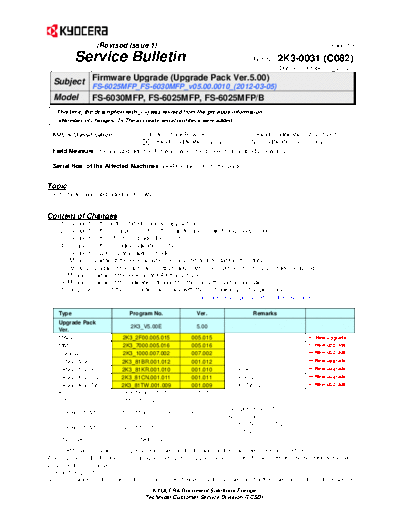
>> Download SB-2K3-0031-C082_1 documenatation <<
Text preview - extract from the document
(Revised Issue 1) (Page.1/6)
Service Bulletin Ref. No. 2K3-0031 (C082)
October 17, 2012
Subject Firmware Upgrade (Upgrade Pack Ver.5.00)
FS-6025MFP_FS-6030MFP_v05.00.0010_(2012-03-05)
Model FS-6030MFP, FS-6025MFP, FS-6025MFP/B l:
This time, the description with (-->) was revised from the previous information.
The accurate serial numbers were added.
KMC's Classification Entire Stock Rework In-Field modification at next visit
In-Field modification by case No modification necessary
Field Measure: Please upgrade the firmware when the problem described below arises.
Serial Nos. of the Affected Machines: (-->) Please refer to the page 6.
Topic
The firmware was upgraded as follows.
Content of Changes
1. Support of the auto rotated manual copy setting
2. Support of the file attachment for the maintenance mail during sleep mode
3. Support of the offset one page document
4. Change of the humidity indication in the U0139
5. Support of U977 [Data capture mode]
6. Measures against the lock-up when processing a large data in the utility
7. Measures against the last page output failure after the scanner memory shortage occurred
8. Measures against the lock-up at FAX transmission
9. Measures against the indication dropout for the cassette partial operation
10. Improvement of the connection accuracy with the on-hook key on the pulse line
Type Program No. Ver. Remarks
Upgrade Pack
2K3_V5.00E 5.00
Ver.
MAIN 2K3_2F00.005.015 005.015 New upgrade
MMI 2K3_7000.005.016 005.016 New upgrade
ENGINE 2K3_1000.007.002 007.002 New upgrade
LANGUAGE BR 2K3_81BR.001.012 001.012 New upgrade
LANGUAGE KR 2K3_81KR.001.010 001.010 For KDKR *2 New upgrade
LANGUAGE CN 2K3_81CN.001.011 001.011 For KDCN *2 New upgrade
LANGUAGE TW 2K3_81TW.001.009 001.009 For KDTW *2 New upgrade
IO 2K3_1E00.001.010 001.010
DP 3M8_9500.004.001 004.001
Except KDCN *1
FAX BOOT/APL 5JR_5500.B04.003 B04.003
APL B04.003)
For KDCN *1*2
FAX BOOT/APL 5JR_5700.Z04.002 Z04.002
(APL Z04.002)
ESPECIAL ES_SKIP.ON ----------
For the KM sales companies, it is possible to download the firmware at the download center on the ESDC.net.
When upgrading the firmware or replacing a board, please upgrade all kinds of the firmware (MAIN, ENGINE, MMI) to the latest
version at the same time.
*1: BOOT (B02.001)
*2: This firmware is not included in the upgrade pack. Please individually download it at the download center on the ESDC.net.
KYOCERA Document Solutions Europe
Technical Customer Service Division (TCSD)
(Revised Issue 1) (Page.2/6)
Service Bulletin Ref. No. 2K3-0031 (C082)
October 17, 2012
[Content of changes]
No. Item Content CTL
1 Support of the auto rotated [Auto Image Rotation] might result in the unexpected output. Therefore, 573108
manual copy setting the auto image rotation is now switchable for manual copy.
A sub menu was added.
[System menu] [Copy] [Auto Image Rotation Action]
2 Support of the file attachment File was not attached to the maintenance mail during the sleep mode. 575544
569877
for the maintenance mail during This is now supported.
sleep mode
3 Support of the offset one page Offset was not applied to one page document when printing multiple sets. 575672
document This was changed so that offset can be applied when printing one set
with one-page original.
The sub menu was added.
[System menu] [Common Settings] [Offset One Page Documents]
*Offset will not be applied to print of one set with one-page original if
Collate is selected.
4 Change of the humidity The humidity indication in the U0139 was changed from absolute
indication in the U0139 humidity to relative humidity.
5 Support of U977 [Data capture The maintenance mode U977 was added in order to enable to save the 578125
mode] print data sent to the main unit in a USB memory same as for the
conventional models.
- U977 [Data capture mode] was newly added.
6 Measures against the lock-up The machine might lock up when processing large volume data in the 607557
when processing a large data utility, etc. Therefore, this was corrected.
in the utility
7 Measures against the last page The scan memory might run short when scanning A3 size originals in 607846
519977
output failure after the scanner ACS to output 3 copies to the DF-470 with unsorted copy and parallel
memory shortage occurred output. If output was continued, the last page was not output but the drive
was stopped. Therefore, this was corrected.
8 Measures against the lock-up The machine might lock up with displaying the message "Waiting for TO-12-030
619861
at FAX transmission scan" during FAX transmission. Therefore, this was corrected.
9 Measures against the The partial operation indication might disappear when the MP tray size 582021
indication dropout for the was changed while a cassette was separated. Therefore, this was
cassette partial operation corrected.
10 Improvement of the connection The dialing accuracy was improved for the on-hook dialing on the pulse 598954
598929
accuracy with the on-hook key line.
on the pulse line
11 Measures against the image Imaging failure, letter dropout and garbled letters occurred when TP-11-216
NP-Z11057
failure when outputting a outputting a certain file from Mac. Therefore, this was corrected. 580232
certain file from Mac
12 Measures against the F248 The F248 error might appear when sending print data during the sleep 571077
error mode. Therefore, this was corrected.
13 Measures against the illegible Hangul fonts in Korean Command Center looked corrupted. TO-11-051
571588
Korean Command Center Therefore, the magnification of the browser was changed to 120% for
Korean only.
TO-11-048,
14 Measures against the scanning Scanning might fail with large volume originals if initiated from the PC. KMA-D-
failure with large volume Therefore, this was corrected. 1107-03
604770
originals
KYOCERA Document Solutions Europe
Technical Customer Service Division (TCSD)
(Revised Issue 1) (Page.3/6)
Service Bulletin Ref. No. 2K3-0031 (C082)
October 17, 2012
No. Item Content CTL
15 Measures against the image White streaks image may be output when printing from certain CAD TP-11-140
NP-Z11037
failure when outputting from a software. Therefore, this is corrected. 568349
certain CAD software
16 Measures against the F186 The F186 error might appear when outputting received FAX data after 573909
error after power-up power-up. Therefore, this was corrected.
17 Measures against the F515 The F515 error might appear when [Start] button was pressed just after 549334
error feeding A3 originals to the DP with 4in1 multiple pages per sheet set and
A5 size selection. Therefore, this was corrected.
(The phenomenon above occurs due to the non-conformance depending
on the timing to recognize the original size.)
18 Measures against the F214 If [Cancel] button was pressed during image scanning, the machine 573148
error when pressing [Cancel] might lock up with displaying the message "Cancelling" and the F214
button error might appear. Therefore, this was corrected.
19 Measures against the F486 The F486 error might appear after image scanning when [Start] button 572846
error was pressed to send A3 original in ACS in 600dpi for TIFF with Bleed-
through prevention ON and Top edge on Top original orientation setting.
Therefore, this was corrected.
20 Measures against the failure of The mail received from the Exchange Server 2007 might not be able to 575080
printing mail received from the be printed. Therefore, this was corrected.
Exchange Server 2007
21 Measures against the LF error The LF code was ignored and a new line was not started when printing TP-11-109
NP-Z11031
with a user system via network with SMB protocol in a users system. Therefore, this was 564045
corrected.
22 Measures against the F000 The operation panel of the main unit might lock up while operating the 574788
error during the Command Command Center and the F000 error might also appear. Therefore, this
Center operation was corrected.
23 Magnification display correction 126% of the magnification was indicated on the copy image display with 610461
216 mm x 340 mm original to be output to Ledger size and AMS set while
it is actually 127%. Therefore, this was corrected.
24 Measures against the F040 The F040 error might appear when the machine entered the sleep mode. 610138
error Therefore, this was corrected.
25 Measures against the lock-up The copy display kept displaying the message "Please wait" when setting 581209
after recovery from the sleep B4 size original on the DP after the machine recovered from the sleep
mode mode. Therefore, this was corrected.
26 Measures against the failure The login user name appeared at the user name column on the status 610303
610273
with the local authentication ON display when sending NW-FAX with the local authentication enabled.
Therefore, this was corrected.
27 Measures against the image The image might drop out when printing a certain file in Landscape via 582971
dropout with a certain file in the KPDL mini driver. Therefore, this was corrected.
Landscape output
28 Measures against the Memory The Memory LED might keep blinking after a file was printed from a USB 611767
LED blinking after printing a file memory. Therefore, this was corrected.
from a USB memory
29 Measures against the failure No more operation was enabled if cancelling the continuous scan in the 585750
with the U066 (Table Timing) U066 (Table Timing) by pressing the [Cancel] button. Therefore, this was
corrected.
30 Measures against the failure Characters may be replaced with other characters on the print job which TP-11-238,
UT-S11-045
with print from the AS-400 was sent from the AS-400. Therefore, this was corrected. 582585
31 Measures against the lock-up The machine locked up displaying the message "Processing" when TP-11-024,
#1181037
with a certain file printing a certain file. Therefore, this was corrected. 617688
KYOCERA Document Solutions Europe
Technical Customer Service Division (TCSD)
(Revised Issue 1) (Page.4/6)
Service Bulletin Ref. No. 2K3-0031 (C082)
October 17, 2012
No. Item Content CTL
32 Measures against the The machine might lock up if the IB-50 received data buffer was 601688
IB-50 received data buffer overflowing. Therefore, this was corrected.
overflow
33 Measures against the F246 The F246 error might appear with the discrepancy in the port and device 619790
error after changing the IB-50 after changing the IB-50 settings and restarting the system. Therefore,
settings this was corrected.
34 Measures against the F24B The F24B (ProcessDown) error might appear after installing the IB-50 619784
error after installing the IB-50 and starting up the system. Therefore, this was corrected.
and starting up the system
35 Measures against the offline The system might become offline when outputting from the driver after 619888
issue when outputting from the installing the IB-50. Therefore, this was corrected.
driver after installing the IB-50
36 Measures against the streaks in Multiple streaks might appear on the image when outputting in the 581714
reduction mode from the PCL mini driver. Therefore, this was corrected. 549010
the image when outputting from
the PCL mini driver
37 Measures against the error The error code on the operation panel and the one in the Command TP-11-027,
KMHG-SQ-
code appearing at failed SMTP Center were different when SMTP authentication failed. Therefore, this 11-0428
authentication was corrected.
38 Measures against the F245 The F245 error might appear if on-hook transmission was performed 499939
error at on-hook sending in the from the FAX display with the branch exchange turned OFF and with the
FAX display network administrator authentication ON. Therefore, this was corrected.
39 Measures against the The change was made so that the report mail transmission can be retried TC-10-018
479725
connection failure with the mail if failing in connecting to the mail server after power-off.
server at power-up
40 Measures against printing When printing a certain file, point, line or dotted line might appear in the
failure at trailing edge area at the trailing edge (within 1 mm from the edge). Therefore, it was
corrected.
KYOCERA Document Solutions Europe
Technical Customer Service Division (TCSD)
(Revised Issue 1) (Page.5/6)
Service Bulletin Ref. No. 2K3-0031 (C082)
October 17, 2012
Support of the auto rotated manual copy setting
SYSTEM MENU Copy Auto Image Rotation Action
- Unrotated Manual Copy
- Apply All Default (current setting)
- Follow Image Size
Auto Image Rotation Auto Image Rotation Action Rotation Action
OFF - No auto image rotation in any case
ON Unrotated Manual Copy No auto image rotation for manual copy only (New)
ON Apply All Auto image rotation in any case
ON Follow Image Size Auto image rotation except custom size if rotated image
fits the paper for manual copy (New)
Support of the offset one page document
SYSTEM MENU -> Common Settings -> Offset One Page Documents
not indicated when no finisher is installed
- Off
- On Default
Offset one page document is now switchable while it is not currently supported.
*Offset is not applied to multiple sets consisted of one-page originals.
JOB1 JOB1
JOB2 JOB2
JOB3 JOB3
JOB4 JOB4
JOB5 JOB5
JOB6 JOB6
KYOCERA Document Solutions Europe
Technical Customer Service Division (TCSD)
(Revised Issue 1) (Page.6/6)
Service Bulletin Ref. No. 2K3-0031 (C082)
October 17, 2012
(-->) Serial Nos. of the Affected Machines
FS-6030MFP
KDA KDA (GSA) KDA 220V KDBR CPY KDE Olivetti
1102K32US0 1102K32US1 1102K34US0 1102K32BR0 1102K32CS0 1102K33NL0 1102K33LV0
Q6Q2502356 NCX2500101 N7T Next N8P Next N6S2401355 Q6R2303734 NCY Next
UTAX KDID KDSG KDTH KDHG KDCN KDTW
1102K33UT0 1102K33ND0 1102K33SG0 1102K33TH0 1102K33HK0 1102K33KS0 1102K3TTW0
N6C Next N942300103 N952400702 N962300407 N93 Next NDJ2401771 N9S2600166
KDKR Philcopy KDAU
1102K33KR0 1102K34PH0 1102K33AS0
N9R Next NM9 Next Q6S Next
FS-6025MFP
KDA KDA (GSA) KDA 220V KDBR CPY KDE Olivetti
1102L32US0 1102L32US2 1102L34US0 1102L32BR0 1102L32CS0 1102L33NL0 1102L33LV0
N682306446 ND2 Next N7U2300453 N8R Next N6T2402118 N692314674 ND32301497
RIYAD UTAX KDID KDSG KDTH KDHG KDCN
1102L33RY0 1102L33UT0 1102L33ND0 1102L33SG0 1102L33TH0 1102L33HK0 1102L33KS0
NM32501001 N6B Next N992300498 N9B2500782 N9D2300822 N972300103 NDL2304949
KDTW KDKR Philcopy KDAU
1102L3TTW0 1102L33KR0 1102L34PH0 1102L33AS0
N9U2500430 N9T2601774 NMB Next N6A Next
FS-6025MFP/B
KDA KDA 220V KDBR CPY KDE UTAX KDID
1102L32US1 1102L34US1 1102L32BR1 1102L32CS1 1102L33NL1 1102L33UT1 1102L33ND2
Next Next Next Next Next Next Next
KDSG KDTH KDHG KDCN Philcopy KDAU
1102L33SG1 1102L33TH1 1102L33HK1 1102L33KS1 1102L34PH1 1102L33AS1
Next Next Next Next Next Next
KYOCERA Document Solutions Europe
Technical Customer Service Division (TCSD)
◦ Jabse Service Manual Search 2026 ◦ Jabse Pravopis ◦ onTap.bg ◦ Other service manual resources online : Fixya ◦ eServiceinfo