Service Manuals, User Guides, Schematic Diagrams or docs for : Kyocera Printer FS-6025-6030MFP SERVICEBULLETINS SB-2MW-0006-C339
<< Back | HomeMost service manuals and schematics are PDF files, so You will need Adobre Acrobat Reader to view : Acrobat Download Some of the files are DjVu format. Readers and resources available here : DjVu Resources
For the compressed files, most common are zip and rar. Please, extract files with Your favorite compression software ( WinZip, WinRAR ... ) before viewing. If a document has multiple parts, You should download all, before extracting.
Good luck. Repair on Your own risk. Make sure You know what You are doing.
Image preview - the first page of the document
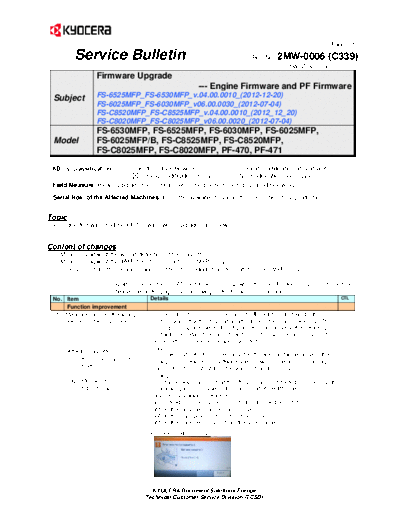
>> Download SB-2MW-0006-C339 documenatation <<
Text preview - extract from the document
(Page.1/5)
Service Bulletin Ref. No. 2MW-0006 (C339)
December 21, 2012
Firmware Upgrade
--- Engine Firmware and PF Firmware
Subject FS-6525MFP_FS-6530MFP_v.04.00.0010_(2012-12-20)
FS-6025MFP_FS-6030MFP_v06.00.0030_(2012-07-04)
FS-C8520MFP_FS-C8525MFP_v.04.00.0010_(2012_12_20)
FS-C8020MFP_FS-C8025MFP_v06.00.0020_(2012-07-04)
FS-6530MFP, FS-6525MFP, FS-6030MFP, FS-6025MFP,
Model FS-6025MFP/B, FS-C8525MFP, FS-C8520MFP, l:
FS-C8025MFP, FS-C8020MFP, PF-470, PF-471
KDC's Classification Entire Stock Rework In-Field modification at next visit
In-Field modification by case No modification necessary
Field Measure: Please upgrade the firmware when the phenomenon described below occurs.
Serial Nos. of the Affected Machines: From the available timing in the December 2012 production
Topic
The engine firmware and the PF firmware were upgraded as follows.
Content of changes
1. Measures against the wrong detection of the cassette.
2. Measures against the JAM0100 (for monochrome MFPs only)
3. Improvement for the cleaning failure in the intermediate transfer unit (for color MFPs only)
* Upgrade Packs for the HyPAS models will be set up when the main firmware is upgraded next time.
Please refer to the page 3 and following for the firmware version table.
No. Item Details CTL
Function improvement
1 Measures against the wrong The message [Error occurred at cassette X] might be displayed if the
detection of the cassette machine was left without operation after turning the main power ON. (The
message is displayed when the lift plate does not arrive at the detecting
point within a certain time, and it can be reset by opening and closing of
the cassette.) Therefore, this was corrected.
[Cause]
[Affected cassettes]
The upper limit detection of the cassette lift plate may fail because of the
Cassettes in the main unit,
misalignment between the software and hardware detections due to slight
PF-471, PF-470 change of voltage output from the waiting detection sensor.
[Change]
Engine firmware The change was made so that the lift plate can be detected and lifted up at
PF-471/470 firmware the following timing only while the upper limit of the lift plate is
conventionally always detected.
- While feeding paper (same timing to turn the feeding clutch ON)
- When the cassette is opened and closed
- When the main power is turned OFF and ON
- When the machine recovers from the sleep mode
KYOCERA Document Solutions Europe
Technical Customer Service Division (TCSD)
(Page.2/5)
Service Bulletin Ref. No. 2MW-0006 (C339)
December 21, 2012
No. Item Details CTL
2 Measures against the JAM0100 If KYOcontrol is installed, JAM0100 might occur when outputting.
Therefore, this was corrected.
JAM0100: Secondary paper
feed request time out
[Affected model]
Monochrome MFPs only
Specifications change
3 Improvement for the cleaning The following changes were made in order to improve the cleaning
failure in the intermediate function after the use count and the timing to apply the cleaning voltage
transfer unit. were reviewed.
1) The initial settings of the voltage for the intermediate transfer cleaning
[Affected model] were changed. Also, the compensation function was added to reset
Color MFPs only the setting value when 20K is reached.
U107 [Setting the voltage for the intermediate transfer cleaning]
--> Belt(A)
25 ppm Display Before After After
20k or less Over 20k
01 Full 13 60 35
02 Half 9 30 20
03 3/4 10 45 30
04 B/W Full 13 60 35
05 B/W Half 9 30 20
06 B/W 3/4 10 45 30
20 ppm Display Before After After
20k or less Over 20k
01 Full 10 48 28
02 Half 9 30 20
03 3/4 9 36 24
04 B/W Full 10 48 28
05 B/W Half 9 30 20
06 B/W 3/4 9 36 24
The voltage control shifts to the value for over 20K although the value
indicated on the panel at the maintenance mode U107 remains
unchanged after the count exceeds 20K.
(Related Service Bulletins: SB-2MY-0005-C240 and SB-2KZ-0031-
C258)
2) The timing to turn the brush motor ON is now 150msec later than the
timing to turn the cleaning voltage ON since the cleaning voltage may
not be output due to the friction electrical current generated by turning
the cleaning voltage and the brush motor ON at the same time.
KYOCERA Document Solutions Europe
Technical Customer Service Division (TCSD)
(Page.3/5)
Service Bulletin Ref. No. 2MW-0006 (C339)
December 21, 2012
Type Program No. Ver. Remarks
Upgrade Pack Ver. (Note 1)
MAIN 2MW_2F00.003.007 003.007 *2
MMI 2MY_7000.003.005 003.005
ENGINE 2K3_1000.009.001 009.001 New upgrade
LANGUAGE BR 2MY_81BR.001.012 001.012
LANGUAGE CN 2MY_81CN.001.006 001.006 For KDCN *1 *2
LANGUAGE KR 2MY_81KR.001.005 001.005 For KDKR *1 *2
LANGUAGE TW 2MY_81TW.001.005 001.005 For KDTW *1 *2
BROWSER 2M8_F000.001.002 001.002
IO 2K3_1E00.001.010 001.010
DP 3M8_9500.005.001 005.001
ESPECIAL ES_SKIP.ON ----------
(Note 1) The new upgrade pack will not be supplied due to this ENGINE firmware upgrade. It will be supplied with this ENGINE
firmware when other firmware is upgraded later.
*1: This firmware is not included in the upgrade pack. Please individually download it from the download center at the Service
World.
*2: Under the following NG firmware combination, the F245 system error appears if outputting the status page with the affected
language set. Please use each firmware with the combination of the latest firmware version.
NG combination: New MAIN firmware (003.007 or later) <-> Old LANGUAGE firmware
(BR: Older than 001.012)) (CN: Older than 001.006) (KR/TW: Older than 001.005)
Type Program No. Ver. Remarks
Upgrade Pack Ver. 2K3_V6.01E 6.01
MAIN 2K3_2F00.006.004 006.004
MMI 2K3_7000.005.016 005.016
ENGINE 2K3_1000.009.001 009.001 New upgrade
LANGUAGE BR 2K3_81BR.001.012 001.012
LANGUAGE KR 2K3_81KR.001.010 001.010 For KDCN *1
LANGUAGE CN 2K3_81CN.001.011 001.011 For KDKR *1
LANGUAGE TW 2K3_81TW.001.009 001.009 For KDTW *1
IO 2K3_1E00.001.010 001.010
DP 3M8_9500.005.001 005.001
ESPECIAL ES_SKIP.ON ----------
*1: This firmware is not included in the upgrade pack. Please individually download it from the download center at the Service
World.
For the KD sales companies, it is possible to download the firmware at the download center on the Service World.
When upgrading the firmware or replacing a board, please upgrade all kinds of the firmware (MAIN, ENGINE, MMI) to the
latest version at the same time.
KYOCERA Document Solutions Europe
Technical Customer Service Division (TCSD)
(Page.4/5)
Service Bulletin Ref. No. 2MW-0006 (C339)
December 21, 2012
Type Program No. Ver. Remarks
Upgrade Pack Ver. (Note 1)
MAIN 2MY_2F00.003.008 003.008 *2
MMI 2MY_7000.003.005 003.005
ENGINE 2K0_1000.011.002 011.002 New upgrade
LANGUAGE BR 2MY_81BR.001.012 001.012
LANGUAGE CN 2MY_81CN.001.006 001.006 For KDCN *1 *2
LANGUAGE KR 2MY_81KR.001.005 001.005 For KDKR *1 *2
LANGUAGE TW 2MY_81TW.001.005 001.005 For KDTW *1 *2
BROWSER 2M8_F000.001.002 001.002
IO 2K0_1E00.001.020 001.020
IH 2LC_1A00.002.001 002.001
LSU 2K0_1C00.002.002 002.002
DP 3M8_9500.005.001 005.001
ESPECIAL ES_SKIP.ON ----------
(Note 1) The new upgrade pack will not be supplied due to this ENGINE firmware upgrade. It will be supplied with this ENGINE
firmware when other firmware is upgraded later.
*1: This firmware is not included in the upgrade pack. Please individually download it from the download center at the Service
World.
*2: Under the following NG firmware combination, the F245 system error appears if outputting the status page with the affected
language set. Please use each firmware with the combination of the latest firmware version.
NG combination: New MAIN firmware (003.007 or later) <-> Old LANGUAGE firmware
(BR: Older than 001.012)) (CN: Older than 001.006) (KR/TW: Older than 001.005)
Type Program No. Ver. Remarks
Upgrade Pack Ver. 2KZ_V6.01E 6.01
MAIN 2KZ_2F00.006.004 006.004
MMI 2KZ_7000.005.016 005.016
ENGINE 2K0_1000.011.002 011.002 New upgrade
LANGUAGE BR 2KZ_81BR.001.012 001.012
LANGUAGE KR 2KZ_81KR.001.010 001.010 For KDCN *1
LANGUAGE CN 2KZ_81CN.001.011 001.011 For KDKR *1
LANGUAGE TW 2KZ_81TW.001.009 001.009 For KDTW *1
IO 2K0_1E00.001.020 001.020
IH 2LC_1A00.002.001 002.001
LSU 2K0_1C00.002.002 002.002
DP 3M8_9500.005.001 005.001
ESPECIAL ES_SKIP.ON ----------
*1: This firmware is not included in the upgrade pack. Please individually download it from the download center at the Service
World.
For the KD sales companies, it is possible to download the firmware at the download center on the Service World.
When upgrading the firmware or replacing a board, please upgrade all kinds of the firmware (MAIN, ENGINE, MMI) to the latest
version at the same time.
KYOCERA Document Solutions Europe
Technical Customer Service Division (TCSD)
(Page.5/5)
Service Bulletin Ref. No. 2MW-0006 (C339)
December 21, 2012
< ENHANCEMENT FW>
Type ENHANCE Program No. Ver. Remarks
ENHANCE Pack Ver. 2K3EN_V1.2 1.2
PF-471/PF-470 3NN_9000.002.001 002.001 New upgrade
DF-470 5JS_9200.003.002 003.002
AK-470 3NS_9B00.001.018 001.018
FAX System (U) 5JR_5500.B05.002 B05.002 Except KDCN
FAX System (U) 5JR_5600.Z05.002 Z05.002 For KDCN
ESPECIAL ES_SKIP.ON ----------
KYOCERA Document Solutions Europe
Technical Customer Service Division (TCSD)
◦ Jabse Service Manual Search 2026 ◦ Jabse Pravopis ◦ onTap.bg ◦ Other service manual resources online : Fixya ◦ eServiceinfo