Service Manuals, User Guides, Schematic Diagrams or docs for : Kyocera Printer FS-6525-6530MFP SERVICEBULLETINS SB-2MY-0003-C189
<< Back | HomeMost service manuals and schematics are PDF files, so You will need Adobre Acrobat Reader to view : Acrobat Download Some of the files are DjVu format. Readers and resources available here : DjVu Resources
For the compressed files, most common are zip and rar. Please, extract files with Your favorite compression software ( WinZip, WinRAR ... ) before viewing. If a document has multiple parts, You should download all, before extracting.
Good luck. Repair on Your own risk. Make sure You know what You are doing.
Image preview - the first page of the document
>> Download SB-2MY-0003-C189 documenatation <<
Text preview - extract from the document
                                                                                                           (Page.1/1)

          Service Bulletin                                                    Ref. No.   2MY-0003 (C189)
                [Service information]                                                            July 10, 2012
  Subject System Error Information (F Code Error: Fxxx)
  Model   FS-C8525MFP, FS-C8520MFP, FS-6530MFP, FS-6525MFP

Topic
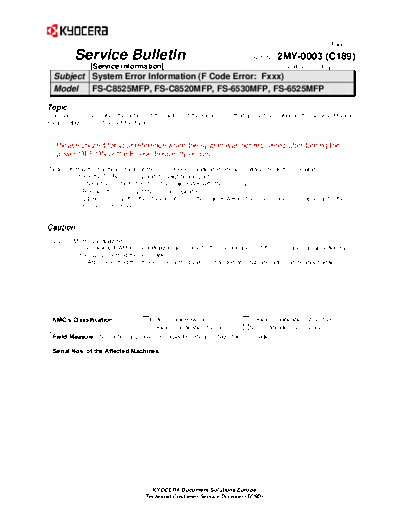
This document describes the outline of the factors of the Fxxx errors that are not described in the Service Manual.
Please utilize this to find out the factors.


   Please utilize it for your reference when the system was not recovered after turning the
   power OFF/ON or the F code frequently occurs.

(Notes) It may the hardware factor if the error (Fxxx) is indicated. Please initially check the following.
         - Check the DDR2 memory and its neighboring parts.
            : Check the contact of YS1 on the main PWB with the memory.
               Replace the memory if the error is repeated.
              (DDR2 memory: It is the standard item on the main PWB for the color models, but optional for the
              monochrome models.)


Caution
 U021    Memory initializing
           The backup RAM will be initialized according to the specifications of the destination as specified by
           the U252 "Setting the destination".
          --> After executing this mode: The setting values changed at setup and after can be input again.


 KMC's Classification               Entire Stock Rework                    In-Field modification at next visit
                                    In-Field modification by case          No modification necessary
  Field Measure: No particular problem is expected. Please utilize this information.

  Serial Nos. of the Affected Machines: -----------


                                       KYOCERA Document Solutions Europe
                                     Technical Customer Service Division (TCSD)
◦ Jabse Service Manual Search 2026 ◦ Jabse Pravopis ◦ onTap.bg ◦ Other service manual resources online : Fixya ◦ eServiceinfo