Service Manuals, User Guides, Schematic Diagrams or docs for : Kyocera Printer FS-1028-1128MFP SERVICEBULLETINS 2H9-004 errors CF246 248 258
<< Back | HomeMost service manuals and schematics are PDF files, so You will need Adobre Acrobat Reader to view : Acrobat Download Some of the files are DjVu format. Readers and resources available here : DjVu Resources
For the compressed files, most common are zip and rar. Please, extract files with Your favorite compression software ( WinZip, WinRAR ... ) before viewing. If a document has multiple parts, You should download all, before extracting.
Good luck. Repair on Your own risk. Make sure You know what You are doing.
Image preview - the first page of the document
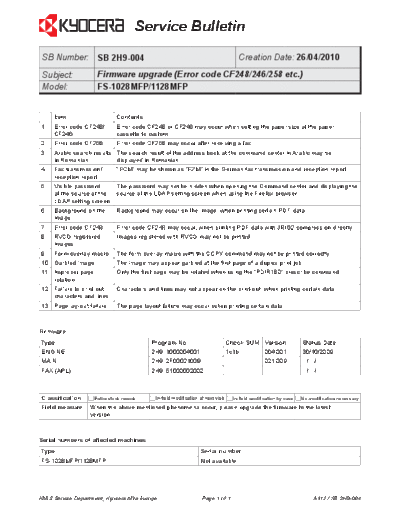
>> Download 2H9-004 errors CF246 248 258 documenatation <<
Text preview - extract from the document
                                      Service Bulletin
 SB Number: SB 2H9-004                                                                   Creation Date: 26/04/2010
 Subject:            Firmware upgrade (Error code CF248/246/258 etc.)
 Model:              FS-1028MFP/1128MFP


     Item                     Contents
1    Error code CF248/        Error code CF248 or CF246 may occur when setting the paper size at the paper
     CF246.                   cassette to custom.
2    Error code CF258.        Error code CF258 may occur after receiving a fax.
3    Arabic search results The search result of the address book at the command center in Arabic may be
     in Romanian.          displayed in Romanian.
4    Fax transmission/        "ECM" may be shown as "EZM" in the German fax transmission and reception report.
     reception report.
5    Visible password     The password may not be hidden when opening the Command center and displaying the
     at the source at the source at the LDAP setting screen when using the Firefox browser.
     LDAP setting screen.
6    Background on the        Background may occur on the image, when printing certain PDF data.
     image.
7    Error code CF248.        Error code CF248 may occur, when printing PDF data with JBIG2 compression directly.
8    RVCD registered          Images registered with RVCD may not be printed.
     images.
9    Form overlay macro.      The form overlay macro with the CCPY command may not be printed correctly.
10 Garbled image.             The image may appear garbled at the first page of a duplex print job.
11 Improper page              Only the first page may be rotated when using the "PDIR180" prescribe command.
   rotation.
12 Failure to print-out  Characters and lines may not appear on the print-out, when printing certain data.
   characters and lines.
13 Page lay-out failure.      The page layout failure may occur, when printing certain data.


Firmware
Type                                      Program No.                             Check SUM Version                  Status Date
ENGINE                                    2H9_1000004001                          1c1b              004.001          30/10/2009
MAIN                                      2H9_2F00021009                          ----              021.009          --/---/----
FAX (APL)                                 2H9_51000002002                         ----              ----             --/---/----


Classification      Entire stock rework     In-field modification at next visit      In-field modification by case   No modification necessary
Field measure     When the above mentioned phenomena occur, please upgrade the firmware to the latest
                  version.


Serial numbers of affected machines
Type                                                               Serial number
FS-1028MFP/1128MFP                                                 Not available


KMIS Service Department, Kyocera Mita Europe                       Page 1 of 1                                            A112 / SB 2H9-004
◦ Jabse Service Manual Search 2026 ◦ Jabse Pravopis ◦ onTap.bg ◦ Other service manual resources online : Fixya ◦ eServiceinfo