Service Manuals, User Guides, Schematic Diagrams or docs for : Kyocera Printer FS-1028-1128MFP SERVICEBULLETINS 2H9-016
<< Back | HomeMost service manuals and schematics are PDF files, so You will need Adobre Acrobat Reader to view : Acrobat Download Some of the files are DjVu format. Readers and resources available here : DjVu Resources
For the compressed files, most common are zip and rar. Please, extract files with Your favorite compression software ( WinZip, WinRAR ... ) before viewing. If a document has multiple parts, You should download all, before extracting.
Good luck. Repair on Your own risk. Make sure You know what You are doing.
Image preview - the first page of the document
>> Download 2H9-016 documenatation <<
Text preview - extract from the document
                                      Service Bulletin
 SB Number: SB 2H9-016                                                               Creation Date: 30/03/2011
                     The visibility of the multi-lingual operation sheets has been
 Subject:
                     improved
                     FS-1028MFP/1128MFP/3040MFP/3140MFP, FS-C2026MFP/
 Model:
                     2126MFP

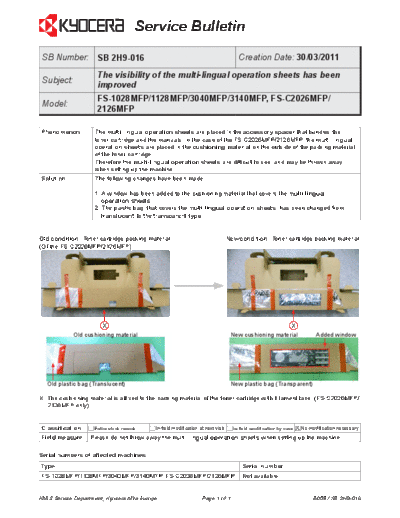
Phenomenon          The multi-lingual operation sheets are placed in the accessory spacer that bundles the
                    toner cartridge and the manuals. In the case of the FS-C2026MFP/2126MFP, the multi-lingual
                    operation sheets are placed in the cushioning material on the outside of the packing material
                    of the toner cartridge.
                    Therefore the multi-lingual operation sheets are difficult to see, and may be thrown away
                    when setting up the machine.
Solution            The following changes have been made:

                    1. A window has been added to the cushioning material that covers the multi-lingual
                       operation sheets.
                    2. The plastic bag, that covers the multi-lingual operation sheets, has been changed from
                       translucent to the transparent type.


Old condition: Toner cartridge packing material                                  New condition: Toner cartridge packing material
(Of the FS-C2026MFP/2126MFP)


                      X                                                                               X
            Old cushioning material                                               New cushioning material           Added window


  Old plastic bag (Translucent)                                                   New plastic bag (Transparent)

X: The cushioning material is affixed to the packing material of the toner cartridge with fillament tape. (FS-C2026MFP/
   2126MFP only)


Classification      Entire stock rework    In-field modification at next visit            X No modification necessary
                                                                                   In-field modification by case
Field measure     Please do not throw away the multi-lingual operation sheets when setting up the machine.

Serial numbers of affected machines
Type                                                                                   Serial number
FS-1028MFP/1128MFP/3040MFP/3140MFP, FS-C2026MFP/2126MFP                                Not available


KMIS Service Department, Kyocera Mita Europe                      Page 1 of 1                                      B055 / SB 2H9-016
◦ Jabse Service Manual Search 2026 ◦ Jabse Pravopis ◦ onTap.bg ◦ Other service manual resources online : Fixya ◦ eServiceinfo