Service Manuals, User Guides, Schematic Diagrams or docs for : Kyocera Printer FS-1028-1128MFP SERVICEBULLETINS 2H9-018
<< Back | HomeMost service manuals and schematics are PDF files, so You will need Adobre Acrobat Reader to view : Acrobat Download Some of the files are DjVu format. Readers and resources available here : DjVu Resources
For the compressed files, most common are zip and rar. Please, extract files with Your favorite compression software ( WinZip, WinRAR ... ) before viewing. If a document has multiple parts, You should download all, before extracting.
Good luck. Repair on Your own risk. Make sure You know what You are doing.
Image preview - the first page of the document
>> Download 2H9-018 documenatation <<
Text preview - extract from the document
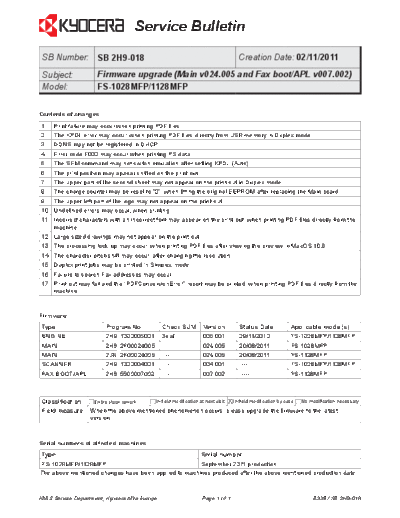
                                      Service Bulletin
 SB Number: SB 2H9-018                                                           Creation Date: 02/11/2011
 Subject:            Firmware upgrade (Main v024.005 and Fax boot/APL v007.002)
 Model:              FS-1028MFP/1128MFP


Contents of changes
1    Print failure may occur when printing PDF files.
2    The KPDL error may occur, when printing PDF files directly from USB memory in Duplex mode.
3    DDNS may not be registered in DHCP.
4    Error code F000 may occur when printing PS data.
5    The SEM command may not switch emulation after setting KPDL (Auto).
6    The print position may appear shifted on the print-out.
7    The upper part of the second sheet may not appear on the print-out in Duplex mode.
8    The charge counter may be reset to "0", when fitting the original EEPROM after replacing the Main board.
9    The upper left part of the logo may not appear on the print-out.
10 Undefined errors may occur, when printing.
11 Incorrect characters with an incorrect font may appear on the print-out, when printing PDF files directly from the
   machine.
12 Large sized drawings may not appear on the print-out.
13 The processing lock-up may occur, when printing PDF files after viewing the preview in MacOS 10.6
14 The character pitch shift may occur, after changing the resolution.
15 Duplex print jobs may be printed in Simplex mode.
16 Failure to search Fax addresses may occur.
17 Print-out may fail and the "PDFConversionError" report may be printed, when printing PDF files directly from the
   machine.


Firmware
 Type                    Program No.           Check SUM           Version       Status Date   Applicable model(s)
 ENGINE                  2H9_1000005001        3eaf                005.001       29/11/2010    FS-1028MFP/1128MFP
 MAIN                    2H9_2F00024005        ----                024.005       20/08/2011    FS-1028MFP
 MAIN                    2JN_2F00024005        ----                024.005       20/08/2011    FS-1128MFP
 SCANNER                 2H9_1200004001        ----                004.001       ----------    FS-1028MFP/1128MFP
 FAX BOOT/APL            2H9_5500007002        ----                007.002       ----------    FS-1128MFP


 Classification     Entire stock rework                        X In-field modification by case No modification necessary
                                           In-field modification at next visit
 Field measure     When the above mentioned phenomenon occurs, please upgrade the firmware to the latest
                   version.


Serial numbers of affected machines
 Type                                                             Serial number
 FS-1028MFP/1128MFP                                   September 2011 production
The above mentioned changes have been applied to machines produced after the above mentioned production date.


KMIS Service Department, Kyocera Mita Europe                      Page 1 of 1                         B335 / SB 2H9-018
◦ Jabse Service Manual Search 2026 ◦ Jabse Pravopis ◦ onTap.bg ◦ Other service manual resources online : Fixya ◦ eServiceinfo