Service Manuals, User Guides, Schematic Diagrams or docs for : Kyocera Printer FS-1028-1128MFP SERVICEBULLETINS SB-2H9-0024-A398_1
<< Back | HomeMost service manuals and schematics are PDF files, so You will need Adobre Acrobat Reader to view : Acrobat Download Some of the files are DjVu format. Readers and resources available here : DjVu Resources
For the compressed files, most common are zip and rar. Please, extract files with Your favorite compression software ( WinZip, WinRAR ... ) before viewing. If a document has multiple parts, You should download all, before extracting.
Good luck. Repair on Your own risk. Make sure You know what You are doing.
Image preview - the first page of the document
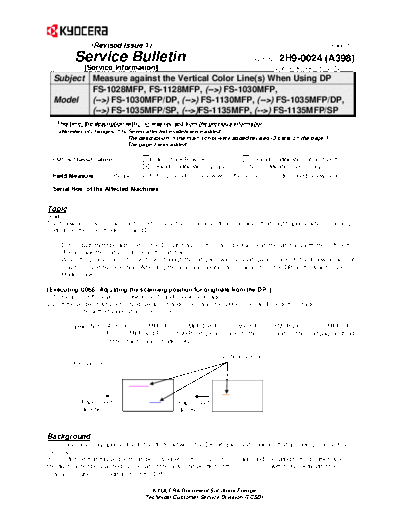
>> Download SB-2H9-0024-A398_1 documenatation <<
Text preview - extract from the document
                (Revised Issue 1)                                                                           (Page.1/2)

          Service Bulletin                                                     Ref. No. 2H9-0024 (A398)
             [Service Information]                                                    October 26, 2012
  Subject Measure against the Vertical Color Line(s) When Using DP
          FS-1028MFP, FS-1128MFP, (-->) FS-1030MFP,
  Model                                                             l:
          (-->) FS-1030MFP/DP, (-->) FS-1130MFP, (-->) FS-1035MFP/DP,
          (-->) FS-1035MFP/SP, (-->)FS-1135MFP, (-->) FS-1135MFP/SP
   This time, the description with (-->) was revised from the previous information.
     Seven affected models were added.
                              The description in the main script were added/revised (3 parts on the page 1).
                              The page 2 was added.

 KMC's Classification                 Entire Stock Rework                In-Field modification at next visit
                                      In-Field modification by case      No modification necessary
  Field Measure:          Please execute the procedures below when the phenomenon described below occurs.

  Serial Nos. of the Affected Machines: ------------


Topic
(-->)
The following measures were informed to clear the irregular vertical color lines that might appear when scanning
originals in the color mode by using DP-110.

 1. Dirt or dust might be adhered on the DP slit glass. In this case, please clean the slit glass with the soft cloth.
    (Please ask the end user to clean the slit glass.)
 2. When the problem is not solved even though the slit glass was cleaned, please execute the following since it
    may be solved by executing "Adjusting the scanning position for originals from the DP" in the Maintenance
    Mode U068.

[Executing U068 "Adjusting the scanning position for originals from the DP"]
2-1 Please set the value of U068 to "+11" and check the image.
2-2 If the problem was not solved, please change (increase) the value by +1 and check the image.
          * The setting value shall be +15 or less.

          (-->) (Note) As for FS-1030MFP, FS-1030MFP/DP, FS-1130MFP, FS-1035MFP/DP, FS-1035MFP/SP,
                       FS-1135MFP and FS-1135MFP/SP, please execute the command on the next page instead
                       of the maintenance mode U068.

                                                                  Vertical color line
      Image sample


            Paper eject                           Paper eject
            direction                             direction


Background
Some color line may appear due to the dusts between the DP slit glass and originals that are being scanned by
the CCD sensor.
It is confirmed that this problem can be solved when the CCD sensor is adjusted/relocated to the position where
the dust cannot be scanned by relocating the scanning position of the CCD sensor with U068 "Adjusting the
scanning position for originals from the DP".

                                       KYOCERA Document Solutions Europe
                                     Technical Customer Service Division (TCSD)
                (Revised Issue 1)                                                                         (Page.2/2)

           Service Bulletin                                                      Ref. No.  2H9-0024 (A398)
              [Service Information]                                                     October 26, 2012
(-->)
[Adjustment of the scanning position for originals from the DP of FS-1030MFP, FS-1030MFP/DP, FS-1130MFP,
FS-1035MFP/DP, FS-1035MFP/SP, FS-1135MFP and FS-1135MFP/SP (alternative command for the maintenance
mode U068)]


Adjustment of the scanning position for originals from the DP (alternative command for the maintenance
mode U068) ---- Service Manual Page2-4-17

[Description]
This command adjusts the start position for scanning originals when the DP is in use. After adjustment, test copy at
the four scanning positions will be performed.

[Purpose]
This command is used when foggy background occurs due to the improper scanning position when the DP is in use.
Execute KCFG "EESS",4, 107, 1, "#1"; command to adjust the timing for the DP leading edge when the scanning
position was changed.


  Format                !R! KCFG "SCAN",9, #1,#2;EXIT;
  Parameter      #1     1: DP READ Starting position adjustment for scanning originals
                        2: BLACK LINE Scanning position for the test copy originals
                 #2     #1=1: Adjustable range: -33 to 33 (in 0.086mm increment) (0: default)
                        #1=2: Adjustable range: 0 to 3 (in 0.22mm increment) (0: default)

Example: DP READ set to 15, BLACK LINE set to 3
              !R! KCFG "SCAN",9,1,15; KCFG "SCAN",9,2,3;EXIT;


                                       KYOCERA Document Solutions Europe
                                     Technical Customer Service Division (TCSD)
◦ Jabse Service Manual Search 2026 ◦ Jabse Pravopis ◦ onTap.bg ◦ Other service manual resources online : Fixya ◦ eServiceinfo