Service Manuals, User Guides, Schematic Diagrams or docs for : Kyocera Printer FS-1028-1128MFP SERVICEBULLETINS SB-2H9-0035-C331
<< Back | HomeMost service manuals and schematics are PDF files, so You will need Adobre Acrobat Reader to view : Acrobat Download Some of the files are DjVu format. Readers and resources available here : DjVu Resources
For the compressed files, most common are zip and rar. Please, extract files with Your favorite compression software ( WinZip, WinRAR ... ) before viewing. If a document has multiple parts, You should download all, before extracting.
Good luck. Repair on Your own risk. Make sure You know what You are doing.
Image preview - the first page of the document
>> Download SB-2H9-0035-C331 documenatation <<
Text preview - extract from the document
                                                                                                                     (Page.1/1)

          Service Bulletin                                                            Ref. No.   2H9-0035 (C331)
                  [Service Information]                                                           December 14, 2012
                    Measures against the Vertical Color Line(s) When Scanning
  Subject
                    from the DP
                    FS-1028MFP, FS-1028MFP/DP, FS-1128MFP, FS-1128MFP/SP,
                    FS-1030MFP/DP, FS-1130MFP, FS-1130MFP/SP,
  Model             FS-1035MFP/DP, FS-1035MFP/SP, FS-1135MFP,                 l:
                    FS-1135MFP/SP, FS-1124MFP, FS-3040MFP, FS-3140MFP,
                    FS-3040MFP+, FS-3140MFP+, FS-3540MFP, FS-3640MFP
 KDC's Classification                   Entire Stock Rework                       In-Field modification at next visit
                                        In-Field modification by case             No modification necessary
  Field Measures:
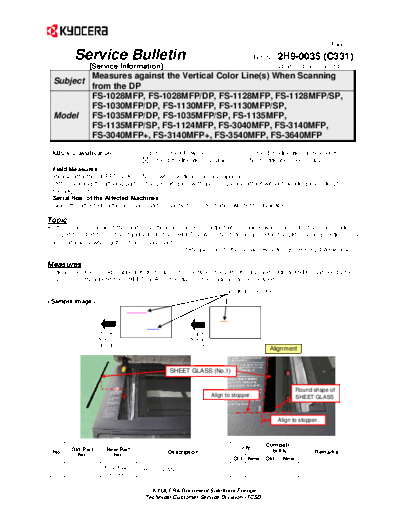
  Please affix the SHEET GLASS (No.1) when vertical color line appears.
  (After cleaning the affixing part on the DP slit glass with alcohol, please affix it without bending according to
  the alignment.)
  Serial Nos. of the Affected Machines:
  Since the affected part is a service part, serial number information will not be available.

Topic
As the measures against the random vertical color lines on output when original was scanned in the color mode
from DP-110, DP-120 or the standard DP, the SHEET GLASS (No.1) to be affixed to the DP scanning section of the
main unit was newly registered as service part.
                                                  * Please refer to the Service Bulletin SB-2H9-0024-A398 also.

Measures
Vertical color line(s) might appear if dust, etc. enters between the DP slit glass and original and is scanned by the
CCD sensor. By affixing the SHEET GLASS, the dust on the original can be cleaned.
                                                                        Vertical color line


                        Paper                          Paper
                        feeding                        feeding
                        direction                      direction
                                                                                           Alignment


                                               SHEET GLASS (No.1)


                                                                                                        Round shape of
                                                               Align to stopper.                        SHEET GLASS


                                                                                                 Align to stopper.


                                                                                          Com pati-
         Old Part          New Part                                            Q'ty         bi lity
  No.      No.               No.               Description                                                      Remarks
                                                                          Old New         Old New
                         303LJ02280
   1     ------------                 SHEET GLASS                          -          1    -        O
                          3LJ02280


                                         KYOCERA Document Solutions Europe
                                       Technical Customer Service Division (TCSD)
◦ Jabse Service Manual Search 2026 ◦ Jabse Pravopis ◦ onTap.bg ◦ Other service manual resources online : Fixya ◦ eServiceinfo