Service Manuals, User Guides, Schematic Diagrams or docs for : Kyocera Printer FS-1030MFP-1035MFP-1130-1135 SERVICEBULLETIN SB-2MH-0006-D108_1
<< Back | HomeMost service manuals and schematics are PDF files, so You will need Adobre Acrobat Reader to view : Acrobat Download Some of the files are DjVu format. Readers and resources available here : DjVu Resources
For the compressed files, most common are zip and rar. Please, extract files with Your favorite compression software ( WinZip, WinRAR ... ) before viewing. If a document has multiple parts, You should download all, before extracting.
Good luck. Repair on Your own risk. Make sure You know what You are doing.
Image preview - the first page of the document
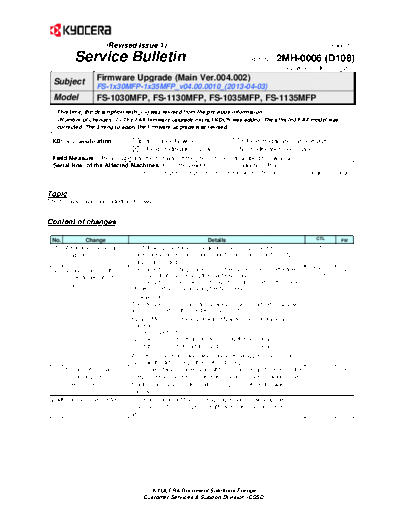
>> Download SB-2MH-0006-D108_1 documenatation <<
Text preview - extract from the document
                       (Revised Issue 1)                                                                                   (Page.1/2)

         Service Bulletin                                                              Ref. No.   2MH-0006 (D108)
                                                                                                                June 13, 2013

  Subject          Firmware Upgrade (Main Ver.004.002)
                   FS-1x30MFP-1x35MFP_v04.00.0010_(2013-04-03)
  Model            FS-1030MFP, FS-1130MFP, FS-1035MFP, FS-1135MFP                                                               l:
   This time, the description with (-->) was revised from the previous information.
    The FAX firmware upgrade except KDCN was added. The affected FAX model was
   corrected. The timing to apply the firmware upgrade was revised.

 KDC's Classification          Entire Stock Rework                 In-Field modification at next visit
                               In-Field modification by case       No modification necessary
 Field Measure: Please upgrade the firmware if the phenomenon described below arises.
 Serial Nos. of the Affected Machines: From the (-->) June 2013* production (Plan)
                               * The above is the plan at the present moment. Please note that this information is subject to change.


Topic
The firmware was upgraded as follows.


Content of changes

 No.        Change                                               Details                                             CTL        FW
  1 Additional maintenance      The following maintenance mode items were implemented:                           819064        MAIN

     mode items                 U001, U019, U034, U065, U066, U067, U068, U070, U071, U072,
                                U402, U403, U404
  2   Measure against the       The current [Correcting Black Line] in the system menu is effective              817080        MAIN
                                                                                                                 TP-12-049
      black streaks at DP       for copy output (by pressing the Start key) only.                                NP-Z12016
                                The filter process value will be changed in order to reduce the black
      scan
                                streaks at DP scan by pressing the Send key.

                                The filter process in [Correcting Black Line] will be added in 02(Low)
                                and 03(High) when the Send key is pressed.
                                System Menu/ Counter key  Adjust/Maintenance  Black Line
                                Correction
                                01: OFF (Default)
                                02: Low  Filter added by pressing the Send key
                                03: High Filter added by pressing the Send key
                                As in the conventional way, when black streak appears, first set to
                                02: Low. If it did not hepl, then set to 03: High
  3   Support of a certain      The printer status obtained via SNMP did not change if printing in the           663793        MAIN
                                                                                                                 TO-12-111,
      system to print in the    sleep mode and a certain click charge system could not work as the               TA-S12-038
      sleep mode                functions are based on the status change. Therefore, this was
                                corrected.
 (-->) Common use of FAX        The examination of Mexico line type approval is now supported on                               FAX

   4                            other model. (This change is not affected to the models listed
                                above.)


                                        KYOCERA Document Solutions Europe
                                     Customer Services & Support Division (CSSD)
                       (Revised Issue 1)                                                                          (Page.2/2)

           Service Bulletin                                                       Ref. No.   2MH-0006 (D108)
                                                                                                       June 13, 2013


  Type                            Program No.              Ver.       Remark
  MAIN                         2MH_2F00004002            004.002      FS-1030MFP, FS-1035MFP             <-- New Upgrade
  MAIN                          2MJ_2F00004002           004.002      FS-1130MFP, FS-1135MFP             <-- New Upgrade
  ENGINE                       2MH_1000001011            001.011      FS-1030MFP, FS-1130MFP
  ENGINE                       2MK_1000001011            001.011      FS-1035MFP, FS-1135MFP
  SCANNER                      2MH_1200001008            001.008
  Optional Language BR         2MH_81BR001004            001.004      Brazilian Portuguese
  Optional Language KR         2MH_81KR001001            001.001      Korean
  Optional Language TW         2MH_81TW001002            001.002      Traditional Chinese
  Optional Language CN         2MH_81CN001002            001.002      Simplified Chinese
                                                           (-->)      (-->) FS-1130MFP, FS-1135MFP       (-->)
  FAX BOOT/APL                (-->) 2H9_5500009002                                                       <-- New Upgrade
                                                         009.002      for all specs. except China
                                                                      (-->) FS-1130MFP, FS-1135MFP
  FAX BOOT/APL                  2H9_5700N08001           N08.001
                                                                      for China

For the KD sales companies, it is possible to download the firmware at the download center on the Service World.
When upgrading the firmware or replacing a board, please upgrade all kinds of the firmware to the latest version at the same
time.


                                         KYOCERA Document Solutions Europe
                                      Customer Services & Support Division (CSSD)
◦ Jabse Service Manual Search 2026 ◦ Jabse Pravopis ◦ onTap.bg ◦ Other service manual resources online : Fixya ◦ eServiceinfo