Service Manuals, User Guides, Schematic Diagrams or docs for : Kyocera Printer FS-2020-3920-4020 SERVICEBULLETINS 2J0-007 error f25b
<< Back | HomeMost service manuals and schematics are PDF files, so You will need Adobre Acrobat Reader to view : Acrobat Download Some of the files are DjVu format. Readers and resources available here : DjVu Resources
For the compressed files, most common are zip and rar. Please, extract files with Your favorite compression software ( WinZip, WinRAR ... ) before viewing. If a document has multiple parts, You should download all, before extracting.
Good luck. Repair on Your own risk. Make sure You know what You are doing.
Image preview - the first page of the document
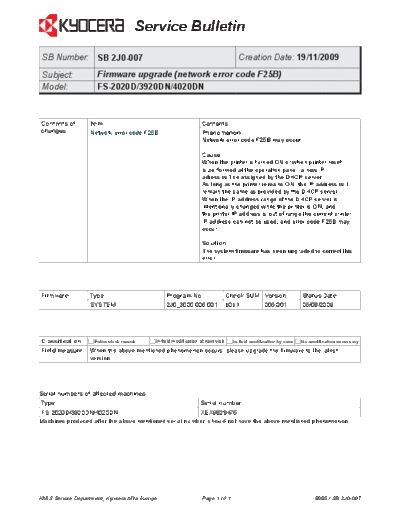
>> Download 2J0-007 error f25b documenatation <<
Text preview - extract from the document
                                      Service Bulletin
 SB Number: SB 2J0-007                                                               Creation Date: 19/11/2009
 Subject:            Firmware upgrade (network error code F25B)
 Model:              FS-2020D/3920DN/4020DN


Contents of       Item                                            Contents
changes           Network error code F25B.                        Phenomenon
                                                                  Network error code F25B may occur.

                                                                  Cause
                                                                  When the printer is turned ON or when printer reset
                                                                  is performed at the operation panel, a new IP
                                                                  adress will be assigned by the DHCP server.
                                                                  As long as the printer remains ON, the IP address will
                                                                  remain the same as provided by the DHCP server.
                                                                  When the IP address range of the DHCP server is
                                                                  intentionally changed while the printer is ON, and
                                                                  the printer IP address is out of range the current printer
                                                                  IP address can not be used, and error code F25B may
                                                                  occur.

                                                                  Solution
                                                                  The system firmware has been upgraded to correct this
                                                                  error.


Firmware          Type                          Program No.                      Check SUM Version                 Status Date
                  SYSTEM                        2J0_3000.006.001                 b0b1             006.001          05/08/2009


Classification      Entire stock rework    In-field modification at next visit     In-field modification by case   No modification necessary
Field measure     When the above mentioned phenomenon occurs, please upgrade the firmware to the latest
                  version.


Serial numbers of affected machines
 Type                                                             Serial number
FS-2020D/3920DN/4020DN                                 XEX9828475
Machines produced after the above mentioned serial number, should not have the above mentioned phenomenon.


KMIS Service Department, Kyocera Mita Europe                      Page  of                                               8989 / SB 2J0-007
◦ Jabse Service Manual Search 2026 ◦ Jabse Pravopis ◦ onTap.bg ◦ Other service manual resources online : Fixya ◦ eServiceinfo