Service Manuals, User Guides, Schematic Diagrams or docs for : Kyocera Printer FS-2100-4100-4200-4300 ServiceBulletin C306_SystemError(Fxxx)Outline_Ver.1.04E

<< Back | Home

Most service manuals and schematics are PDF files, so You will need Adobre Acrobat Reader to view : Acrobat Download Some of the files are DjVu format. Readers and resources available here : DjVu Resources
For the compressed files, most common are zip and rar. Please, extract files with Your favorite compression software ( WinZip, WinRAR ... ) before viewing. If a document has multiple parts, You should download all, before extracting.
Good luck. Repair on Your own risk. Make sure You know what You are doing.


Image preview - the first page of the document
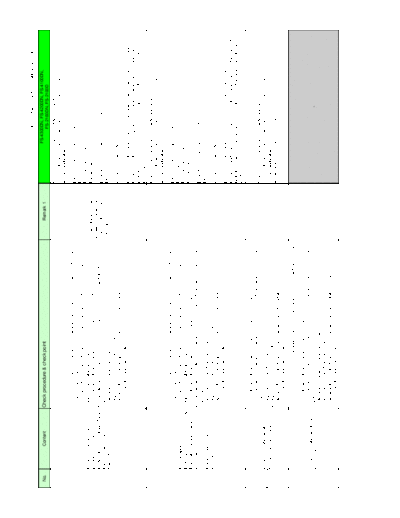
C306_SystemError(Fxxx)Outline_Ver.1.04E


>> Download C306_SystemError(Fxxx)Outline_Ver.1.04E documenatation <<

Text preview - extract from the document
                                                                                                                                                                                          C306_SystemError(Fxxx)Outline_Ver.1.04E          1/8

                                                                                                                                                                                   FS-4300DN, FS-4200DN, FS-4100DN,
No.               Content              Check procedure & check point                                                                       Remark 1
                                                                                                                                                                                           FS-2100DN, FS-2100D
                                                                                                                                                               Check procedure is partly corrected as below.
                                                                                                                                                               3) Format the SSD and check function.([Formatting SSD)
                                                                                                                                                               4) (Not applicable)
                                       1) Check connection of the harness (Panel to Main board), (Main board to HDD) and
                                                                                                                                                               [Main - Panel Interface] (Engine board relays)
                                       connectors and check function.
                                                                                                                                                               Main board: YC2
                                       2) Check contact of the DDR memory by detaching and reattaching. and check function.
                                                                                                                                                               Engine board: YC20, YC17
       Lock-up at Welcome/start        replace it if available and check function.
                                                                                                                                 *User data and installed      Panel board: YC1
       display (TASKalfa/Ecosys)       3) Format the HDD and check function. (U024 FULL formatting) (*1)
                                                                                                                                 software is deleted if
 -     (The display unchages after a   4) Execute the U021Memory initializing to initialize the controller backup memory and
                                                                                                                                 executing the U024.           [Check the contact with the DDR2 memory]
       certain time (Note 1: ***       check function.
                                                                                                                                 Reinstallation is required.   Main board: YS1
       seconds))                       5) Replace the panelmain board and check function.
                                       6) Replace the main board and check function.
                                                                                                                                                               (Note 1) 60 seconds
                                       7) Retrieve the USBLOG and contact the Service Administrative Division.
                                       (*1) For the HDD standard model only.
                                                                                                                                                               F000 is indicated when the controller doesn't send the initial communication for
                                                                                                                                                               60 seconds after starting up the main power, or when the controller does not
                                                                                                                                                               reply for 60 seconds since the communication from the panel board to the
                                                                                                                                                               controller.
                                                                                                                                                               Check procedure is partly corrected as below.
                                                                                                                                                               3) Format the SSD and check function.([Formatting SSD)
                                                                                                                                                               4) (Not applicable)
                                        1) Check connection of the harness (Panel to Main board), (Main board to HDD) and
                                                                                                                                                               [Main - Panel Interface] (Engine board relays)
                                        connectors and check function.
                                                                                                                                                               Main board: YC2
       CF000 appears in a certain       2) Check contact of the DDR memory by detaching and reattaching. and check function.
                                                                                                                                                               Engine board: YC20, YC17
       time (Note 2: *** seconds) after replace it if available and check function.
                                                                                                                                                               Panel board: YC1
       the Welcome/start display        3) Format the HDD and check function. (U024 FULL formatting) (*1)
F000   continues                        4) Execute the U021 Memory initializing to initialize the controller backup memory and
                                                                                                                                                               [Check the contact with the DDR2 memory]
                                        check function.
                                                                                                                                                               Main board: YS1
       PanelMain board                  5) Replace the main board and check function.
       communication error              6) Replace the panelmain board and check function.
                                                                                                                                                               (Note 1) 60 seconds
                                        7) Retrieve the USBLOG and contact the Service Administrative Division.
                                        (*1) For the HDD standard model only.
                                                                                                                                                               F000 is indicated when the controller doesn't send the initial communication for
                                                                                                                                                               60 seconds after starting up the main power, or when the controller does not
                                                                                                                                                               reply for 60 seconds since the communication from the panel board to the
                                                                                                                                                               controller.

                                       1) Format the HDD and check function. (U024 FULL formatting) (*1)
F10X                                   2) Execute the U021 Memory initializing to initialize the controller backup memory and
                                                                                                                                                               Check procedure is partly corrected as below.
                                       check function.
       An error is detected at OS or                                                                                                                           1) Format the SSD and check function.([Formatting SSD)
                                       3) Replace the main board and check function.
       some of device drivers.                                                                                                                                 2) (Not applicable)
                                       4) Replace the HDD and check function. (*1)
                                                                                                                                                               4) Replace the SSD and check function.
F11X                                   5) Retrieve the USBLOG and contact the Service Administrative Division.
                                       (*1) For the HDD standard model only.

                                       1) Check connection of the harness (Scan/DP - Main board) and connectors and check
                                       function.
                                       2) Format the HDD and check function. (U024 FULL formatting) (*1)
                                       3) Execute the U021 Memory initializing to initialize the controller backup memory and
       An error is detected at the
F12X                                   check function.                                                                                                                                                 -
       Scan control section
                                       4) Replace the Scan/DP board and check function.
                                       5) Replace the main board and check function.
                                       6) Retrieve the USBLOG and contact the Service Administrative Division.
                                       (*1) For the HDD standard model only.
                                                                                                                                                                                       C306_SystemError(Fxxx)Outline_Ver.1.04E   2/8

                                                                                                                                                                                 FS-4300DN, FS-4200DN, FS-4100DN,
No.                Content             Check procedure & check point                                                                       Remark 1
                                                                                                                                                                                       FS-2100DN, FS-2100D
                                       1) Check connection of the harness (Panel - Main board) and connectors and check
                                       function.
                                       2) Format the HDD and check function. (U024 FULL formatting) (*1)
                                       3) Execute the U021 Memory initializing to initialize the controller backup memory and                                Check procedure is partly corrected as below.
        An error is detected at the    check function.                                                                                                       1) Format the SSD and check function.([Formatting SSD)
F13X
       Panel control section           4) Replace the panel board and check function. (*2)                                                                   2) (Not applicable)
                                       5) Replace the main board and check function.                                                                         4) Replace the SSD and check function.
                                       6) Retrieve the USBLOG and contact the Service Administrative Division.
                                       (*1) For the HDD standard model only.
                                       (*2) For the model separating the main/panel PWBs.

                                       1) Check connection of the harness (FAX - Main board) and connectors and check
                                       function.
                                       2) Format the HDD and check function. (U024 FULL formatting) (*1)
                                       3) Execute the U021 Memory initializing to initialize the controller backup memory and
                                       check function.
                                       4) Execute the U671 Clear FAX back up data (FAX DIMM clear) and check function. (*3)
       An error is detected at the FAX
F14X                                      (Take cae of the received data since it is cleared)                                                                                                      -
       control section
                                       5) Replace the FAX_DIMM and check function.
                                       6) Replace the FAX board and check function.
                                       7) Replace the main board and check function.
                                       8) Retrieve the USBLOG and contact the Service Administrative Division.
                                       (*1) For the HDD standard model only.
                                       (*3) For the models using the main PWB with the flash for the FAX data.


                                       1) Check connection of the harness (Authentication device - Main board) and
                                                                                                                                                              Check procedure is partly corrected as below.
                                       connectors and check function.
                                                                                                                                                              2) Format the SSD and check function.([Formatting SSD)
                                       2) Format the HDD and check function. (U024 FULL formatting) (*1)
                                                                                                                                                              3) (Not applicable)
       An error is detected at the     3) Execute the U021 Memory initializing to initialize the controller backup memory and
                                                                                                                                  Authentication device: Card 5) Replace the SSD and check function.
F15X   authentication device control   check function.
                                                                                                                                  Reader, etc.
       section                         4) Replace the main board and check function.
                                                                                                                                                              [Main/Engine - USB Host Interface]
                                       5) Replace the HDD and check function. (*1)
                                                                                                                                                              Main board: YC10 (USB Host at the machine rear side)
                                       6) Retrieve the USBLOG and contact the Service Administrative Division.
                                                                                                                                                              Engine board: YC23 (USB Host under the operation panel)
                                       (*1) For the HDD standard model only.


                                       1) Check connection of the harness (KMAS - Main board) and connectors and check
                                       function.
                                       2) Format the HDD and check function. (U024 FULL formatting) (*1)
                                       3) Execute the U021 Memory initializing to initialize the controller backup memory and
       An error is detected at the
F16X                                   check function.
       KMAS control section
                                       3) Replace the main board and check function.
                                       4) Replace the HDD and check function.(*1)
                                       5) Retrieve the USBLOG and contact the Service Administrative Division.
                                       (*1) For the HDD standard model only.

                                         1) Format the HDD and check function. (U024 FULL formatting) (*1)
                                         2) Execute the U021 Memory initializing to initialize the controller backup memory and
                                                                                                                                                             Check procedure is partly corrected as below.
                                         check function.
       An error is detected at the print                                                                                                                     1) Format the SSD and check function.([Formatting SSD)
F17X                                     3) Replace the main board and check function.
       data control section                                                                                                                                  2) (Not applicable)
                                         4) Replace the HDD and check function. (*1)
                                                                                                                                                             4) Replace the SSD and check function.
                                         5) Retrieve the USBLOG and contact the Service Administrative Division.
                                         (*1) For the HDD standard model only.
                                                                                                                                                                                            C306_SystemError(Fxxx)Outline_Ver.1.04E       3/8

                                                                                                                                                                                     FS-4300DN, FS-4200DN, FS-4100DN,
No.                Content              Check procedure & check point                                                                     Remark 1
                                                                                                                                                                                           FS-2100DN, FS-2100D
                                        1) Check connection of the harness (Engine - Main board) and connectors and check
                                        function.                                                                                                               Check procedure is partly corrected as below.
                                        2) Format the HDD and check function. (U024 FULL formatting) (*1)                                                       1) Format the SSD and check function.([Formatting SSD)
                                        3) Execute the U021 Memory initializing to initialize the controller backup memory and                                  2) (Not applicable)
       An error is detected at the
F18X                                    check function.
       Video control secion
                                        4) Replace the engine board and check function.                                                                         [Main - Engine Interface]
                                        5) Replace the main board and check function.                                                                           Main board: YC2
                                        6) Retrieve the USBLOG and contact the Service Administrative Division.                                                 Engine board: YC20
                                        (*1) For the HDD standard model only.

                                        1) Format the HDD and check function. (U024 FULL formatting) (*1)
F19X                                    2) Execute the U021 Memory initializing to initialize the controller backup memory and
                                                                                                                                                                Check procedure is partly corrected as below.
                                        check function.
       An error is detected at the OS                                                                                                                           1) Format the SSD and check function.([Formatting SSD)
                                        3) Replace the main board and check function.
       or some of device drivers                                                                                                                                2) (Not applicable)
                                        4) Replace the HDD and check function. (*1)
                                                                                                                                                                4) Replace the SSD and check function.
F1AX                                    5) Retrieve the USBLOG and contact the Service Administrative Division.
                                        (*1) For the HDD standard model only.
                                        1) Format the HDD and check function. (U024 FULL formatting) (*1)
                                        2) Execute the U021 Memory initializing to initialize the controller backup memory and
                                                                                                                                                                Check procedure is partly corrected as below.
                                        check function.
       An error is detected at the                                                                                                                              1) Format the SSD and check function.([Formatting SSD)
F1BX                                    3) Replace the main board and check function.
       Security management section                                                                                                                              2) (Not applicable)
                                        4) Replace the HDD and check function. (*1)
                                                                                                                                                                4) Replace the SSD and check function.
                                        5) Retrieve the USBLOG and contact the Service Administrative Division.
                                        (*1) For the HDD standard model only.
                                        1) Format the HDD and check function. (U024 FULL formatting) (*1)
                                        2) Execute the U021 Memory initializing to initialize the controller backup memory and
                                                                                                                                                                Check procedure is partly corrected as below.
                                        check function.                                                                          *The F1C4 error appears
       An error is detected at the File                                                                                                                         1) Format the SSD and check function.([Formatting SSD)
F1CX                                    3) Replace the main board and check function.                                            with the HDD security kit at
       System management section                                                                                                                                2) (Not applicable)
                                        4) Replace the HDD and check function. (*1)                                              work.
                                                                                                                                                                4) Replace the SSD and check function.
                                        5) Retrieve the USBLOG and contact the Service Administrative Division.
                                        (*1) For the HDD standard model only.
                                        1) Format the HDD and check function. (U024 FULL formatting) (*1)
                                        2) Execute the U021 Memory initializing to initialize the controller backup memory and   *The F1D4 error is RAM
                                                                                                                                                                Check procedure is partly corrected as below.
       An error is detected at the      check function.                                                                          allocation error.
                                                                                                                                                                1) Format the SSD and check function.([Formatting SSD)
F1DX   Image memory management 3) Replace the main board and check function.                                                     1. Check it with the U340
                                                                                                                                                                2) (Not applicable)
       section                          4) Replace the HDD and check function. (*1)                                              2. Initialize the setting
                                                                                                                                                                4) Replace the SSD and check function.
                                        5) Retrieve the USBLOG and contact the Service Administrative Division.                  valued with the U021
                                        (*1) For the HDD standard model only.

F1EX                                    1) Format the HDD and check function. (U024 FULL formatting) (*1)
                                        2) Execute the U021 Memory initializing to initialize the controller backup memory and
                                                                                                                                                                Check procedure is partly corrected as below.
                                        check function.
       An error is detected at the OS                                                                                                                           1) Format the SSD and check function.([Formatting SSD)
F1FX                                    3) Replace the main board and check function.
       or some of device drivers                                                                                                                                2) (Not applicable)
                                        4) Replace the HDD and check function. (*1)
                                                                                                                                                                4) Replace the SSD and check function.
                                        5) Retrieve the USBLOG and contact the Service Administrative Division.
F20X                                    (*1) For the HDD standard model only.


F21X                                                                                                                                                            Check procedure is partly corrected as below.
                                                                                                                                                                2) Format the SSD and check function.([Formatting SSD)
                                        1) Check contact of the DDR memory and check function.
                                                                                                                                                                3) (Not applicable)
                                        2) Format the HDD and check function. (U024 FULL formatting) (*1)
                                                                                                                                                                5) Replace the SSD and check function.
                                        3) Execute the U021 Memory initializing to initialize the controller backup memory and
F22X   An error is detected at the      check function.
                                                                                                                                                                [DDR2 memory contact check]
       Image processing section         4) Replace the main board and check function.
                                                                                                                                                                Main board: YS1
                                        5) Replace the HDD and check function. (*1)
                                                                                                                                                                A certain part of the memory may be faulty. The frequency of faiure occurrence
                                        6) Retrieve the USBLOG and contact the Service Administrative Division.
                                                                                                                                                                is dependent on the frequency of access to the faulty bit.
                                        (*1) For the HDD standard model only.
F23X                                                                                                                                                            The memories except the DIMM are mounted on the main PWB.
                                                                                                                                                                The mounted memories or the ASIC may be faulty if the DIMM is not sensitive.
                                                                                                                                                                                       C306_SystemError(Fxxx)Outline_Ver.1.04E         4/8

                                                                                                                                                                                 FS-4300DN, FS-4200DN, FS-4100DN,
No.                Content            Check procedure & check point                                                                     Remark 1
                                                                                                                                                                                       FS-2100DN, FS-2100D

                                                                                                                                                            Check procedure is partly corrected as below.
                                                                                                                                                            2) Format the SSD and check function.([Formatting SSD)
                                      1) Check contact of the DDR memory and check function.
                                                                                                                                                            3) (Not applicable)
                                      2) Format the HDD and check function. (U024 FULL formatting) (*1)
                                                                                                                               *The F248 eror is printer    5) Replace the SSD and check function.
                                      3) Execute the U021 Memory initializing to initialize the controller backup memory and
                                                                                                                               process error. if it repeats
       An error is detected at the    check function.
F24X                                                                                                                           with a certain print data,    [DDR2 memory contact check]
       System management section      4) Replace the main board and check function.
                                                                                                                               retrieve the capture data and Main board: YS1
                                      5) Replace the HDD and check function. (*1)
                                                                                                                               USBLOG.                       A certain part of the memory may be faulty. The frequency of faiure occurrence
                                      6) Retrieve the USBLOG and contact the Service Administrative Division.
                                                                                                                                                             is dependent on the frequency of access to the faulty bit.
                                      (*1) For the HDD standard model only.
                                                                                                                                                             The memories except the DIMM are mounted on the main PWB.
                                                                                                                                                             The mounted memories or the ASIC may be faulty if the DIMM is not sensitive.

                                   1) Format the HDD and check function. (U024 FULL formatting) (*1)
                                   2) Execute the U021 Memory initializing to initialize the controller backup memory and
                                   check function.                                                                                                        Check procedure is partly corrected as below.
       An error is detected at the                                                                                             *This may be owing to the
F25X                               3) Replace the main board and check function.                                                                          1) Format the SSD and check function.([Formatting SSD)
       Network management section                                                                                              users network environment.
                                   4) Retrieve the USBLOG and contact the Service Administratuve Division.                                                2) (Not applicable)
                                   (or retrieve the packet capture data depending on the reult of analysis)
                                   (*1) For the HDD standard model only.
F26X                                  1) Format the HDD and check function. (U024 FULL formatting) (*1)
                                      2) Execute the U021 Memory initializing to initialize the controller backup memory and
F27X                                                                                                                                                        Check procedure is partly corrected as below.
                                      check function.
       An error is detected at the                                                                                                                          1) Format the SSD and check function.([Formatting SSD)
F28X                                  3) Replace the main board and check function.
       System management section                                                                                                                            2) (Not applicable)
                                      4) Replace the HDD and check function. (*1)
F29X                                                                                                                                                        4) Replace the SSD and check function.
                                      5) Retrieve the USBLOG and contact the Service Administrative Division.
F2AX                                  (*1) For the HDD standard model only.
F2BX                                  1) Format the HDD and check function. (U024 FULL formatting) (*1)
F2CX                                  2) Execute the U021 Memory initializing to initialize the controller backup memory and
F2DX
                                      check function.                                                                                                       Check procedure is partly corrected as below.
F2EX   An error is detected at the
                                      3) Replace the main board and check function.                                                                         1) Format the SSD and check function.([Formatting SSD)
F2FX   Network control section
                                      4) Retrieve the USBLOG and contact the Service Administratuve Division.                                               2) (Not applicable)
F30X
F31X                                  (or retrieve the packet capture data depending on the reult of analysis)
F32X                                  (*1) For the HDD standard model only.

                                      1) Check connection of the harness (Scan/DP board - main board) and connectors and
                                      check function.
                                      2) Format the HDD and check function. (U024 FULL formatting) (*1)
                                      3) Execute the U021 Memory initializing to initialize the controller backup memory and
       An error is detected at the
F33X                                  check function.                                                                                                                                               -
       Scan management section
                                      4) Replace the Scan/DP board and check function.
                                      5) Replace the main board and check function.
                                      6) Retrieve the USBLOG and contact the Service Administrative Division.
                                      (*1) For the HDD standard model only.

                                      1) Check connection of the harness (Panel board - main board) and connectors and
                                      check function.                                                                                                       Check procedure is partly corrected as below.
                                      2) Format the HDD and check function. (U024 FULL formatting) (*1)                                                     2) Format the SSD and check function.([Formatting SSD)
                                      3) Execute the U021 Memory initializing to initialize the controller backup memory and                                3) (Not applicable)
       An error is detected at the    check function.
F34X
       Panel management section       4) Replace the panel board and check function. (*2)                                                                   [Main - Panel Interface] (Engine board relays)
                                      5) Replace the main board and check function.                                                                         Main board: YC2
                                      6) Retrieve the USBLOG and contact the Service Administrative Division.                                               Engine board: YC20, YC17
                                      (*1) For the HDD standard model only.                                                                                 Panel board: YC1
                                      (*2) For the models separating the panel/main PWBs.
                                                                                                                                                                      C306_SystemError(Fxxx)Outline_Ver.1.04E   5/8

                                                                                                                                                                FS-4300DN, FS-4200DN, FS-4100DN,
No.                Content             Check procedure & check point                                                              Remark 1
                                                                                                                                                                      FS-2100DN, FS-2100D
                                         1) Format the HDD and check function. (U024 FULL formatting) (*1)
                                         2) Execute the U021 Memory initializing to initialize the controller backup memory and
                                                                                                                                             Check procedure is partly corrected as below.
                                         check function.
       An error is detected at the Print                                                                                                     1) Format the SSD and check function.([Formatting SSD)
F35X                                     3) Replace the main board and check function.
       control section                                                                                                                       2) (Not applicable)
                                         4) Replace the HDD and check function. (*1)
                                                                                                                                             4) Replace the SSD and check function.
                                         5) Retrieve the USBLOG and contact the Service Administrative Division.
                                         (*1) For the HDD standard model only.

                                         1) Format the HDD and check function. (U024 FULL formatting) (*1)
                                         2) Execute the U021 Memory initializing to initialize the controller backup memory and
                                                                                                                                             Check procedure is partly corrected as below.
                                         check function.
       An error is detected at the Print                                                                                                     1) Format the SSD and check function.([Formatting SSD)
F36X                                     3) Replace the main board and check function.
       management section                                                                                                                    2) (Not applicable)
                                         4) Replace the HDD and check function. (*1)
                                                                                                                                             4) Replace the SSD and check function.
                                         5) Retrieve the USBLOG and contact the Service Administrative Division.
                                         (*1) For the HDD standard model only.

                                       1) Format the HDD and check function. (U024 FULL formatting) (*1)
                                       2) Execute the U021 Memory initializing to initialize the controller backup memory and
                                       check function.
                                       3) Execute the U671 Clear FAX back up data (FAX DIMM clear) and check function. (*3)
                                          (Take cae of the received data since it is cleared)
       An error is detected at the FAX
F37X                                   4) Replace the FAX_DIMM and check function.                                                                                                -
       management section
                                       5) Replace the main board and check function.
                                       6) Replace the HDD and check function. (*1)
                                       7) Retrieve the USBLOG and contact the Service Administrative Division.
                                       (*1) For the HDD standard model only.
                                       (*3) For the models using the main PWB with the flash for the FAX data.

                                       1) Format the HDD and check function. (U024 FULL formatting) (*1)
                                       2) Execute the U021 Memory initializing to initialize the controller backup memory and
                                                                                                                                             Check procedure is partly corrected as below.
       An error is detected at the     check function.
                                                                                                                                             1) Format the SSD and check function.([Formatting SSD)
F38X   Authentication/permit           3) Replace the main board and check function.
                                                                                                                                             2) (Not applicable)
       management section              4) Replace the HDD and check function. (*1)
                                                                                                                                             4) Replace the SSD and check function.
                                       5) Retrieve the USBLOG and contact the Service Administrative Division.
                                       (*1) For the HDD standard model only.
                                       1) Check connection of the harness (KMAS - Main board) and connectors and check
                                       function.
                                       2) Format the HDD and check function. (U024 FULL formatting) (*1)
                                       3) Execute the U021 Memory initializing to initialize the controller backup memory and
       An error is detected at the
F39X                                   check function.                                                                                                                            -
       KMAS control section
                                       3) Replace the main board and check function.
                                       4) Replace the HDD and check function.(*1)
                                       5) Retrieve the USBLOG and contact the Service Administrative Division.
                                       (*1) For the HDD standard model only.
F3AX
F3BX
F3CX                                   1) Format the HDD and check function. (U024 FULL formatting) (*1)
F3DX
                                       2) Execute the U021 Memory initializing to initialize the controller backup memory and
F3EX                                                                                                                                         Check procedure is partly corrected as below.
                                       check function.
F3FX   An error is detected at the                                                                                                           1) Format the SSD and check function.([Formatting SSD)
                                       3) Replace the main board and check function.
F40X   Entity management section                                                                                                             2) (Not applicable)
                                       4) Replace the HDD and check function. (*1)
F41X                                                                                                                                         4) Replace the SSD and check function.
                                       5) Retrieve the USBLOG and contact the Service Administrative Division.
F42X
                                       (*1) For the HDD standard model only.
F43X
F44X
F45X
                                                                                                                                                                                          C306_SystemError(Fxxx)Outline_Ver.1.04E   6/8

                                                                                                                                                                                    FS-4300DN, FS-4200DN, FS-4100DN,
No.                Content             Check procedure & check point                                                                       Remark 1
                                                                                                                                                                                          FS-2100DN, FS-2100D
                                                                                                                                  *The F46F is printer process
                                         1) Replace the main board and check function.                                            error. If it repeats with a
       An error is detected at the Print
F46X                                     2) Retrieve the USBLOG                                                                   certain print data, retrieve
       image process section
                                         (or retrieve the print capture data by case)                                             the capture data and
                                                                                                                                  USBLOG.
                                         1) Format the HDD and check function. (U024 FULL formatting) (*1)
F47X                                     2) Execute the U021 Memory initializing to initialize the controller backup memory and
                                                                                                                                                                 Check procedure is partly corrected as below.
       An error is detected at the       check function.
                                                                                                                                                                 1) Format the SSD and check function.([Formatting SSD)
F48X   Image edit process control        3) Replace the main board and check function.
                                                                                                                                                                 2) (Not applicable)
       section                           4) Replace the HDD and check function. (*1)
                                                                                                                                                                 4) Replace the SSD and check function.
F49X                                     5) Retrieve the USBLOG and contact the Service Administrative Division.
                                         (*1) For the HDD standard model only.
                                         1) Format the HDD and check function. (U024 FULL formatting) (*1)
F4AX                                     2) Execute the U021 Memory initializing to initialize the controller backup memory and
                                                                                                                                                                 Check procedure is partly corrected as below.
                                         check function.
       An error is detected at the Print                                                                                                                         1) Format the SSD and check function.([Formatting SSD)
                                         3) Replace the main board and check function.
       image process section                                                                                                                                     2) (Not applicable)
                                         4) Replace the HDD and check function. (*1)
F4CX                                                                                                                                                             4) Replace the SSD and check function.
                                         5) Retrieve the USBLOG and contact the Service Administrative Division.
                                         (*1) For the HDD standard model only.
                                       1) Format the HDD and check function. (U024 FULL formatting) (*1)
F4DX                                   2) Execute the U021 Memory initializing to initialize the controller backup memory and
                                                                                                                                                                 Check procedure is partly corrected as below.
                                       check function.
       An error is detected at the                                                                                                                               1) Format the SSD and check function.([Formatting SSD)
                                       3) Replace the main board and check function.
       Entity control section                                                                                                                                    2) (Not applicable)
                                       4) Replace the HDD and check function. (*1)
F4EX                                                                                                                                                             4) Replace the SSD and check function.
                                       5) Retrieve the USBLOG and contact the Service Administrative Division.
                                       (*1) For the HDD standard model only.
                                       1) Format the HDD and check function. (U024 FULL formatting) (*1)
                                       2) Execute the U021 Memory initializing to initialize the controller backup memory and
                                                                                                                                                                 Check procedure is partly corrected as below.
                                       check function.
       An error is detected at the Job                                                                                                                           1) Format the SSD and check function.([Formatting SSD)
F4FX                                   3) Replace the main board and check function.
       control section                                                                                                                                           2) (Not applicable)
                                       4) Replace the HDD and check function. (*1)
                                                                                                                                                                 4) Replace the SSD and check function.
                                       5) Retrieve the USBLOG and contact the Service Administrative Division.
                                       (*1) For the HDD standard model only.
                                       1) Format the HDD and check function. (U024 FULL formatting) (*1)
                                       2) Execute the U021 Memory initializing to initialize the controller backup memory and
                                       check function.
       An error is detected at the FAX
F50X                                   3) Replace the main board and check function.                                                                                                                  -
       control section
                                       4) Replace the HDD and check function. (*1)
                                       5) Retrieve the USBLOG and contact the Service Administrative Division.
                                       (*1) For the HDD standard model only.
F51X                                   1) Format the HDD and check function. (U024 FULL formatting) (*1)
F52X                                   2) Execute the U021 Memory initializing to initialize the controller backup memory and
                                                                                                                                                                 Check procedure is partly corrected as below.
                                       check function.
F53X   An error is detected at the Job                                                                                                                           1) Format the SSD and check function.([Formatting SSD)
                                       3) Replace the main board and check function.
F55X   execution section                                                                                                                                         2) (Not applicable)
                                       4) Replace the HDD and check function. (*1)
F56X                                                                                                                                                             4) Replace the SSD and check function.
                                       5) Retrieve the USBLOG and contact the Service Administrative Division.
F57X                                   (*1) For the HDD standard model only.
F58X                                   1) Format the HDD and check function. (U024 FULL formatting) (*1)
F59X                                   2) Execute the U021 Memory initializing to initialize the controller backup memory and
                                                                                                                                                                 Check procedure is partly corrected as below.
F5AX                                   check function.
       An error is detected at the                                                                                                                               1) Format the SSD and check function.([Formatting SSD)
F5BX                                   3) Replace the main board and check function.
       Service management section                                                                                                                                2) (Not applicable)
F5CX                                   4) Replace the HDD and check function. (*1)
                                                                                                                                                                 4) Replace the SSD and check function.
F5DX                                   5) Retrieve the USBLOG and contact the Service Administrative Division.
F5EX                                   (*1) For the HDD standard model only.
                                                                                                                                                                                        C306_SystemError(Fxxx)Outline_Ver.1.04E   7/8

                                                                                                                                                                                  FS-4300DN, FS-4200DN, FS-4100DN,
No.                Content             Check procedure & check point                                                                       Remark 1
                                                                                                                                                                                        FS-2100DN, FS-2100D
                                       1) Format the HDD and check function. (U024 FULL formatting) (*1)
                                       2) Execute the U021 Memory initializing to initialize the controller backup memory and
                                                                                                                                                              Check procedure is partly corrected as below.
                                       check function.
       An error is detected at the                                                                                                                            1) Format the SSD and check function.([Formatting SSD)
F5FX                                   3) Replace the main board and check function.
       Service execution section                                                                                                                              2) (Not applicable)
                                       4) Replace the HDD and check function. (*1)
                                                                                                                                                              4) Replace the SSD and check function.
                                       5) Retrieve the USBLOG and contact the Service Administrative Division.
                                       (*1) For the HDD standard model only.
                                       1) Format the HDD and check function. (U024 FULL formatting) (*1)
                                       2) Execute the U021 Memory initializing to initialize the controller backup memory and
       An error is detected at the     check function.
F60X   Maintenance mode                3) Replace the main board and check function.                                                                                                                 -
       management section              4) Replace the HDD and check function. (*1)
                                       5) Retrieve the USBLOG and contact the Service Administrative Division.
                                       (*1) For the HDD standard model only.
                                       1) Format the HDD and check function. (U024 FULL formatting) (*1)
                                       2) Execute the U021 Memory initializing to initialize the controller backup memory and
                                                                                                                                                              Check procedure is partly corrected as below.
                                       check function.
       An error is detected at the                                                                                                                 


◦ Jabse Service Manual Search 2026 ◦ Jabse PravopisonTap.bg ◦ Other service manual resources online : FixyaeServiceinfo