Service Manuals, User Guides, Schematic Diagrams or docs for : Kyocera Printer FS-2100-4100-4200-4300 ServiceBulletin sb-2lv-0017-d143
<< Back | HomeMost service manuals and schematics are PDF files, so You will need Adobre Acrobat Reader to view : Acrobat Download Some of the files are DjVu format. Readers and resources available here : DjVu Resources
For the compressed files, most common are zip and rar. Please, extract files with Your favorite compression software ( WinZip, WinRAR ... ) before viewing. If a document has multiple parts, You should download all, before extracting.
Good luck. Repair on Your own risk. Make sure You know what You are doing.
Image preview - the first page of the document
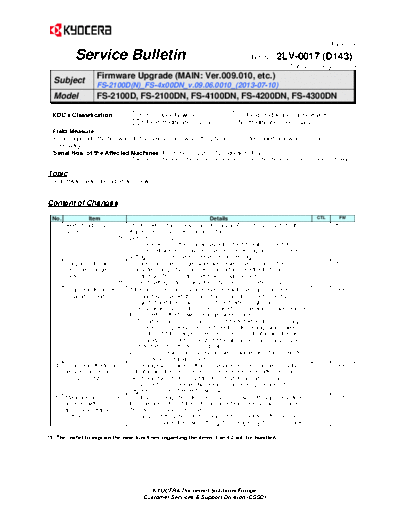
>> Download sb-2lv-0017-d143 documenatation <<
Text preview - extract from the document
(Page.1/3)
Service Bulletin Ref. No. 2LV-0017 (D143)
July 12, 2013
Subject Firmware Upgrade (MAIN: Ver.009.010, etc.)
FS-2100D(N)_FS-4x00DN_v.09.06.0010_(2013-07-10)
Model FS-2100D, FS-2100DN, FS-4100DN, FS-4200DN, FS-4300DN
KDC's Classification Entire Stock Rework In-Field modification at next visit
In-Field modification by case No modification necessary
Field Measure:
Please upgrade the firmware to the new version when the phenomenon described below arises or if
necessary.
Serial Nos. of the Affected Machines: From the July 2013* production (Plan)
* The above is the plan at the present moment. Please note that this information is subject to change.
Topic
The firmware was upgraded as follows.
Content of Changes
No. Item Details CTL FW
1 AirPrint (VER1.2.1) The following change was made to support AirPrint (VER1.2.1) for the MAIN
support Apple products such as iPad and iPhone.
*1 Default value: ON
(The value will be set to ON by upgrading the firmware on the field
machines. However, it may become OFF depending on the machine
settings. For more details, please refer to the Page 3.)
2 Support of the auto The auto cassette change switch was newly implemented. (Auto MAIN
LANG
cassette changes cassette change itself has been supported since the first mass
switch production. This time, the switch was implemented.)
*1 Print Setting > Auto Cassette [ON/OFF] Default: ON
3 Change to the toner If the toner installation mode is executed with the main charger roller 817691 ENGINE
815758 005.003
installation mode incompletely installed, the main charge condition is not correctly
recognized and toner supply is continued, which might cause
contamination inside of the machine and failure detection of waste toner
full. Therefore, the following changes were made.
1) The abnormal main charge level is detected when the main charge
roller is incompletely installed. Therefore, the change was made so
that the C5100 charger current error can be indicated and the toner
installation cannot be executed if the abnormal main charge level is
detected before the toner installation.
2) The machine will immediately stop when waste toner full is detected
in the toner installation mode.
4 Change to the fuser The change was made so that the service call error can be promptly 816703 ENGINE
005.003
temperature error indicated and the machine cannot be recovered even after the main
(C6020/C6120) switch was turned OFF/ON if the fuser high temperature error
(C6020/C6120) is detected twice and the fuser temperature is 100
degrees or more at the next power-up.
5 Measures against the The time to change from the sleep mode to power-off might be shifted 815527 ENGINE
005.003
time rag with from the preset time if the optional paper feeder PF-320 was installed.
the power-off timer Therefore, this was corrected.
setting Example) If the power-off time was set to 60 minutes after the sleep
mode, the power off might be delayed by 15 to 20 minutes.
*1: The leaflet to explain the new functions regarding the items 1 and 2 will be bundled.
KYOCERA Document Solutions Europe
Customer Services & Support Division (CSSD)
(Page.2/3)
Service Bulletin Ref. No. 2LV-0017 (D143)
July 12, 2013
Type Program No. Ver. Remark
MAIN 2L2_3F00009010 009.010 FS-2100D New Upgrade
MAIN 2LV_3F00009010 009.010 *2 New Upgrade
ENGINE 2LV_1000005003->006001 006.001 New Upgrade
LANGUAGE BR 2LV_81BR001011 001.011 For Brazilian Portuguese New Upgrade
For the KD sales companies, it is possible to download firmware at the download center on the Service World.
When upgrading the firmware or replacing a board, please upgrade all kinds of the firmware to the latest version at the same
time.
*2: FS-2100DN, FS-4100DN, FS-4200DN, FS-4300DN
No. Change CTL FW
Details
6 Productivity ENGINE
------------------------------------ 006.001
improvement
7 Measures against the 816192 MAIN
The memory overflow occurred when sending certain PCL data. TP-13-060,
memory overflow Therefore, this was corrected. #1653568
8 Measures against the 817823 MAIN
Trailing edge dropped out when outputting a certain file. TP-13-041,
print dropout Therefore, this was corrected. TA_SER_13_
02_11_01
9 Measures against the 817539 MAIN
Polish characters were not correctly printed with a certain file. TP-13-032,
erroneous Polish Therefore, this was corrected. LWIK-17206
characters
10 Measures against the 815066 MAIN
If printing user data with the Knet Direct Print or IC-Link via standard TP-13-051,
processing Lockup with NIC Port910, it might lock up after printing was completed. Therefore, KDA-D-1302-
a certain file 10
this was corrected.
11 Measures against the 815066 MAIN
When printing a certain file, the font might be rotated to 90 degree or a TP-11-250,
font rotation failure part of the font might not be printed due to the font rotation failure UT-S11-047
when outputting a
toward the printing direction. Therefore, this was corrected.
certain file
12 Measures against the 815066 MAIN
The underline position was shifted when certain data was output. TP-13-008,
underline position shift Therefore, this was corrected. #1616678
13 Measures against the 815066 MAIN
The font pitch was widened when printing a form created with the PCL TP-12-222,
font pitch error with macro overlaying on print data. Also, the font pitch when printing data KDA-D-1209-
certain data 01
without calling the macro and when printing it with calling the macro
differed. Therefore, this was corrected.
14 Measures against the 815066 MAIN
The F46F error appeared when certain PS data was output. TP-12-246,
F46F error at certain Therefore, this was corrected. #1565512,
data output ESha121019
15 Measures against the 815066 MAIN
A part of the fonts was not correctly out. Therefore, this was corrected. TP-13-085,
font output error Example) Different fonts were output; Fonts were rotated at 90 #1666018
degrees.
16 Measures against the 815066 MAIN
The machine locked up with a certain file. Therefore, this was TP-13-115,
lockup with a certain corrected. #1683213
file
17 Measures against the 815066 MAIN
Filters were applied to fonts and images and they turned out to be TP-13-103,
abnormal image with a solid images when outputting a certain application file. Therefore, this NP-Z13028
certain application
was corrected.
file
KYOCERA Document Solutions Europe
Customer Services & Support Division (CSSD)
(Page.3/3)
Service Bulletin Ref. No. 2LV-0017 (D143)
July 12, 2013
18 Output performance 815066 MAIN
The printing speed of a certain file with a macro from an SD card was TP-13-118,
improvement with SD slow compared to the one of the conventional models. Therefore, this KDE_CR-13-
card 065
was corrected.
19 Measures against the The print job with a certain macro was unexpectedly output. (6 pages 822251 MAIN
TP-13-120,
output error with a of 2 sets of 3-page job were output instead of 3 pages of 1 set of 3- #1677540
certain macro page job.) Therefore, this was corrected.
20 Measures against the 809990 MAIN
"Failure" was returned as the response of SNMPv2-SMI:: enterprises. TP-13-016,
response to SNMPv2- 1347.40.26.5.1.7.1.1. Therefore, the change was made so that TA-SER-13-
SMI:: 01-23-01
INTEGER: 0 will be returned same as on other models.
enterprises.1347.40.26.
5.1.7.1.1
1. AirPrint (Ver.1.2.1) Support
Even if the field machine's firmware was upgraded, the AirPrint function is disabled or does not function in a rare
case depending on the machine settings.
In such case, please confirm the following.
The AirPrint function is enabled with the indication of ON when all conditions below are met.
It is indicated as OFF if even one of them is missing.
Conditions of AirPrint=ON: Three conditions of Auto-IP=ON (*1); Bonjour=ON (*1); Either IPP or IPP Security (*2) is
enabled
Condition of AirPrint functions: Two conditions of AirPrint=ON (*3); Passing usable protocol of either IPP or IPP
security is allowed
[Setting to enable IPP/IPPS]
If using IPP (where AirPrint is not encrypted), two conditions of IPP=ON, IPP Security=OFF or Invalid (IPP
Security=ON and SSL=OFF)
If using IPP Security (where AirPrint is encrypted), 2 conditions of IPP Security=On and SSL=On
[Setting to allows passing the protocol for IPP/IPP Security]
Setting to pass IPP Security only, IPP Security=Secure Only (only passing IPPS is allowed) (*4)
Setting to pass both IPP Security and IPP, IPP Security=Not Secure (passing both IPP Security and IPP is
allowed) (*4)
[Reference]
Additionally, if AriPrint is already indicated as OFF at the later setting change and setting AirPrint=On on the AirPrint
page (*3):
In case of SSL= OFF, it is set to Auto-IP=ON, Bonjour=ON, IPP=ON, IPP Security=OFF
In case of SSL= ON, it is set to Auto-IP=ON, Bonjour=ON, IPP=OFF, IPP Security=ON
Location in Command Center RX
(*1) [Advanced > Protocols> TCP/IP > General]
(*2) [Advanced > Protocols> IPP]
(*3) [Basic > Defaults > AirPrint]
(*4) [Advanced > Security > Secure protocols]
KYOCERA Document Solutions Europe
Customer Services & Support Division (CSSD)
◦ Jabse Service Manual Search 2026 ◦ Jabse Pravopis ◦ onTap.bg ◦ Other service manual resources online : Fixya ◦ eServiceinfo