Service Manuals, User Guides, Schematic Diagrams or docs for : Kyocera Printer FS-3040-3140MFP SERVICEBULLETIN 2LW-003
<< Back | HomeMost service manuals and schematics are PDF files, so You will need Adobre Acrobat Reader to view : Acrobat Download Some of the files are DjVu format. Readers and resources available here : DjVu Resources
For the compressed files, most common are zip and rar. Please, extract files with Your favorite compression software ( WinZip, WinRAR ... ) before viewing. If a document has multiple parts, You should download all, before extracting.
Good luck. Repair on Your own risk. Make sure You know what You are doing.
Image preview - the first page of the document
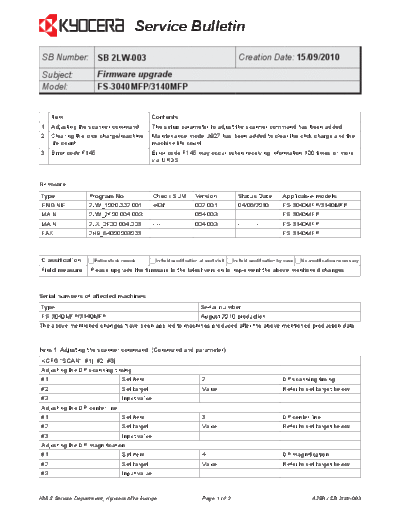
>> Download 2LW-003 documenatation <<
Text preview - extract from the document
                                      Service Bulletin
 SB Number: SB 2LW-003                                                                 Creation Date: 15/09/2010
 Subject:               Firmware upgrade
 Model:                 FS-3040MFP/3140MFP


     Item                                    Contents
1    Adjusting the scanner command.          The setup parameter to adjust the scanner command has been added.
2    Clearing the click charge/machine       Maintenance mode U927 has been added to clear the click charge and the
     life count.                             machine life count.
3    Error code F145.                        Error code F145 may occur, when receiving information 100 times or more
                                             via URDS.


Firmware
Type              Program No.                 Check SUM            Version             Status Date          Applicable models
ENGINE            2LW_1000.002.001            c43f                 002.001             04/06/2010           FS-3040MFP/3140MFP
MAIN              2LW_2F00.004.003            ----                 004.003             ----------           FS-3040MFP
MAIN              2LX_2F00.004.003            ----                 004.003             ----------           FS-3140MFP
FAX               2H9_54000003003             ----                 -------             ----------           FS-3140MFP


Classification      Entire stock rework        In-field modification at next visit   In-field modification by case   No modification necessary
Field measure     Please upgrade the firmware to the latest version to implement the above mentioned changes.


Serial numbers of affected machines
Type                                                                  Serial number
 FS-3040MFP/3140MFP                                   August 2010 production.
The above mentioned changes have been applied to machines produced after the above mentioned production date.


Item 1: Adjusting the scanner command. (Command and parameter)
KCFG "SCAN", #1[ ,#2, #3]
Adjusting the DP scanning timing
#1                              Set item                              2                                     DP scanning timing
#2                              Set target                            Value                                 Refer to set target below
#3                              Input value
Adjusting the DP center line
#1                              Set item                              3                                     DP center line
#2                              Set target                            Value                                 Refer to set target below
#3                              Input value
Adjusting the DP magnification
#1                              Set item                              4                                     DP magnification
#2                              Set target                            Value                                 Refer to set target below
#3                              Input value


KMIS Service Department, Kyocera Mita Europe                          Page  of 2                                         A288 / SB 2LW-003
                                    Service Bulletin

Adjusting the scanner leading edge
#1                            Set item                      5                                Scanner leading edge
#2                            Set target                    Value                            Refer to set target below
#3                            Input value
Adjusting the scanner center line
#1                            Set item                      6                                Scanner center line
#2                            Set target                    Value                            Refer to set target below
#3                            Input value
Adjusting the scanner magnification
#1                            Set item                      8                                Scanner magnification
#2                            Set target                    Value                            Refer to set target below
#3                            Input value
Adjusting the scanner center line DP
#1                            Set item                      9                                DP scanning position
#2                            Set target                    Value                            Refer to set target below
#3                            Input value


Item 1: Corresponding maintenance mode number and set target.
#1    Number           Item                                         #2    Name                             Min      Max
2     U071             Adjusting the DP scanning timing             1     Front head                       -32      32
                                                                    2     Front tail                       -32      32
                                                                    3     Back head                        -45      45
                                                                    4     Back tail                        -45      45
                                                                    5     180 degree rotated               -128     127
3     U072             Adjusting the DP center line                 1     DP center line (Data1)           -39      39
                                                                    2     DP center line (Data1)           -39      39
                                                                    3     DP center line (Data1)           -39      39
4     U070             Adjusting the DP magnification               2     DP magnification                 -25      25
5     U066             Adjusting the scanner leading edge           1     Table leading edge (Data1)       -45      45
                       registration                                 2     Table leading edge (Data1)       -45      45
6     U067             Adjusting the scanner center line            1     Table center line (Data1)        -70      70
                                                                    2     Table center line (Data1)        -40      40
8     U065             Adjusting the scanner center line            1     Y scan zoom (Main)               -32      127
                                                                    2     X scan zoom (Sub)                -25      25
9     U068             Adjusting the scanning position originals 1        DP read (Dat1)                   -33      33
                       from the DP read/DP back                  2        DP back line (Test pos)          0        3


KMIS Service Department, Kyocera Mita Europe                Page 2 of 2                                 A288 / SB 2LW-003
◦ Jabse Service Manual Search 2026 ◦ Jabse Pravopis ◦ onTap.bg ◦ Other service manual resources online : Fixya ◦ eServiceinfo