Service Manuals, User Guides, Schematic Diagrams or docs for : Kyocera Printer FS-3040-3140MFP SERVICEBULLETIN 2LX-001
<< Back | HomeMost service manuals and schematics are PDF files, so You will need Adobre Acrobat Reader to view : Acrobat Download Some of the files are DjVu format. Readers and resources available here : DjVu Resources
For the compressed files, most common are zip and rar. Please, extract files with Your favorite compression software ( WinZip, WinRAR ... ) before viewing. If a document has multiple parts, You should download all, before extracting.
Good luck. Repair on Your own risk. Make sure You know what You are doing.
Image preview - the first page of the document
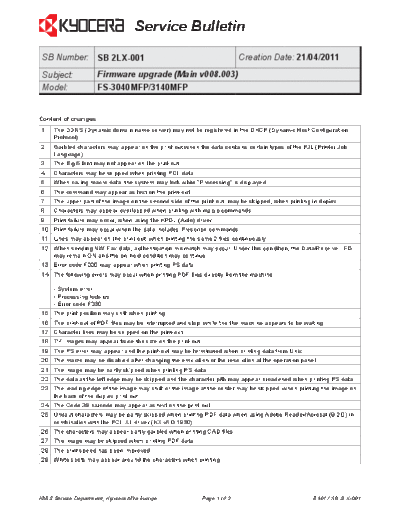
>> Download 2LX-001 documenatation <<
Text preview - extract from the document
                                   Service Bulletin
 SB Number: SB 2LX-001                                                    Creation Date: 21/04/2011

 Subject:            Firmware upgrade (Main v008.003)
 Model:              FS-3040MFP/3140MFP


Content of changes
1    The DDNS (Dynamic domain name server) may not be registered in the DHCP (Dynamic Host Configuration
     Protocol).
2    Garbled characters may appear on the print-out when the data contains certain types of the PJL (Printer Job
     Language).
3    The Big 5 font may not appear on the print-out.
4    Characters may be skipped when printing PCL data.
5    When calling macro data, the system may lock while "Processing" is displayed.
6    The command may appear as text on the print-out.
7    The upper part of the image on the second side of the print-out may be skipped, when printing in duplex.
8    Characters may appear overlapped when printing with macro commands.
9    Print failure may occur, when using the KPDL (Auto) driver.
10 Print failure may occur when the data includes Prescribe commands.
11 Lines may appear on the print-out, when printing the same 2 files continuously.
12 When sending NW-Fax data, authentication mismatch may occur. Under this condition, the Data/Receive LED
   may remain ON and the on-hold condition may continue.
13 Error code F000 may appear when printing PS data.
14 The following errors may occur when printing PDF files directly from the machine.
◦ Jabse Service Manual Search 2026 ◦ Jabse Pravopis ◦ onTap.bg ◦ Other service manual resources online : Fixya ◦ eServiceinfo