Service Manuals, User Guides, Schematic Diagrams or docs for : Kyocera Printer FS-3040P_3140P SERVICEBULLETIN SB-2MF-0003-B409
<< Back | HomeMost service manuals and schematics are PDF files, so You will need Adobre Acrobat Reader to view : Acrobat Download Some of the files are DjVu format. Readers and resources available here : DjVu Resources
For the compressed files, most common are zip and rar. Please, extract files with Your favorite compression software ( WinZip, WinRAR ... ) before viewing. If a document has multiple parts, You should download all, before extracting.
Good luck. Repair on Your own risk. Make sure You know what You are doing.
Image preview - the first page of the document
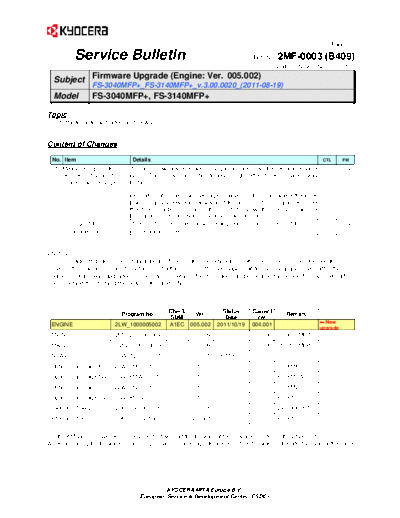
>> Download SB-2MF-0003-B409 documenatation <<
Text preview - extract from the document
                                                                                                                  (Page.1/2)

           Service Bulletin                                                        Ref. No.  2MF-0003 (B409)
                                                                                           November 22, 2011
                  Firmware Upgrade (Engine: Ver. 005.002)
  Subject
                  FS-3040MFP+_FS-3140MFP+_v.3.00.0020_(2011-08-19)
  Model           FS-3040MFP+, FS-3140MFP+

Topic
The firmware was upgraded as follows.


Content of Changes

 No. Item                         Details                                                                      CTL      FW

   1 Measures against the        The toner low detection was changed according to the residual amount         575682   ENGINE
     erroneous display of        since "Toner low" might be displayed right after toner container was
     "Toner low" message         installed.

                                 (Indication of "Toner low" message is based on the count where the toner
                                 low is regularly detected. However, if the amount of residual toner inside
                                 the toner container is high, the count to show this message will be
                                 increased in order to stabilize the toner low detection.)
   2   Change of the SC5100       The SC5100 error detection was changed to the same manner of the            571970   ENGINE
       error detection           conventional models.


The message "Replace toner" may appear if toner inside the developer unit is clustered on one side because of
move of the machine or due to detachment/attachment of the developer unit for jam clearance even after the
engine firmware was upgraded. In this case, however, the message can be cleared by closing the top cover after
once opening it or turning the power OFF and ON.


                              Program No.        Check  Ver.          Status      Current       Remark
                                                  SUM                  Date         Ver.
 ENGINE                    2LW_1000005002        A1EC 005.002       2011/10/19    004.001                      New
                                                                                                              upgrade
 MAIN                      2MF_2F00003009                003.009          -       003.008   FS-3040MFP+
 MAIN                      2MG_2F00003009                003.009                  003.008   FS-3140MFP+
 SCANER                    2LW_1200002001           -    002.001     2011/6/10        -
 Optional language KR      2LW_81KR001015           -    001.015          -           -     For KMKR
 Optional language TW     2LW_81TW001013            -    001.013          -           -     For KMTW
 Optional language BR      2LW_81BR001015           -    001.015          -           -     For KMBR
 Optional language CN      2LW_81CN001012           -    001.012          -           -     For KTST
 FAX BOOT/APL              2H9_5500008001           -    008.001          -           -     Except KTST
 FAX BOOT/APL              2H9_5700N05001           -    N05.001          -           -     For KTST


For the KM sales companies, it is possible to download the firmware at the download center on the ESDC.net.
When upgrading the firmware or replacing a board, please upgrade all kinds of the firmware to the latest version at the same
time.


                                              KYOCERA MITA Europe B.V.
                                     European Service & Development Center (ESDC)
                                                                                                                       (Page.2/2)

        Service Bulletin                                                             Ref. No.   2MF-0003 (B409)
                                                                                             November 22, 2011


KMC's Classification                Entire Stock Rework                 In-Field modification at next visit
                                    In-Field modification by case        No modification necessary
Field Measure: Please upgrade the firmware when the problem described above arises.
                 Also, please explain your users the contents of  above.
Serial Nos. of the Affected Machines:
Engine: From available timing in the November 2011* production
                             *The above is the plan at the present moment. Please note that this information is subject to change.


                                          KYOCERA MITA Europe B.V.
                                 European Service & Development Center (ESDC)
◦ Jabse Service Manual Search 2026 ◦ Jabse Pravopis ◦ onTap.bg ◦ Other service manual resources online : Fixya ◦ eServiceinfo