Service Manuals, User Guides, Schematic Diagrams or docs for : Kyocera Printer FS-3540_3640MFP SERVICEBULLETIN 2MC-002
<< Back | HomeMost service manuals and schematics are PDF files, so You will need Adobre Acrobat Reader to view : Acrobat Download Some of the files are DjVu format. Readers and resources available here : DjVu Resources
For the compressed files, most common are zip and rar. Please, extract files with Your favorite compression software ( WinZip, WinRAR ... ) before viewing. If a document has multiple parts, You should download all, before extracting.
Good luck. Repair on Your own risk. Make sure You know what You are doing.
Image preview - the first page of the document
>> Download 2MC-002 documenatation <<
Text preview - extract from the document
                                      Service Bulletin
 SB Number: SB 2MC-002                                                                Creation Date: 28/02/2012
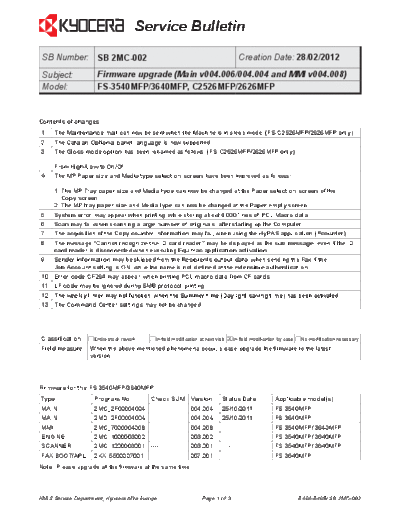
 Subject:            Firmware upgrade (Main v004.006/004.004 and MMI v004.008)
 Model:              FS-3540MFP/3640MFP, C2526MFP/2626MFP


Contents of changes
1     The Maintenance mail can now be sent when the Machine is in sleep mode. (FS-C2526MFP/2626MFP only)
2     The Catalan Optional panel language is now supported.
3     The Gloss mode option has been renamed as follows: (FS-C2526MFP/2626MFP only)

      From High/Low to On/Of
4     The MP Paper size and Media type selection screen have been improved as follows:

      1. The MP Tray paper size and Media type can now be changed at the Paper selection screen of the
         Copy screen.
      2. The MP tray paper size and Media type can now be changed at the Paper empty screen.
5     System error may appear when printing, while storing about 4.000 lines of PCL Macro data.
6     Scan may fail when scanning a large number of originals, after starting up the Computer.
7     The acquisition of the Copy counter information may fail, when using the HyPAS application (Pcounter).
8     The message "Cannot recognize the ID card reader" may be displayed as the sub message, even if the ID
      card reader is disconnected when executing Equitrac application activation.
9     Sender information may be skipped from the Recipients output data, when sending the Fax if the
      Job Account setting is ON, while the name is not defined at the extensible authentication.
10 Error code CF264 may appear, when printing PCL macro data from CF cards.
11    LF code may be ignored during SMB protocol printing.
12 The weekly timer may not function, when the Summer time (Daylight saving time) has been activated.
13 The Command Center settings may not be changed.


Classification      Entire stock rework                        X In-field modification by case No modification necessary
                                            In-field modification at next visit
Field measure     When the above mentioned phenomena occur, please upgrade the firmware to the latest
                  version.


Firmware for the FS-3540MFP/3640MFP
Type                Program No.           Check SUM Version                   Status Date     Applicable model(s)
MAIN                2MC_2F00004004 ----                       004.004         25/10/2011      FS-3540MFP
MAIN                2MD_2F00004004 ----                       004.004         25/10/2011      FS-3640MFP
MMI                 2MC_7000004008 ----                       004.008         ----------      FS-3540MFP/ 3640MFP
ENGINE              2MC_1000003002 ----                       003.002         ----------      FS-3540MFP/ 3640MFP
SCANNER             2MC_1200003001 ----                       003.001         ----------      FS-3540MFP/ 3640MFP
FAX BOOT/APL        2KX_5500007001        ----                007.001         ----------      FS-3640MFP
Note: Please upgrade all the firmware at the same time.


KMIS Service Department, Kyocera Mita Europe                       Page  of 3                        B464-B465/ SB 2MC-002
                                   Service Bulletin

Firmware for the FS-C2526MFP/2626MFP
Type                Program No.          Check SUM Version       Status Date         Applicable model(s)
MAIN                2M8_2F00004006       ----         004.006    16/11/2011          FS-C2526MFP
MAIN                2M9_2F00004006       ----         004.006    16/11/2011          FS-C2626MFP
MMI                 2M8_7000004008       ----         004.008    ----------          FS-C2526MFP/2626MFP
ENGINE              2KW_1000011002 ----               011.002    ----------          FS-C2526MFP/2626MFP
SCANNER             2M9_1200003001       ----         003.001    ----------          FS-C2526MFP/2626MFP
FAX BOOT/APL        2KX_5500007001       ----         007.001    ----------          FS-C2626MFP
Note: Please upgrade all the firmware at the same time.


 4. The MP Paper size and Media type selection screen have been improved.

 1. The MP Tray paper size and Media type can now be changed at the Paper selection screen of the
    Copy screen. Previously the MP Tray paper size and Media type could only be set at the System menu.


    Select [Paper Selection] at the Copy screen.                 Select [MP tray].


    Change [Paper size] and [Media Type].


KMIS Service Department, Kyocera Mita Europe              Page 2 of 3                       B464-B465/ SB 2MC-002
                                   Service Bulletin


 2. The MP tray paper size and Media type can now be changed at the Paper empty screen.


    Select [Paper Selection].                                Select [MP tray].


    Change [Paper size] and [Media Type].


KMIS Service Department, Kyocera Mita Europe          Page 3 of 3                         B464-B465/ SB 2MC-002
◦ Jabse Service Manual Search 2026 ◦ Jabse Pravopis ◦ onTap.bg ◦ Other service manual resources online : Fixya ◦ eServiceinfo