Service Manuals, User Guides, Schematic Diagrams or docs for : Kyocera Printer FS-3540_3640MFP User FS-3540MFP_FS-3640MFP_OG_ENG
<< Back | HomeMost service manuals and schematics are PDF files, so You will need Adobre Acrobat Reader to view : Acrobat Download Some of the files are DjVu format. Readers and resources available here : DjVu Resources
For the compressed files, most common are zip and rar. Please, extract files with Your favorite compression software ( WinZip, WinRAR ... ) before viewing. If a document has multiple parts, You should download all, before extracting.
Good luck. Repair on Your own risk. Make sure You know what You are doing.
Image preview - the first page of the document
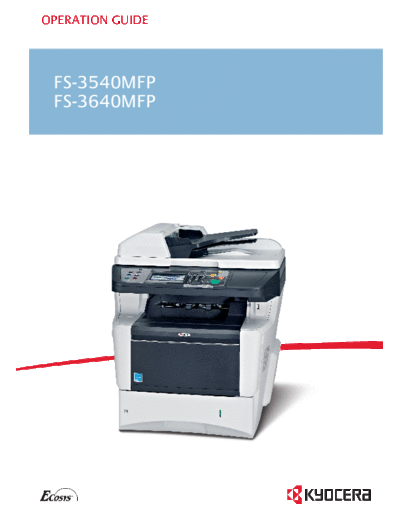
>> Download FS-3540MFP_FS-3640MFP_OG_ENG documenatation <<
Text preview - extract from the document
OPERATION GUIDE


 FS-3540MFP
FS-1100
 FS-3640MFP
FS-1300D
Introduction
Thank you for your purchase of FS-3540MFP/FS-3640MFP.
This Operation Guide is intended to help you operate the machine correctly, perform routine maintenance and take a
simple troubleshooting action as necessary, so that you can always use the machine in good condition.
Please read this Operation Guide before you start using the machine.
We recommend the use of our own brand supplies. We will not be liable for any damage caused by the use of third party
supplies in this machine.
A label shown in the illustration assures that the supplies are our own brand.
Included Guides
The following guides are supplied with the machine. Refer to them as necessary.

 Quick Installation Guide                Describes the procedures for installation of the machine, frequently-used operations,
                                         routine maintenance, and troubleshooting action.

 Safety Guide                            Provides safety and cautionary information for the installation and use of the machine.
                                         Be sure to read this guide before using the machine.

 Safety Guide (FS-3540MFP/FS-            Describes the machine installation space, cautionary space, and other information. Be
 3640MFP)                                sure to read this guide before using the machine.

DVD (Product Library)

 Operation Guide (This Guide)            Describes how to load paper, basic copy, print and scan operations, and
                                         troubleshooting.

 FAX Operation Guide                     Describes fax functionality.

 Card Authentication Kit (B) Operation   Describes how to authenticate to the machine using the ID card.
 Guide

 KYOCERA COMMAND CENTER                  Describes how to access the machine from a computer via a Web browser to check and
 Operation Guide                         change settings.

 Printer Driver Operation Guide          Describes how to install the printer driver and use printer functionality.

 Network FAX Driver Operation Guide      Describes how to install and use the network fax driver in order to use network fax
                                         functionality.

 KM-NET for Direct Printing Operation    Describes how to use functionality for printing PDF files without launching Adobe
 Guide                                   Acrobat or Reader.

 KMnet Viewer User Guide                 Describes how to monitor the network printing system with KMnet Viewer.

 PRESCRIBE Commands Technical            Describes the native printer language (PRESCRIBE commands).
 Reference

 PRESCRIBE Commands Command              Describes PRESCRIBE command functionality and control for each type of emulation.
 Reference
Contents
1   Preface .....................................................................................................1-1
                 Notice ................................................................................................................................... 1-2
                       Safety Conventions in This Guide .............................................................................. 1-2
                       Environment ............................................................................................................... 1-3
                       Precautions for Use .................................................................................................... 1-3
                       Legal Restriction on Copying/Scanning ..................................................................... 1-8
                 Legal and Safety Information ............................................................................................... 1-9
                       Legal Information ....................................................................................................... 1-9
                       Energy Saving Control Function .............................................................................. 1-12
                       Automatic 2-Sided Copy Function ............................................................................ 1-12
                       Paper Recycling ....................................................................................................... 1-12
                       Energy Star (ENERGY STAR
◦ Jabse Service Manual Search 2026 ◦ Jabse Pravopis ◦ onTap.bg ◦ Other service manual resources online : Fixya ◦ eServiceinfo