Service Manuals, User Guides, Schematic Diagrams or docs for : Kyocera Printer _OPTIONS DF-600 SERVICEBULLETIN AS-116
<< Back | HomeMost service manuals and schematics are PDF files, so You will need Adobre Acrobat Reader to view : Acrobat Download Some of the files are DjVu format. Readers and resources available here : DjVu Resources
For the compressed files, most common are zip and rar. Please, extract files with Your favorite compression software ( WinZip, WinRAR ... ) before viewing. If a document has multiple parts, You should download all, before extracting.
Good luck. Repair on Your own risk. Make sure You know what You are doing.
Image preview - the first page of the document
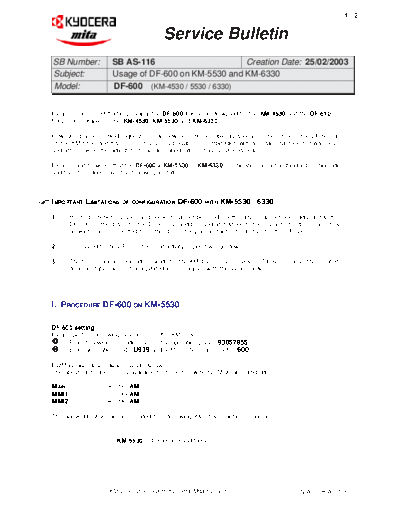
>> Download AS-116 documenatation <<
Text preview - extract from the document
                                                                                                          1/2


                                       Service Bulletin
SB Number:           SB AS-116                      Creation Date: 25/02/2003
Subject:             Usage of DF-600 on KM-5530 and KM-6330
Model:               DF-600 (KM-4530 / 5530 / 6330)


Please be informed that in principal the DF-600 finisher is designed for the KM-4530 and the DF-610
finisher is suitable for the KM-4530, KM-5530 and KM-6330.

However, based on field requests, it has now become possible as a local solution, to use the DF-600 also
on the KM-5530 and KM-6330. This is only possible in combination with a certain machine firmware level,
and after making the adjustments as described later in this Service Bulletin.

Please mind however that the DF-600 + KM-5530 or KM-6330 combination, is not a standard configuration
and therefore does have the following limitations.


IMPORTANT LIMITATIONS    OF CONFIGURATION    DF-600   WITH   KM-5530 / 6330

1.    Printing functions (punch and booklet) cannot be used. => the driver has not been adjusted to the
      DF-600 => the driver for the DF-610 should be used and although these printing options (punch &
      booklet) can be selected from this driver, they are in fact not effective for the DF-600.

2.    Compared to the DF-610, the productivity / speed will go down.

3.    The User manual / Operation Guide for the KM-4530 / 5530 / 6330 or DF-600 or any other related
      documentation will not be updated in compliance with this local solution.


I. PROCEDURE DF-600 ON KM-5530

DF-600 setting
Please perform following procedure on the KM-5530:
      Enter following simulation no. on the operation panel: 93057855
      Enter simulation mode U939 and set from `Normal' --> to `600'

ROM version and machine serial number
The above simulation no. is available from the following ROM version and later.

MAIN:             2BC2955AM
MMI1:             2BC1956AM
MMI2:             2BC2961AM

The above ROM version is included from following KM-5530 machine serial number:


                       KM-5530:    D3005923 and higher


                    KMIS Service Team, Kyocera Mita Europe                              N.A. / SB AS-116
                                                                                                2/2


                                       Service Bulletin

II. PROCEDURE DF-600 ON KM-6330

DF-600 setting
Please perform following procedure on the KM-6330:
      Enter following simulation no. on the operation panel: 93057855
      Enter simulation mode U939 and set from `Normal' --> to `600'

ROM version and machine serial number
The above simulation no. is available from the following ROM version and later.

MAIN:       2CJ29049K
MMI:        2CJ29058J

The above ROM version is included from following KM-6330 machine serial number:


                          KM-6330:    Z3002429 and higher


                    KMIS Service Team, Kyocera Mita Europe                        N.A. / SB AS-117
◦ Jabse Service Manual Search 2026 ◦ Jabse Pravopis ◦ onTap.bg ◦ Other service manual resources online : Fixya ◦ eServiceinfo