Service Manuals, User Guides, Schematic Diagrams or docs for : Kyocera Printer _OPTIONS DF-600 SERVICEBULLETIN AS-118
<< Back | HomeMost service manuals and schematics are PDF files, so You will need Adobre Acrobat Reader to view : Acrobat Download Some of the files are DjVu format. Readers and resources available here : DjVu Resources
For the compressed files, most common are zip and rar. Please, extract files with Your favorite compression software ( WinZip, WinRAR ... ) before viewing. If a document has multiple parts, You should download all, before extracting.
Good luck. Repair on Your own risk. Make sure You know what You are doing.
Image preview - the first page of the document
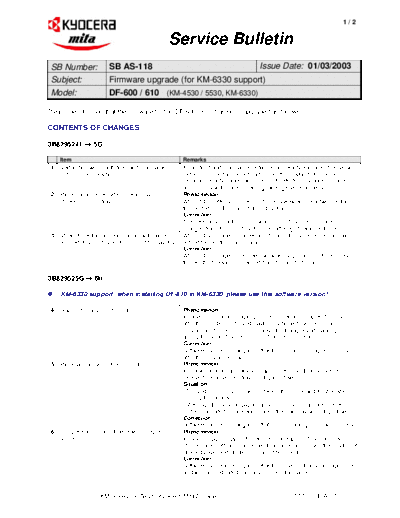
>> Download AS-118 documenatation <<
Text preview - extract from the document
                                                                                                                         1/2


                                                   Service Bulletin
 SB Number:              SB AS-118                           Issue Date: 01/03/2003
 Subject:                Firmware upgrade (for KM-6330 support)
 Model:                  DF-600 / 610 (KM-4530 / 5530, KM-6330)

Please be informed that the firmware for the DF-600 / 610 has been upgraded as follows.

CONTENTS OF CHANGES

3B829524F  5G

     Item                                             Remarks
 1   Malfunction when both front and rear staple      If both front and rear staple cartridges are empty and one of these two
     cartridges are empty.                            cartridges is exchanged with a full one, the empty status for the
                                                      remaining empty staple cartridge is not detected anymore and user
                                                      does not know the one remaining cartridge needs to be filled.
 2   Paper misalignment when ejected paper is         Phenomenon
     stacked on main tray.                            When A4 or letter size paper is stapled askew at one or two positions,
                                                      the ejected bundle may not align properly.
                                                      Correction
                                                      The `OFF' timing of the `SOLENOID, EJECT GUIDE' has been
                                                      changed from 80 msec. to 200 msec. after eject switch is turned on.
 3   Mylar of ejection guide in contact with paper    When B4 size paper is moved for stapling, the paper edge may catch
     edge when B4 size paper is moved for stapling.   behind the ejection guide mylar.
                                                      Correction
                                                      When B4 size paper is stapled askew at one position on front or rear,
                                                      the length of moving is changed from 15 mm. to 18 mm.

3B829525G  6H

     KM-6330 support: when installing DF-610 in KM-6330, please use this software version!

 4   Staple error at 2 points binding                 Phenomenon
                                                      In case of 2 locations stapling, the 2nd location is stapled 100 msec.
                                                      after the 1st staple. The 2nd staple may break however due to an
                                                      incomplete stapling process because the timing of 2nd stapling is
                                                      during the peak of electric current (from staple motor).
                                                      Correction
                                                      Software has been changed so that the 2nd point is stapled 200 msec
                                                      after the 1st point is stapled.
 5   Paper jam occurs in feed-in section              Phenomenon
                                                      In below situation, any jammed paper on the middle tray cannot be
                                                      removed because main tray is not going down.
                                                      Situation
                                                      - The 2nd sheet of paper jams between the copier and finisher when
                                                         using the job tray.
                                                      - Although the jammed paper can and is removed according to the
                                                         steps indicated on operation panel, the main tray will not go down.
                                                      Correction
                                                      Software has been changed so that the main tray goes down normally.
 6   Jam position is not indicated when staple jam    Phenomenon
     occurs.                                          In case of staple copy, before the start of stapling, if the connector of
                                                      stapler comes off, and consequently a paper jam occurs, the position of
                                                      jammed paper and guidance may not be indicated.
                                                      Correction
                                                      Software has been changed so that the position of jammed paper and
                                                      guidance are indicated normally on operation panel.


                      KMIS Service Team, Kyocera Mita Europe                                        5570 / SB AS-118
                                                                                                                        2/2


                                                 Service Bulletin
7    Letter size paper may catch behind standard       Phenomenon
     plate (P/N: 3B80713/0714) (no-stapling setting)   In no-stapling setting, Letter size paper / metric may catch behind the
                                                       standard plate.
                                                       Correction
                                                       Software has been changed so that in case of A4R, LETTER R,
                                                       8.5"x14" and LETTER (metric), the standard plate will not move when
                                                       paper bundle is lifted.
8    Staple cartridge is inserted halfway.             Phenomenon
                                                       When machine performs initializing movement while staple cartridge is
                                                       inserted only halfway, the stapler motor may catch behind the cartridge
                                                       and locks. After that, JAM00 may not be indicated and the cartridge
                                                       cannot be released.
                                                       Correction
                                                       Stapler motor is reversed so that it does not lock if `time out' occurs
                                                       during the waiting time of stapler motor home sensor "ON". If home
                                                       sensor is returned to "ON", the message of "Staple empty" is indicated.


Firmware information

                                                                 File Name
                                      Program no.                                          Checksum
                                                          (after decompressing)
    Software Main (finisher)           3B829526H               P3B82952.6H0                   6FD7

     Please make sure to use above version or later when installing the finisher to the KM-6330.


                       Affected Machine Serial Numbers:

                                               `3B829525G'                         `3B829526H'

                       DF-600:               G3001919 and later                G3005214 and later
                       DF-610:               F3003555 and later                F3004975 and later


                     KMIS Service Team, Kyocera Mita Europe                                          5570 / SB AS-118
◦ Jabse Service Manual Search 2026 ◦ Jabse Pravopis ◦ onTap.bg ◦ Other service manual resources online : Fixya ◦ eServiceinfo