Service Manuals, User Guides, Schematic Diagrams or docs for : Philips Monitor CD 2001 Monitor CD 2001 E-MANUALS Philips crt 104s PDF p04
<< Back | HomeMost service manuals and schematics are PDF files, so You will need Adobre Acrobat Reader to view : Acrobat Download Some of the files are DjVu format. Readers and resources available here : DjVu Resources
For the compressed files, most common are zip and rar. Please, extract files with Your favorite compression software ( WinZip, WinRAR ... ) before viewing. If a document has multiple parts, You should download all, before extracting.
Good luck. Repair on Your own risk. Make sure You know what You are doing.
Image preview - the first page of the document
>> Download p04 documenatation <<
Text preview - extract from the document
  4      104S CM23 GSIII                                     Installation and Control
      Go to cover page

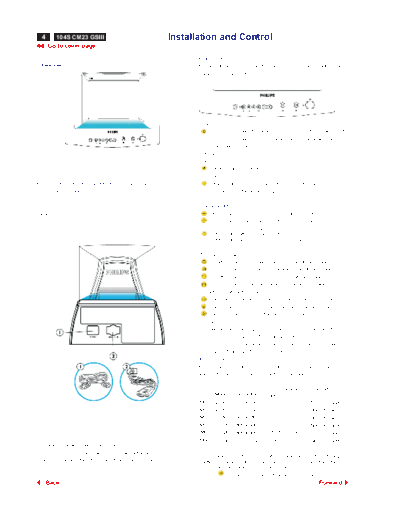
                                                                    Front Controls
  Front View                                                        For an optimized adjustment of the picture following controls are
                                                                    available at the front.


                                                                    Power
                                                                          1.Press this knob, the green LED lights and the power is ON.
                                                                          2.Press this knob again, the green LED disappears and
                                                                           the power is OFF.
                                                                    Hotkeys
                                                                    Contrast
                                                                          Rotate to adjust the picture contrast level.
                                                                    Brightness
For detailed information about the knobs and keys,                      Rotate to adjust the overall screen brightness as a
please refer to controls                                                compensation for ambient light.


                                                                    Digital Controls
Rear View                                                               Press to adjust (increase) the function selected.
                                                                        Press to adjust (decrease) the function selected.
                                                                       To select the level of function.
                                                                       "SHIFT" LED off - control is on first level.
                                                                       "SHIFT" LED on - control is on second level.


                                                                    The function pads:
                                                                        H-Shift: to adjust the horizontal position of the image.
                                                                        H-Size: to adjust the horizontal amplitude of the image.
                                                                        V-Shift: to adjust the vertical position of the image.
                                                                        V-Size: to adjust the vertical amplitude of the image.
                                                                    Select level of the function pads:
                                                                        Trapezoid:to correct the trapezoid distortion of the image.
                                                                        Pincushion:to correct the barrel distortion of the image.
                                                                        Recall: to recall original factory preset mode.
                                                                    Remarks:
                                                                       1.When pressing any function pad, the "Shift" LED will flash
                                                                           once to indicate the function has been selected.
                                                                       2.Once the limit of the adjustable range has been reached,
                                                                          the shift LED will flash continuously.
                                                                    Adjustment
                                                                    For the monitor is pre-set with 6 modes for optimal display size
                                                                    and centering as indicated in the following table:


                                                                                                          Frequency       Remark
                                                                            Mode       Resolution    H(KHz)     V(Hz)
                                                                    M01     VGA        640 x 400      31.5         70    Non-interlaced
                                                                    M02     VGA        640 x 480      31.5         60    Non-interlaced
                                                                    M03     VGA        640 x 480      37.5         75    Non-interlaced
                                                                    M04     SVGA       800 x 600      46.9         75    Non-interlaced
                                                                    M05     SVGA       800 x 600      53.7         85    Non-interlaced
                                                                    M06     EVGA       1024 x 768     48.3         60    Non-interlaced
1.Power in - attach power cable here.
2.Video In - this is a cable which is already attached to your
                                                                     The set will save the user's setting parameters automatically.
 monitor.Connect the other end of the cable to your PC.              After 10 seconds of key-pad inactivity, the LED will flash twice to
                                                                     indicaate the parameters being saved.
                                                                     Press       to recall factory preset mode. (at second level)
      Back                                                                                                                  Forward
◦ Jabse Service Manual Search 2026 ◦ Jabse Pravopis ◦ onTap.bg ◦ Other service manual resources online : Fixya ◦ eServiceinfo