Service Manuals, User Guides, Schematic Diagrams or docs for : Philips Monitor CD 2001 Monitor CD 2001 E-MANUALS Philips crt 107b cdrom 24GS3-p14
<< Back | HomeMost service manuals and schematics are PDF files, so You will need Adobre Acrobat Reader to view : Acrobat Download Some of the files are DjVu format. Readers and resources available here : DjVu Resources
For the compressed files, most common are zip and rar. Please, extract files with Your favorite compression software ( WinZip, WinRAR ... ) before viewing. If a document has multiple parts, You should download all, before extracting.
Good luck. Repair on Your own risk. Make sure You know what You are doing.
Image preview - the first page of the document
>> Download 24GS3-p14 documenatation <<
Text preview - extract from the document
 14     107B CM24 GS III                           Mechanical Instructions

0. General
To be able to perform measurements and repairs on the "circuit
boards", these unit should placed in the service position first.
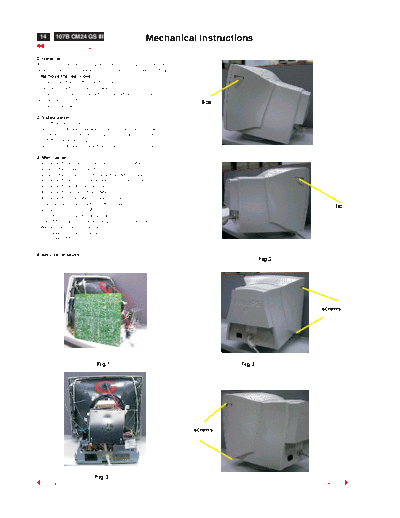
1.Remove the rear cover
-Remove right and left lib on the back cover
-Open 4 lids with "-" type screwdriver.
-Remove 4 screws at the bottom cabinet with "+" type
 screwdriver,refer fig 2.
                                                                     lids
-Remove out back cover.

2. Video panel
a.Cutoff all wire cable ties
b.Remove GRD wire between video shield and CRT rack.
c.Remove 1 screw between mains board rack and video shield
d. cutoff 1 cable tie on LOT wire
e.Remove GRD wire (1604)from video PCB to CRT rack.

3. Main panel
- Disconnect the degaussing coil (1113)from Main panel.
- Remove the video panel from CRT.
- Remove the "screw" of I/F cable from Main panel.
- Disconnect the CRT ground wire from main panel.
- Disconnect the Hi-Pot cap from CRT.
- Disconnect yoke wire from "M401".
- Disconnect concellation connector(1402).
- Slide the main panel out of bottom tray.
                                                                                                lid
- Connect yoke wire to "M401".
- Connect concellation connector(1402).".
- Place Main panel in service position as shown in Fig.1.
- Mount Video panel again on CRT.
- To connect Hi-Pot cap again.
- To connect "M312" again.


4. service position
                                                                                    Fig.2


                                                                                            screws


                            Fig.1                                           Fig.3


                                                                   screws


                           Fig.3
◦ Jabse Service Manual Search 2026 ◦ Jabse Pravopis ◦ onTap.bg ◦ Other service manual resources online : Fixya ◦ eServiceinfo