Service Manuals, User Guides, Schematic Diagrams or docs for : Philips Monitor CD 2001 Monitor CD 2001 E-MANUALS Philips crt 109b2 pdf p05
<< Back | HomeMost service manuals and schematics are PDF files, so You will need Adobre Acrobat Reader to view : Acrobat Download Some of the files are DjVu format. Readers and resources available here : DjVu Resources
For the compressed files, most common are zip and rar. Please, extract files with Your favorite compression software ( WinZip, WinRAR ... ) before viewing. If a document has multiple parts, You should download all, before extracting.
Good luck. Repair on Your own risk. Make sure You know what You are doing.
Image preview - the first page of the document
>> Download p05 documenatation <<
Text preview - extract from the document
                                                    OSD Adjustment                                                  109B2 GS3 CM25               5
                                                                                                                         Go to cover page

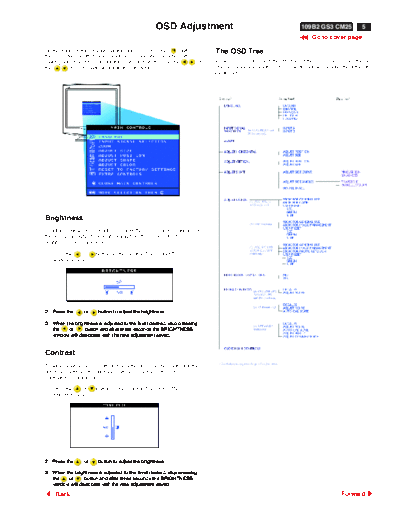
On the front controls of your monitor, once you press the    button,         The OSD Tree
the OSD Main Controls window will pop up and you can now start
making adjustment to your monitor's various features. Use the        or     Below is an overall view of the structure of the OSD. You can use this as
the         keys to make your adjustments within.                           reference when you want to later on work your way around the different
                                                                            adjustments.


Brightness
To adjust your screen's brightness, follow the steps below. Brightness is
the overall intensity of the light coming from the screen. A 50%
brightness is recommended.

1. Press the  or        button on the monitor. The BRIGHTNESS
   window appears.


2. Press the      or     button to adjust the brightness.

3. When the brightness is adjusted to the level desired, stop pressing
   the   or       button and after three seconds the BRIGHTNESS
   window will disappear with the new adjustment saved.


Contrast
To adjust your screen's contrast, follow the steps below. Contrast is the
difference between the light and dark areas on the screen. A 100%
contrast is recommended.

1. Press the  or        button on the monitor. The BRIGHTNESS
   window appears.


2. Press the      or     button to adjust the brightness.

3. When the brightness is adjusted to the level desired, stop pressing
   the   or       button and after three seconds the BRIGHTNESS
   window will disappear with the new adjustment saved.

     Back                                                                                                                              Forward
◦ Jabse Service Manual Search 2026 ◦ Jabse Pravopis ◦ onTap.bg ◦ Other service manual resources online : Fixya ◦ eServiceinfo