Service Manuals, User Guides, Schematic Diagrams or docs for : Philips Monitor CD 2001 Monitor CD 2001 E-MANUALS Philips crt 109b2 pdf p06
<< Back | HomeMost service manuals and schematics are PDF files, so You will need Adobre Acrobat Reader to view : Acrobat Download Some of the files are DjVu format. Readers and resources available here : DjVu Resources
For the compressed files, most common are zip and rar. Please, extract files with Your favorite compression software ( WinZip, WinRAR ... ) before viewing. If a document has multiple parts, You should download all, before extracting.
Good luck. Repair on Your own risk. Make sure You know what You are doing.
Image preview - the first page of the document
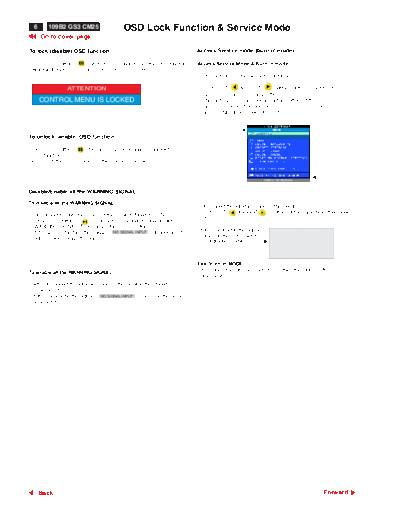
>> Download p06 documenatation <<
Text preview - extract from the document
  6     109B2 GS3 CM25                     OSD Lock Function & Service Mode
      Go to cover page

To lock (disable) OSD function:                                             Access Service mode (burn in mode) :

- Press OSD button "     " for over 15 seconds to lock the OSD function.    Access Service Mode & Burn in mode
  Release it, then OSD comes on the screen as below.
                                                                            Firstly, get into Factory Adjustment Mode.

                 ATTENTION                                                    Push LEFT      & RIGHT        buttons at the same time for
                                                                              over 15 seconds and release them.
      CONTROL MENU IS LOCKED                                                  The factory message appears at the bottom of the
                                                                              main OSD menu. (for example : 109B2 V1.52 20000619;
                                                                              00115 is M.T.B.F. in HOUR unit)


                                                                                                                        00115


To unlock (enable) OSD function:

- Press OSD button "     " for over 10 seconds again to unlock the
  OSD function.
  Release it, then OSD comes on the screen as below.


                                                                                                                  109B2 V1.52 20000619


Disable/Enable all the WARNING SIGNAL

To disable all the WARNING SIGNAL :
                                                                            - Disconnect the Interface cable of the monitor.
                                                                            - Push LEFT          & RIGHT               buttons at the same time, then power
- Disconnect the Interface cable of the monitor (Monitor is ON.).
                                                                              ON.
- Press OSD button "             " for over 15 seconds to disable all the
  WARNING SIGNAL. Then release the "OSD" button.
                                                                            - If it is successful, the signal "                                    "
- If it is successful, then the signal " NO SIGNAL INPUT "disappeared to
                                                                              comes on the screen later.                     SERVICE MODE
  enter power saving-off mode.                                                                                            SERIAL NO: TY 123456
                                                                              (Background is white.).
                                                                                                                            HOURS : 00021
                                                                                                                         FACTORY VER 1.01 990706


                                                                            Exit "burn in MODE" :
                                                                            - Reconnect the interface cable to PC, then the "burn in MODE"
To enable all the WARNING SIGNAL :
                                                                              disappear.
- After disconnect the Interface cable of the monitor, then Monitor is
  powered ON.
- If it is successful, the signal " NO SIGNAL INPUT " comes on the screen
  again later.


      Back                                                                                                                                    Forward
◦ Jabse Service Manual Search 2026 ◦ Jabse Pravopis ◦ onTap.bg ◦ Other service manual resources online : Fixya ◦ eServiceinfo