Service Manuals, User Guides, Schematic Diagrams or docs for : Philips Monitor CD 2001 Monitor CD 2001 E-MANUALS Philips crt 109b2 pdf p29
<< Back | HomeMost service manuals and schematics are PDF files, so You will need Adobre Acrobat Reader to view : Acrobat Download Some of the files are DjVu format. Readers and resources available here : DjVu Resources
For the compressed files, most common are zip and rar. Please, extract files with Your favorite compression software ( WinZip, WinRAR ... ) before viewing. If a document has multiple parts, You should download all, before extracting.
Good luck. Repair on Your own risk. Make sure You know what You are doing.
Image preview - the first page of the document
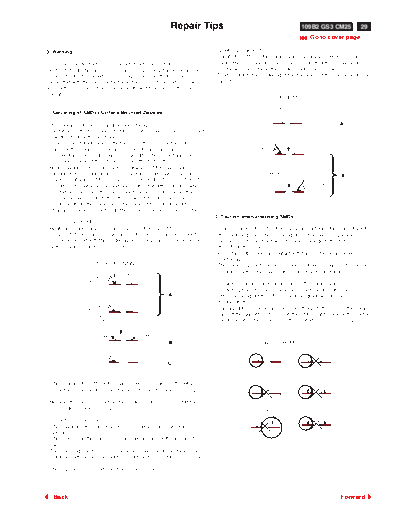
>> Download p29 documenatation <<
Text preview - extract from the document
                                                           Repair Tips                                                   109B2 GS3 CM25       29
                                                                                                                                              26
                                                                                                                        9 Go to cover page
0. Warning                                                                1.4 Attachment of SMDs
                                                                          - Locate the SMD on the solder lands by means of tweezers and
All ICs and many other semi-conductors are susceptible to                   solder the component on one side. Ensure that the component is
electrostatic discharges (ESD). Careless handling during repair can         Positioned correctly on the solder lands (see Fig.2A).
reduce life drastically. When repairing, make sure that you are           - Next complete the soldering of the terminals of the component (see
connected with the same potential as the mass of the unit via a wrist       Fig. 2B).
wrap with resistance. Keep components and tools also at the same
potential !
                                                                                             Fig. 2      MOUNTING

                                                                                                   e.g. A PAIR OF TWEEZERS
1. Servicing of SMDs (Surface Mounted Devices)

1.1 General cautions on handling and storage                                                                                             A
- Oxidation on the terminals of SMDs results in poor soldering. Do not
  handle SMDs with bare hands.                                                                       SOLDER
                                                                                                     0.5 - 0.8 mm
- Avoid using storage places that are sensitive to oxidation such as                                                PRESURE
  places with sulphur or chlorine gas, direct sunlight, high                             SOLDERING
                                                                                         IRON
  temperatures or a high degree of humidity. The capacitance or
  resistance value of the SMDs may be affected by this.
- Rough handling of circuit boards containing SMDs may cause
  damage to the components as well as the circuit boards. Circuit                            SOLDERING TIME       SOLDER
                                                                                                                                         B
                                                                                             < 3 sec/side         0.5 - 0.8 mm
  boards containing SMDs should never be bent or flexed. Different                                        PRESURE
  circuit board materials expand and contract at different rates when                                                        SOLDERING
                                                                                                                             IRON
  heated or cooled and the components and/or solder connections
  may be damaged due to the stress. Never rub or scrape chip
  components as this may cause the value of the component to
  change. Similarly, do not slide the circuit board across any surface.
                                                                          2. Caution when attaching SMDs
1.2 Removal of SMDs
- Heat the solder (for 2-3 seconds) at each terminal of the chip. By      - When soldering the SMD terminals, do not touch them directly with
  means of litz wire and a slight horizontal force, small components        the soldering iron. The soldering should be done as quickly as
  can be removed with the soldering iron. They can also be removed          possible, care must be taken to avoid damage to the terminals of
  with a solder sucker (see Fig. 1A)                                        the SMDs themselves.
                                                                          - Keep the SMD's body in contact with the printed board when
                                                                            soldering.
                  Fig. 1 DISMOUNTING                                      - The soldering iron to be used (approx. 30 W ) should preferably be
                                     VACUUM PISTON
                                                                            equipped with a thermal control (soldering temperature: 225 to 250
                 SOLDERING           4822 395 10159                          o
                                                                               C).
                 IRON
                                                                          - Soldering should not be done outside the solder land.
                 e.g. WELLER
                 SOLDER TIP PT -H7
                                                                          - Soldering flux (of rosin) may be used, but should not be acidic.
                                                           A              - After soldering, let the SMD cool down gradually at room
                                                                            temperature.
                SOLDERING
                IRON                                                      - The quantity of solder must be proportional to the size of the solder
                SOLDER WICK
                                                                            land. If the quantity is too great, the SMD might crack or the solder
                4822 321 40042                                              lands might be torn loose from the printed board (see Fig. 3).
                            e.g. A PAIR OF TWEEZERS


                       HEATING                   HEATING

                                                           B                                   Fig. 3 Examples

                 SOLDERING
                 IRON
                                                           C
                 SOLDER WICK                                                                   RIGHT


- While holding the SMD with a pair of tweezers, take it off gently
  using the soldering iron's heat applied to each terminal (see Fig. 1
  B).
- Remove the excess solder on the solder lands by means of litz wire
  or a solder sucker (see Fig. 1C).                                                         SOLDERING
                                                                                            IRON

1.3 Caution on removal
- When handling the soldering.iron. use suitable pressure and be
  careful.
- When removing the chip, do not use undue force with the pair of
   tweezers.
- The soldering iron to be used (approx. 30 W) should preferably be
   equipped with a thermal control (soldering temperature: 225 to 250
    o
      C).
- The chip, once removed, must never be reused.


   Back                                                                                                                                  Forward
◦ Jabse Service Manual Search 2026 ◦ Jabse Pravopis ◦ onTap.bg ◦ Other service manual resources online : Fixya ◦ eServiceinfo