Service Manuals, User Guides, Schematic Diagrams or docs for : Philips Monitor Monitor CD 2001[1].part02 Monitor CD 2001 E-MANUALS Philips crt 105e pdf p18_p21
<< Back | HomeMost service manuals and schematics are PDF files, so You will need Adobre Acrobat Reader to view : Acrobat Download Some of the files are DjVu format. Readers and resources available here : DjVu Resources
For the compressed files, most common are zip and rar. Please, extract files with Your favorite compression software ( WinZip, WinRAR ... ) before viewing. If a document has multiple parts, You should download all, before extracting.
Good luck. Repair on Your own risk. Make sure You know what You are doing.
Image preview - the first page of the document
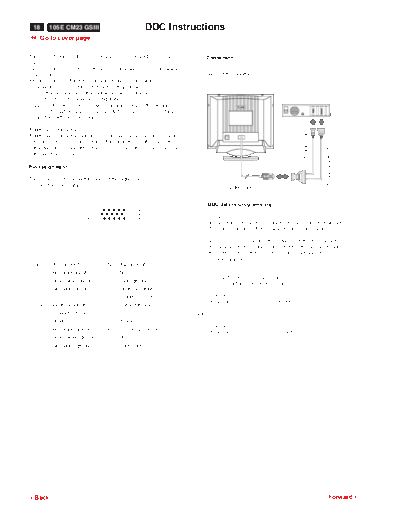
>> Download p18_p21 documenatation <<
Text preview - extract from the document
 18      105E CM23 GSIII                               DDC Instructions
9 Go to cover page

This [DDC Module (DDC cable)= 4822 320 12004(=4822 724 27550)]            Connection
and
[DDC V2(DDCV2U.EXE) software(3.5" disk)=4822 711 00024(= 4822
724 27560)]                                                               (Rear of the monitor)
are used for "BU Monitor - Chungli product range" which
incorporates a DDC1/DDC2B function that allows
bi-directional communication between the monitor and
PC system for optimal video configuration.
[July 01 1997, Revision 2.0] ,which upgrades the software and
service information(4822 727 21027 & 4822 727 21038) , is fully
compatible with previous one.

Additional information :


                                                                                                                     To video card
Additional information about DDC (Display Data Channel) may be
obtained from Video Electronics Standards Association (VESA).


                                                                                                                                     To printer port (LTP1)
Extended Display Identification (EDID) information may be also be
obtained from VESA.

Pin assignment

The 15-pin D-sub connector (male) of the signal cable
(3 rows) for DDC feature :                                                          Video cable


                                                                          DDC data re-programming
                              1                   5
                              6                   10
                             11                   15                  1. General
                                                                         In case the DDC data memory IC, replaced due to a defect
                                                                         the data contents of this IC have to be re- programmed via a
                                                                         PC.
                                                                         In case of replacement of the video (or deflection) board
                                                                         it is advised to re-soldered DDC IC from the old board onto
                                                                         the new board, in this case the IC dose not need to be
                                                                         re-programmed.
 Pin No. Assignment               Pin No. Assignment
    1     Red video input           9    No pin
                                                                      2. DDCV2N.EXE can be used for :
    2     Green video input        10    Logic ground
                                                                         EDID Structure Version/Revision
    3     Blue video input         11    Identical output
                                         connected to pin 10               Version                :1
                                                                           Revision               :0   (text file)
    4     Identical output         12    Serial data line
          connected to pin 10            (SDA)                      and
    5     Ground                   13    H.sync
                                                                           Version                :1
    6     Red video ground          14   V. sync (VCLK for
                                                                           Revision               :1   (.hex file)
    7     Green video ground             DDC)
    8     Blue video ground         15   Data clock (SCL)


3Back                                                                                                                                         Forward4
                                          DDC Instructions (continued)                                       105E CM23 GSIII         19
                                                                                                           9 Go to cover page

DDC Reprogramming Instructions (for                                   How to write DDC hex files to Monitor
PHILIPS models)
◦ Jabse Service Manual Search 2026 ◦ Jabse Pravopis ◦ onTap.bg ◦ Other service manual resources online : Fixya ◦ eServiceinfo