Service Manuals, User Guides, Schematic Diagrams or docs for : Philips Monitor Monitor CD 2001[1].part02 Monitor CD 2001 E-MANUALS Philips crt 107b cdrom 24gs3-p21-23
<< Back | HomeMost service manuals and schematics are PDF files, so You will need Adobre Acrobat Reader to view : Acrobat Download Some of the files are DjVu format. Readers and resources available here : DjVu Resources
For the compressed files, most common are zip and rar. Please, extract files with Your favorite compression software ( WinZip, WinRAR ... ) before viewing. If a document has multiple parts, You should download all, before extracting.
Good luck. Repair on Your own risk. Make sure You know what You are doing.
Image preview - the first page of the document
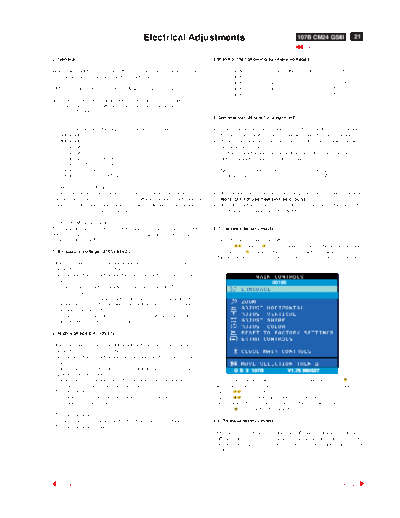
>> Download 24gs3-p21-23 documenatation <<
Text preview - extract from the document
Electrical Adjustments 107B CM24 GSIII 21
0. General 3.Monitor the following auxiliary voltages.
When carry-out the electrical settings in many cases a video signal SOURCE ACROSS C2152 and GND. +190.0V +/- 0.2 VDC
must be applied to the monitor. A computer with : SOURCE ACROSS C2154 + 79.0V +/- 1.0 VDC.
SOURCE ACROSS C2156 - 6.1 V +/- 0.3 VDC.
- ATI GPT-1600 (4822 397 10065), Mach 64 (up to 107kHz) SOURCE ACROSS C2160 +13.4V +/- 0.5 VDC.
SOURCE ACROSS C2157 - 13.4V +/- 0.5 VDC.
are used as the video signal source. The signal patterns are selected
from the "service test software" package, see user guide 4822 727
21046 (GPT-1600).
4. General conditions for alignment
0.1 This monitor has 8 factory-preset modes as below. 4.1 During all alignments, supply a distortion free AC mains voltage
800 x 600 46.8 kHz/75 Hz to set via an isolating transformer with low internal impedance.
800 x 600 53.6 kHz/85 Hz 4.2 Align in pre-warmed condition, at least 30 minutes warm-up with
1024 x 768 56.4 kHz/70 Hz nominal picture brightness.
1024 x 768 60.0 kHz/75 Hz 4.3 Purity, geometry and subsequent alignments should be carried
1024 x 768 68.6 kHz/85 Hz out in magnetic cage with correct magnetic field.
1152 x 864 67.5 kHz/75 Hz
1280 x 1024 79.9kHz/75Hz Northern hemisphere : H=0, V=430 +/- 50 mG, Z=0
1280 x 1024 91.1 kHz/85 Hz Southern hemisphere : H=0, V=-520 +/-50 mG, Z=0
0.2 With normal VGA card:
If not using the ATI card during repair or alignment, The service 4.4 All voltages are to be measured or applied with respect to ground.
engineer also can use this service test software adapting with normal Note: Do not use heatsink as ground.
standard VGA adaptor and using standard VGA mode 800 x 600, 4.5 Adjust brightness controls to center position except for contrast
46.9 kHz/75 Hz (only) as signal source. control which should be set to MAX.
0.3 AC/DC Measurement:
The measurements for AC waveform and DC figure is based on 800 x 5. To access factory mode:
600 46.9 kHz/75 Hz resolution mode with test pattern "gray scale".
Power input: 110V AC - Turn off monitor (don't turn off PC)
- Press " " and " " simultaneously on the front control panel
1. B+ supply voltage (3165) 84Vdc ,then press " ",wait till the OSD menu with characters
" factory mode (below OSD menu)" come on the screen of monitor.
- Apply a video signal in the 800 x 600 with 46.9 kHz/75Hz mode.
- Select the "cross-hatch" pattern.
- Set the brightness control and the contrast control to the minimum
position. 00195
- Pre-set trimming potentiometer 3165(+) and 3587(EHT)
in mid-position.
- Set Vg2 (screen) to fully Counter-clockwise (zero beamcurrent).
- Connect a dc voltmeter between the joint of capacitor 2152 and
ground (common ground).
- Set the B+ trimming potentiometer 3165 so that the reading on the
dc voltmeter is 190 V +/- 0.2 Vdc.
2. High-voltage EHT (3587)
- Apply a video signal in the 800 x 600 with 68.7kHz/85Hz mode.
- Select the "cross-hatch" pattern.
- Set the brightness control and the contrast control to the minimum
position.
- Connect a dc voltmeter between the joint of capacitor C2154 and G S 3 107B V1.75 990527
ground (common ground).
- Connect a "high-voltage voltmeter" between the high-voltage - If OSD menu disappears on the screen of monitor, press " "
connection of the picture tube and earth. again (anytime), then the OSD menu comes on the screen again.
- Turn on the power. - using " " : to select OSD menu.
- Set the EHT trimming potentiometer 3587 so that the "high- - using " " : to increase or decrease the setting.
voltage voltmeter" reads 26.0 kV +/- 0.2 kV . (Please also refer to page 8 to page 15 for OSD adjustment)
- Using " " to confirm the selection.
- Turn off the power.
- Remove the "high-voltage voltmeter" from the picture tube. 5.1. To leave factory mode
- Turn on the power again.
After alignment of factory mode, turn off monitor (if you do not turn
off monitor, the OSD menu is always at the factory mode), then turn
on monitor again (at this moment, the OSD menu goes back to user
mode).
22 107B CM24 GSIII Electrical Adjustments (Continued)
6. Picture geometry setting
- Apply a video signal with cross-hatch pattern.
- Apply a video signal in the 1024 x 768 with 68.7 kHz/85 Hz mode. 9300 BIAS R G B GAIN R G B
6500 BIAS R G B GAIN R G B
- Set contrast control at Max. position, and brightness control in the
5500 BIAS R G B GAIN R G B
mid-point. FOCUS(H V) VLIN BAL USER
6.4 Alignment of horizontal geometry and vertical geometry Fig. 2.2
RASTER(H V) LIN ( H V ) SUB
6.4.1 Adjust the H-width to 306 mm V(OFFSET GAIN) SUB
6.4.2 Adjust the H-phase to center position. CORNER(T B) ABL
H EHT
6.4.3 Adjust V-size to 230mm.
EXIT
6.4.4 Adjust V-Position to center. 114
Adjust/Trapezium/pincushion
6.4.5 Adjust picture tilt via I2C BUS for correct top/bottom lines.
6.4.6 Adjust the top and bottom corner by I2C to straight vertical lines
of the left and right edge.
6.4.7 Adjust the parallelogram by I2 CBUS to get optimum vertical line.
6.4.8 Adjust the unbalance pin by I2C BUS to get optimum vertical BIAS R G B : R(red) G(green) B(blue) cutoff
line. GAIN R G B : R(red) G(green) B(blue) gain
6.4.9 Adjust the unbalance Vertical linearity balance by I2C BUS to V FOCUS : Vertical Focus
get optimum vertical linearity balance. VLIN BAL : Vertical Linearity Balance
6.4.10Adjust the unbalance Vertical linearity by I2C to get optimum USER : Horizontal size range
vertical linearity. RASTER H: Horizontal DC (raster) Shift
6.5 Adjust size/centering/trapezium/pincushion/parallelogram RASTER V: Vertical DC (raster) Shift
of all other preset modes (TABLE1-TABLE8) via I2C bus. HLIN : Horizontal Linearity
6.6 Preset factory preload timin TABLE9-TABLEE22 according to V LIN : Vertical Linearity
step 6.5 values. SUB : Zoom range
SUB : Sub Contrast
7. Alignment of Vg2 cut-off point, white tracking V OFFSET : Vertical offset
V GAIN : Vertical Gain
Equipment : 1. Video Test Generator-801GC (Quantum Data) ABL : Auto Beam Limit
2. Color-analyzer (Minolta CA-100) T CORNER: Corner Correctionof TOP
VG2 [(screen), at the bottom of the L.O.T.]. B CORNER: Corner Correctionof BOTTOM
* Apply a video signal in the 1024 x 768 with 68.7 kHz/85 Hz mode, H EHT : Horizontal Extensive High Tension
select the "full white pattern" (sizes 306 x 230 mm).
* Use color-analyzer (Minolta CA-100) to adjust cutoff and 7.2 Connect the video input, set brightness control at center, and
white uniformity. contrast control at maximum
7.3
OSD R/G/B cut-off and R/G/B gain can be accessed, with set R,G,B cut-off at 127 9300k and 6500K(EEPROM preload value)
initial data: R,G,B gain at 180 9300k and 6500K(EEPROM preload value)
9300 oK ABL at 127 9300k and 6500K(EEPROM preload value)
R cutoff = 40%, R gain = 65% (I2 C) SUB-CON at 218 (EEPROM preload value)
G cutoff = 40%, G gain = 65% (I2 C) 7.4 Adjust 9300K color:
B cutoff = 40%, B gain = 65% (I2 C) With the help of a factory calibrated color analyzer CA 100
6500 oK set low R,G,B scale 100=0.12FL,x=283,y=297
R cutoff = 40%, R gain = 55% (I C)
2
Adjust Vg1 until brightest gun at 100 on low brightness scale.
G cutoff = 40%, G gain = 55% (I C)
2
7.5 Adjust R,G,B cut-off for all gun reading to get 100 on low
B cutoff = 40%, B gain = 55% (I C)
2
brightness scale.
Brightness = 50%, Sub-Contrast = 85%, ABL = 70% (I C)
2
7.5 Adjust R,G,B cut-off for all gun reading to get 100 on low
brightness scale.
Step 1: To press power button switch and left & right 7.6 Set Ca100 high R,G,B scale 100 = 41+/- 2FL,X=283,y=297
simulaneously to entert the character "FACTORY MODE" as Adjust G gain at 100 scale on high brightness scale.
shown in Fig.2.1, press " " to access the OSD menu for 7.7 Adjust R,B gain so that blue and green havng as
R/G/B gain & cutoff as shown in Fig. 2.2. red on the high brightness scale
Step 2: Press " " for function selection as shown in Fig. 2.2. 7.8 Set contrast at minimum and repeat 7.5,7.6,7.7,until RGB three
guns get same readings on low and high brightness scale.
7.9 Adjust 6500K color:
00195 With the help of a factory calibrated color analyzer CA 100
set low R,G,B scale 100=0.12FL,x=313,y=329
Adjust Vg1 until brightest gun at 100 on low brightness scale.
7.10 Adjust R,G,B cut-off for all gun reading to get 100 on low
brightness scale.
7.11 Set CA100 high R,G,B scale 100 = 41+/- 2FL,X=313,y=329
Adjust G gain at 100 scale on high brightness scale.
7.12 Adjust R,B gain so that blue and green have the same reading
as red on the high brightness scale
7.13 Set contrast at minimum and repeat 7.10,7.11,7.12,until RGB
three guns get same readings on low and high brightness
scale.
7.14 Adjust SUB-CON to get Y=41+/-2FL.
7.15 Apply full white pattern, adjust ABL to reach 30 +/- 2FL(C MAX.)
7.16 Check full white at contrast and brightness at minimum, the
foreground shall be extinguished.
G S 3 107B V1.75 990527
Electrical Adjustments (Continued) 107B CM24 GSIII 23
8. Focus adjustment Setting
- Before the static convergence setting can be made,
Apply a signal of " @ " character. at 68.7 kHz/85 Hz mode set the the monitor must be switched on for 30 minutes.
brightness to mid-position , contrast to max - position and adjust - The focus setting must be made correctly.
the focus for optimal sharpness in the area within 2/3 from the - Signal: 640 * 480, 31.5 kHz/60 Hz mode.
screen center. - Set the tabs of the 4-pole magnet in the neutral
position. This is when the tabs are opposite one
another. In this position the magnets do not affect the
9. Loading DDC code
deflection of the R and B electron beams.
The DDC HEX data should be written into the EEPROM
- Set the tabs of the 6-pole magnet in the neutral
(7803,7804) by EEPROM writer or equivalent method.
position. This is when the tabs are opposite one
another. In this position the magnets do not affect the
a: Service DDC Kit deflection of the R, B, and G electron beams.
DDC Module (DDC cable), Part number = 4822 320 12004 - First set the 4-pole magnet optimally.
DDCV2u.EXE software (3.5" disk), Part number = 4822 711 00024 - Then set the 6-pole magnet optimally.
b: Please refer to Service information 4822 727 21995 for using - If the convergence is not now optimal, then adjust to
the Service DDC Kit. the optimal setting with the 4-pole magnet and then with
the 6- Pole magnet again.
10. To access service mode - Set the tabs of the 6-pole magnet in the neutral
position. This is when the tabs are opposite one
The service mode is for service purpose which convenient to another. In this position the magnets do not affect the
perform repair service and pre-warm up monitor before test or deflection of the R, B, and G electron beams.
re-adjustment colour temperature without any video signal - First set the 4-pole magnet optimally.
generator requirement. - Then set the 6-pole magnet optimally.
- If the convergence is not now optimal, then adjust to
10.1 Remove video signals the optimal setting with the 4-pole magnet and then
10.2 Press " " and " " simultaneously on the front control with the 6- pole magnet again.
panel ,then press " ",release all bottons till the full white
pattern come on the screen of monitor.
10.3 In the beginning of service mode (full white pattern), the monitor
will working at 47kHz of horizontal frequency, after 55 seconds,
it will switch to 86kHz automatically, then change mode between
two modes constantly every 55 seconds.
10.4 You may quit service mode by either turn off and on or feed
video signals to the monitor.
2-pole purity magnet
11. Purity adjustment 6-pole convergence magnet
4-pole convergence magnet
- Make sure the monitor is not exposed to any
Deflection Yoke
external magnetic field.
- Produce a full red pattern on the screen, adjust the
purity magnet rings on the PCM assy (on CRT) to
obtain a complete field of the color red. This is done
by moving the two tabs (2-pole) in such a manner
that they advance in an opposite direction but at 4-pole Beam motion producced by the
the same time to obtain the same angle between 4-pole convergence magnet
the two tabs, which should be approximately 180
degree.
- Check by full green pattern and full blue pattern S
again to observe their respective color purity. S N
12. Static convergence B G R N B G R N
Introduction N S
S
Slight deviation in the static convergence can be
corrected by using two permanent pairs of magnets
which are fitted around the neck of the CRT. These Beam displacement Magnetic flux
are the 4-pole magnet and the 6-pole magnet. direction lines
The 4-pole magnet move the outermost electron
beams (R and B) parallel in the opposite direction
from the other. The 6-pole magnet moves the
outermost electron beam (R, B and G) parallel in the
opposite direction from the other.
The magnetic field of the above magnets do not affect 6-pole Beam motion producced by the
the center of the CRT neck. 6- pole convergence magnet
N
S N
S S
B G R N B G R S
N N
S N
S
◦ Jabse Service Manual Search 2026 ◦ Jabse Pravopis ◦ onTap.bg ◦ Other service manual resources online : Fixya ◦ eServiceinfo