Service Manuals, User Guides, Schematic Diagrams or docs for : Philips Monitor Monitor CD 2001[1].part02 Monitor CD 2001 E-MANUALS Philips crt 107b2 pdf p06
<< Back | HomeMost service manuals and schematics are PDF files, so You will need Adobre Acrobat Reader to view : Acrobat Download Some of the files are DjVu format. Readers and resources available here : DjVu Resources
For the compressed files, most common are zip and rar. Please, extract files with Your favorite compression software ( WinZip, WinRAR ... ) before viewing. If a document has multiple parts, You should download all, before extracting.
Good luck. Repair on Your own risk. Make sure You know what You are doing.
Image preview - the first page of the document
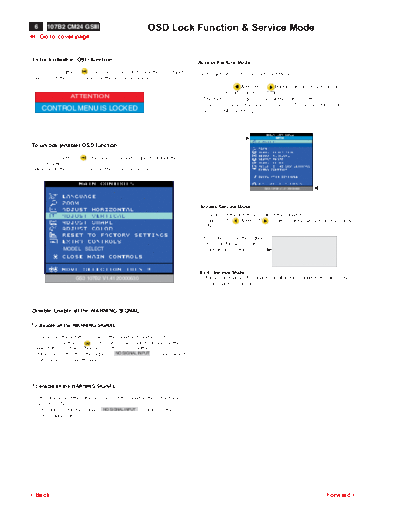
>> Download p06 documenatation <<
Text preview - extract from the document
 6     107B2 CM24 GSIII                               OSD Lock Function & Service Mode
9 Go to cover page


 To lock (disable) OSD function:
                                                                            Access Factory Mode
 - Press OSD button "     " for over 15 seconds to lock the OSD function.   Firstly, get into Factory Adjustment Mode.
   Release it, then OSD comes on the screen as below.
                                                                              Push LEFT      & RIGHT        buttons at the same time for
                                                                              over 15 seconds and release them.
                  ATTENTION                                                   The factory message appears at the bottom of the
                                                                              main OSD menu. (for example : GS3 107B2 V1.41 20000630;
     CONTROL MENU IS LOCKED                                                   00115 is M.used hours)


                                                                                                                      00115


To unlock (enable) OSD function:

- Press OSD button "     " for over 15 seconds again to unlock the
  OSD function.
  Release it, then OSD comes on the screen as below.


                                                                                                               GS3 107B2 v1.41 20000630


                                                                            Access Service Mode
                                                                             - Disconnect the Interface cable of the monitor.
                                                                             - Push LEFT        & RIGHT        buttons at the same time, then power
                                                                               ON.

                                                                             - If it is successful, the signal "                                 "
                                                                               comes on the screen later.                  SERVICE MODE
               MODEL SELECT                                                    (Background is white.).                  SERIAL NO: TY 123456
                                                                                                                          HOURS : 00021
                                                                                                                       FACTORY VER 1.01 990706


                                                                             Exit "Service Mode" :
                    GS3 107B2 V1.41 20000630                                 - Apply a normal VGA Signal to monitor, then monitor will exit " service
                                                                               mode" back to normal.


 Disable/Enable all the WARNING SIGNAL

To disable all the WARNING SIGNAL :

- Disconnect the Interface cable of the monitor (Monitor is ON.).
- Press OSD button "             " for over 15 seconds to disable all the
  WARNING SIGNAL. Then release the "OSD" button.
- If it is successful, then the signal " NO SIGNAL INPUT "disappeared to
  enter power saving-off mode.


To enable all the WARNING SIGNAL :

- After disconnect the Interface cable of the monitor, then Monitor is
  powered ON.
- If it is successful, the signal " NO SIGNAL INPUT " comes on the
   screen again later.


3Back                                                                                                                                     Forward4
◦ Jabse Service Manual Search 2026 ◦ Jabse Pravopis ◦ onTap.bg ◦ Other service manual resources online : Fixya ◦ eServiceinfo