Service Manuals, User Guides, Schematic Diagrams or docs for : Philips TV a10_painter_panel_aa_690
<< Back | HomeMost service manuals and schematics are PDF files, so You will need Adobre Acrobat Reader to view : Acrobat Download Some of the files are DjVu format. Readers and resources available here : DjVu Resources
For the compressed files, most common are zip and rar. Please, extract files with Your favorite compression software ( WinZip, WinRAR ... ) before viewing. If a document has multiple parts, You should download all, before extracting.
Good luck. Repair on Your own risk. Make sure You know what You are doing.
Image preview - the first page of the document
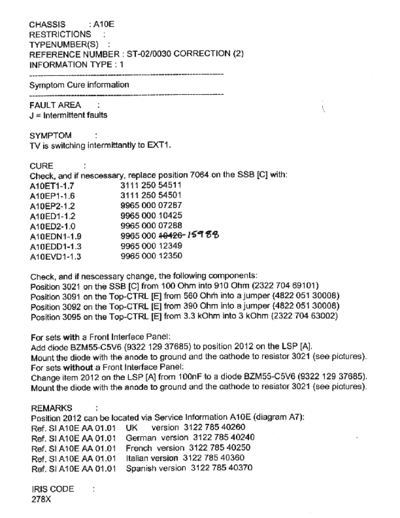
>> Download a10_painter_panel_aa_690 documenatation <<
Text preview - extract from the document
Hi All,
> I've just been given an object lesson in sm Ic replacement by my Comet field
> technician friend who replaced the "painter" Ic in a Philips 24PW6005 set I
> had in for repair. He took 20 mins from start to finish and the set worked
> first time, seemingly he has done this about 200 times now so he's obviously
> an old hand at the game.
> The good thing about the "A10ET1" series of Ic's are the set's
> options/geometry/greyscale settings are retained in memory and do not need
> to be setup with "painter" replacement..
> The fault was various osg objects appeared down the Lhs within 10 mins of
> switch-on followed by the set shutting down.
>
> Using a "Portasol" gas soldering iron with hot air tip he simply played the
> heat around the top of the Ic (not the pins) for a couple of mins and using
> a pair of tweezers lifted the Ic cleanly off the board. He then went around
> the board pads with soldamop.
> Next he applied flux around the board pads and positioned the new Ic and
> applied a little solder at the corner pins using a pointed-tip bit.
> Following this he applied a little solder at the opposite corners of the Ic
> and simply dragged it along the pins with the iron. Finally he used
> "Flux-off" rosin spraying it around the Ic and scrubbing with the brush tip
> on the aerosol can.
>
> He made it look so simple and in fact this removes the Ic so cleanly they
> can be re-used if found not to be faulty. He wears an anti-static grounding
> wrist strap while doing it to minimize damage.
> Watching this exercise has given me confidence to try it myself although I
> will heed his advice to practice on old boards first till you get the hang
> of it.
> Now if only we could get the Ic's cheaper!
◦ Jabse Service Manual Search 2026 ◦ Jabse Pravopis ◦ onTap.bg ◦ Other service manual resources online : Fixya ◦ eServiceinfo