Service Manuals, User Guides, Schematic Diagrams or docs for : Philips TV philips_service_mode
<< Back | HomeMost service manuals and schematics are PDF files, so You will need Adobre Acrobat Reader to view : Acrobat Download Some of the files are DjVu format. Readers and resources available here : DjVu Resources
For the compressed files, most common are zip and rar. Please, extract files with Your favorite compression software ( WinZip, WinRAR ... ) before viewing. If a document has multiple parts, You should download all, before extracting.
Good luck. Repair on Your own risk. Make sure You know what You are doing.
Image preview - the first page of the document
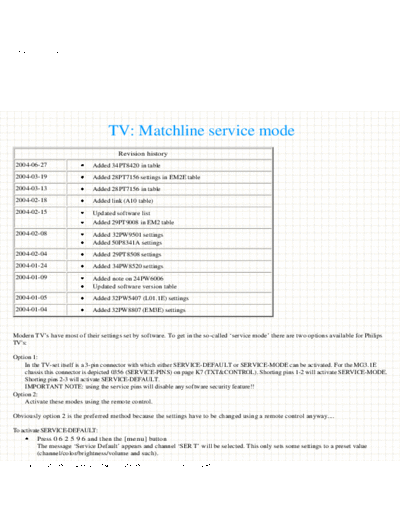
>> Download philips_service_mode documenatation <<
Text preview - extract from the document
TV: Matchline service mode


                                           TV: Matchline service mode
                                               Revision history
  2004-06-27                        Added 34PT8420 in table
  2004-03-19                        Added 28PT7156 settings in EM2E table
  2004-03-13                        Added 28PT7156 in table
  2004-02-18                        Added link (A10 table)
  2004-02-15                        Updated software list
                                    Added 29PT9008 in EM2 table
  2004-02-08                        Added 32PW9501 settings
                                    Added 50P8341A settings
  2004-02-04                        Added 29PT8508 settings
  2004-01-24                        Added 34PW8520 settings
  2004-01-09                        Added note on 24PW6006
                                    Updated software version table
  2004-01-05                        Added 32PW5407 (L01.1E) settings
  2004-01-04                        Added 32PW8807 (EM3E) settings


 Modern TV's have most of their settings set by software. To get in the so-called `service mode' there are two options available for Philips
 TV's:

 Option 1:
     In the TV-set itself is a 3-pin connector with which either SERVICE-DEFAULT or SERVICE-MODE can be activated. For the MG3.1E
     chassis this connector is depicted 0356 (SERVICE-PINS) on page K7 (TXT&CONTROL). Shorting pins 1-2 will activate SERVICE-MODE.
     Shorting pins 2-3 will activate SERVICE-DEFAULT.
     IMPORTANT NOTE: using the service pins will disable any software security feature!!
 Option 2:
     Activate these modes using the remote control.

 Obviously option 2 is the preferred method because the settings have to be changed using a remote control anyway....

 To activate SERVICE-DEFAULT:
          Press 0 6 2 5 9 6 and then the [menu] button
          The message `Service Default' appears and channel `SER T' will be selected. This only sets some settings to a preset value
          (channel/color/brightness/volume and such).
file:///D|/Service%20mode/TV%20philips%20service%20mode.htm (1 of 13) [7/4/04 8:16:32 AM]
TV: Matchline service mode


             This mode is primarily intended to set things to a predefined state for servicing. Measurements/adjustments are usually carried
             out with service default active. You can exit the service default mode by placing the TV into standby (not through the mains
             switch).

 To activate SERVICE-MODE:
           Press 0 6 2 5 9 6 and then the [i+] button (Note: the [i+] button is also known as [OSD] or [STATUS] button.

 After pressing 0 6 2 5 9 6          the message `Dealer' should have appeared.

 Other codes which seem to work:
 0162596
 0362596
 0462596
 0762596
 0862596

 These alternative codes have just an additional number after the '0'.The additional number is any number which was not part of the
 'original' code.
 More precisely: the number following the '0' can be repeated multiple times, so
 0 1 1 1 6 2 5 9 6 is also acceptable.

 Note: press the numbers not faster (or slower) than you would normally do if you had to press multiple numbers. Do not worry about the
 channel changing while you press the numbers.
 Tip from Jan Christiaan van Winkel: if you switch to Teletext mode before entering the service code then the channel changing won't take
 place. You even have some visible feedback of the numbers you are entering.

 Service technicians have the means of entering service mode using a special remote control. So, if above method does not work, and you
 happen to own a programmable remote control (like the Pronto) then you might be helped with the remote control codes themselves: go
 to the TV: Service Mode (remote control codes) section for these. If you don't own a programmable remote but want to build your own: go
 to the Projects: Remote control page. There is an extremely simple one, consisting of just a resistor and infrared LED and with software to
 control it!

 It has been pointed out to me, by someone named Martin, that entering the service default mode by these methods would
 disable the Protection system and could therefore put you at risk of harming yourself. Unfortunately he didn't go into
 more detail on why or how.
 However, be warned that if you use the service pins to access service mode all software security features ARE typically
 switched OFF!!!


 The service mode menu will look something like this:


file:///D|/Service%20mode/TV%20philips%20service%20mode.htm (2 of 13) [7/4/04 8:16:32 AM]
TV: Matchline service mode


  Date:Sep 26 2000 Id: MG31E11.8_02581

  Operation Hours: XXXXX.X
  Errors:XXX XXX XXX XXX ...

  Defect. Module: Unknown

  Service

  Reset Error Buffer
  Functional Test
  Alignments
  Dealer Options


 The `Alignment' and `Dealer Options' have sub-menu's which are layout in the the tables. The bold setting is the 'default' setting, the others
 are alternative settings.

 Every TV has it's specific settings (especially the geometry). So, everyone is invited to send in his, or hers, list of settings for their
 television. Even if the model is already in the list! There are a lot of readers which are helped with a list of settings which they can use as a
 starting point.

 Notes:
 Please note that **every** TV has it's own individual settings. Even if the TV is from the same production line.
 Options (and also the option bytes) are hardware specific and should not be changed (they reflect the actual hardware).
 Since these hardware settings are typically only read when the TV is powered up (using the mains switch), it means that these settings
 have to be stored prior to this. If such a hardware setting is not correct (eg. you changed it yourself) then the TV might get into protection.
 Since you won't be able to see anything on screen anymore it is difficult to correct this. One of the options is to replace or clear the
 EEPROM (first make a backup of the original settings...). If the TV recognizes a new EEPROM it should start up with factory default
 settings....

 The following tables can be found here:
  Table A10                  32PW6515
  Table EM1                  50P8341, 34PW8520
  Table EM2                  28PT7156, 32PW8106, 29PT8508, 32PW8707, 29PT9008
  Table EM3                  32PW8807
  Table GFL                  32PW9501
  Table L01                  25PT2252, 25PT4107, 32PW5407, 21PT5507, 24PW6006, 28PW6006, 32PW6006,
                             32PW6506
  Table MG2                  32PW9545
  Table MG3                  PW9416, 32PW9616, 32PW9616, 32PW9616, 32PW9617, 32PW9765, 32PW9767 ,
                             36PW9767
  Table MG7                  28PW9525, 32PW9525
                             Note: Also see MG7.1E specific pages
   TV: Miscellaneous         For all others, especially older models.


file:///D|/Service%20mode/TV%20philips%20service%20mode.htm (3 of 13) [7/4/04 8:16:32 AM]
TV: Matchline service mode


 Geometry alignments:
 When convergence or geometry alignments are to be carried out take the following hints in consideration.
 Have the TV set warmed up for at least 20 minutes.
 When adjusting, sit in front of the TV about 1.5 .. 3 meters away from the screen. Make sure you are at eye level with the area on the
 screen you are adjusting.
 Because an alignment in one area of the screen affects other areas on the screen, you need to perform several 'passes' through the whole
 sequence of adjusting to get the desired result. Adjust the parameters in the same order as they are presented on screen, starting from
 the top and then going down the list. This means that you typically adjust 'V.slope' first , followed by 'V. shift', and so on.


 Customer Service Menu:
 Other menu's and settings, besides the service mode, are available. There is the Customer Service Menu (with thanks to Armin Gawatz for
 the method to enter the Customer Service Menu). You get into this menu using the combination of the [MENU] button on the TV and using
 the [MUTE] button on the remote. Hold down the [MENU] button (TV) and the [MUTE] button (remote) simultaneously for about 4
 seconds. The Customer Service Menu will appear. These Customer Service Menu's are informational pages only, you can not change
 anything.
 Alternative method: press first TV-[MENU] for 4 seconds and then press [MUTE] until menu appears.
 If you have a TV with a MG3.2E chassis (or a TV with the same/newer software) then you can also enter the Customer Service menu by
 pressing 1 2 3 6 5 4 using the standard remote control. This also applies to TV's with the MG7.1E chassis (thanks to Vsevolod Ilyin): as
 said before: this depends on the software version of the TV. Version 02581 does not seem to support this method.
 PW9525:
  CUSTOMER SERVICE MENU 1
     1 SW Version                   MG31E11.8_02581
     2 Code 1                       050 066 050 066 050
     3 Code 2                       066 050 066
     4 LS Volume                    0
     5 LS Brightness                32
     6 LS Contrast                  26
     7 LS Colour                    19
     8 LS Headphone                 6
     9 Sharpness                    5
    10 Dolby                        Not present
    11 Surround Mode                3D Surround
    11a Tuner Frequency             751 MHz


 PW9525:
  CUSTOMER SERVICE MENU 2
   12 Rear Volume     5
   13 Centre Volume   5
   14 DNR             Maximum
   15 Noise Figure    42
   16 Digital Option Natural Motion
   17 Colour System   Pal
   18 TV System       BG
   19 Audio System    Stereo
   20 Tuned bit       Off
   21 Speaker config. full internal


file:///D|/Service%20mode/TV%20philips%20service%20mode.htm (4 of 13) [7/4/04 8:16:32 AM]
TV: Matchline service mode

    22 Digital sources None


 For the PW9616 model a typical customer service menu looks like this (contributed by Aad van der Zanden):
 PW9616:
  CUSTOMER SERVICE MENU 1
     1 SW Version                   MG31E11.A_02581
     2 Code 1                       no errors
     3 Code 2                       -
     4 LS Volume                    9
     5 LS Brightness                36
     6 LS Contrast                  32
     7 LS Colour                    33
     8 LS Headphone                 12
     9 Sharpness                    2
    10 Dolby                        Not present
    11 Surround Mode                Pro logic
    11a Tuner Frequency             681 MHz


 PW9616:
  CUSTOMER SERVICE MENU 2
   12 -
   13 Centre Volume   11
   14 DNR             Maximum
   15 Noise Figure    20
   16 Digital Option Natural Motion
   17 Colour System   Pal
   18 TV System       BG
   19 Audio System    Stereo
   20 Tuned bit       Off
   21 Speaker config. Surr ext.
   22 Digital sources None
   23 Rear vol left   18
   24 Rear vol right 18


 For the PW9767 model a typical customer service menu looks like this (contributed by Ren
◦ Jabse Service Manual Search 2026 ◦ Jabse Pravopis ◦ onTap.bg ◦ Other service manual resources online : Fixya ◦ eServiceinfo