Service Manuals, User Guides, Schematic Diagrams or docs for : Pioneer DEH DEH-P90HDD & P900HDD Pioneer_DEH-P90HDD,P900HDD
<< Back | HomeMost service manuals and schematics are PDF files, so You will need Adobre Acrobat Reader to view : Acrobat Download Some of the files are DjVu format. Readers and resources available here : DjVu Resources
For the compressed files, most common are zip and rar. Please, extract files with Your favorite compression software ( WinZip, WinRAR ... ) before viewing. If a document has multiple parts, You should download all, before extracting.
Good luck. Repair on Your own risk. Make sure You know what You are doing.
Image preview - the first page of the document
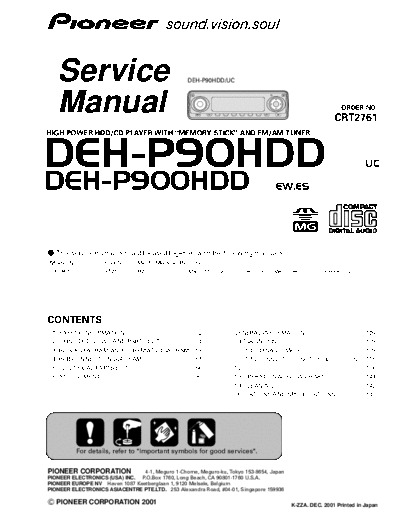
>> Download Pioneer_DEH-P90HDD,P900HDD documenatation <<
Text preview - extract from the document
      Service                                                        DEH-P90HDD/UC


      Manual                                                                                                                                  ORDER NO.
                                                                                                                                          CRT2761
HIGH POWER HDD/CD PLAYER WITH "MEMORY STICK" AND FM/AM TUNER


DEH-P90HDD                                                                                                                                                  UC

DEH-P900HDD                                                                                               EW,ES


- This service manual should be used together with the following manual(s):
Model No.                 Order No.         Mech. Module Remarks
CX-961                    CRT2503           H2           CD Mech. Module:Circuit Description, Mech.Description, Disassembly


CONTENTS
 1.   SAFETY INFORMATION ............................................2         7. GENERAL INFORMATION .....................................109
 2.   EXPLODED VIEWS AND PARTS LIST .......................4                      7.1 DIAGNOSIS ......................................................109
 3.   BLOCK DIAGRAM AND SCHEMATIC DIAGRAM ...18                                       7.1.1 DISASSEMBLY .......................................109
 4.   PCB CONNECTION DIAGRAM ................................54                       7.1.2 CONNECTOR FUNCTION DESCRIPTION .....115
 5.   ELECTRICAL PARTS LIST ........................................66            7.2 IC ......................................................................116
 6.   ADJUSTMENT..........................................................90      7.3 OPERATIONAL FLOW CHART .........................141
                                                                                  7.4 CLEANING ........................................................142
                                                                               8. OPERATIONS AND SPECIFICATIONS...................143


              For details, refer to "Important symbols for good services".


PIONEER CORPORATION             4-1, Meguro 1-Chome, Meguro-ku, Tokyo 153-8654, Japan
PIONEER ELECTRONICS (USA) INC. P.O.Box 1760, Long Beach, CA 90801-1760 U.S.A.
PIONEER EUROPE NV Haven 1087 Keetberglaan 1, 9120 Melsele, Belgium
PIONEER ELECTRONICS ASIACENTRE PTE.LTD. 253 Alexandra Road, #04-01, Singapore 159936

C PIONEER CORPORATION 2001                                                                                         K-ZZA. DEC. 2001 Printed in Japan
DEH-P90HDD,P900HDD

    [ Important symbols for good services ]
    In this manual, the symbols shown-below indicate that adjustments, settings or cleaning should be made securely.
    When you find the procedures bearing any of the symbols, be sure to fulfill them:
    1. Product safety
             You should conform to the regulations governing the product (safety, radio and noise, and other regulations), and
             should keep the safety during servicing by following the safety instructions described in this manual.


    2. Adjustments
              To keep the original performances of the product, optimum adjustments or specification confirmation is indispensable.
              In accordance with the procedures or instructions described in this manual, adjustments should be performed.


    3. Cleaning
             For optical pickups, tape-deck heads, lenses and mirrors used in projection monitors, and other parts requiring cleaning,
             proper cleaning should be performed to restore their performances.


    4. Shipping mode and shipping screws

              To protect the product from damages or failures that may be caused during transit, the shipping mode should be set or
              the shipping screws should be installed before shipping out in accordance with this manual, if necessary.


    5. Lubricants, glues, and replacement parts
             Appropriately applying grease or glue can maintain the product performances. But improper lubrication or applying
             glue may lead to failures or troubles in the product. By following the instructions in this manual, be sure to apply the
             prescribed grease or glue to proper portions by the appropriate amount.For replacement parts or tools, the prescribed
             ones should be used.


- Service Precautions
1. For pickup unit(CXX1305) handling, please refer                            6. An external power supply box is used along with the
   to"Disassembly"(see page 109).                                                unit. Customers may consult their dealers without
   During replacement, handling precautions shall be                             bringing the box.
   taken to prevent an electrostatic discharge(protection                     7. You can't play your data with any HDD or product
   by a short pin).                                                              other than the original one, because each product
2. During disassembly, be sure to turn the power off                             has its ID (CXK2000EN) for protecting copyrights.
   since an internal IC might be destroyed when a con-                           Please use both of the ID and the data in the HDD as
   nector is plugged or unplugged.                                               paired with each other. (For example, if you
3. Please checking the grating after changing the ser-                           exchange the digital units because your unit has
   vice pickup unit(see page 93).                                                defects, remove IC3305: CXK2000EN from the defec-
4. You can't recover the data if the HDD should break                            tive unit and install it in the new unit for use.)
   for some reason.
5. Be careful to handle HDDs (as HDD navigation sys-
   tems).


1. SAFETY INFORMATION
UC

CAUTION

This service manual is intended for qualified service technicians; it is not meant for the casual do-it-yourselfer.
Qualified technicians have the necessary test equipment and tools, and have been trained to properly and safely repair
complex products such as those covered by this manual.
Improperly performed repairs can adversely affect the safety and reliability of the product and may void the warranty.
If you are not qualified to perform the repair of this product properly and safely, you should not risk trying to do so
and refer the repair to a qualified service technician.


2
                                                                                     DEH-P90HDD,P900HDD


WARNING

This product contains lead in solder and certain electrical parts contain chemicals which are known to the state of
California to cause cancer, birth defects or other reproductive harm.
Health & Safety Code Section 25249.6 - Proposition 65


EW
1. Safety Precautions for those who Service this Unit.
◦ Jabse Service Manual Search 2026 ◦ Jabse Pravopis ◦ onTap.bg ◦ Other service manual resources online : Fixya ◦ eServiceinfo